
Forensics and Audio Dissection
Obviously, RX 2 is a powerful, forensic-grade suite of audio restoration and repair software. Let’s take a look at each of its specialized functions.
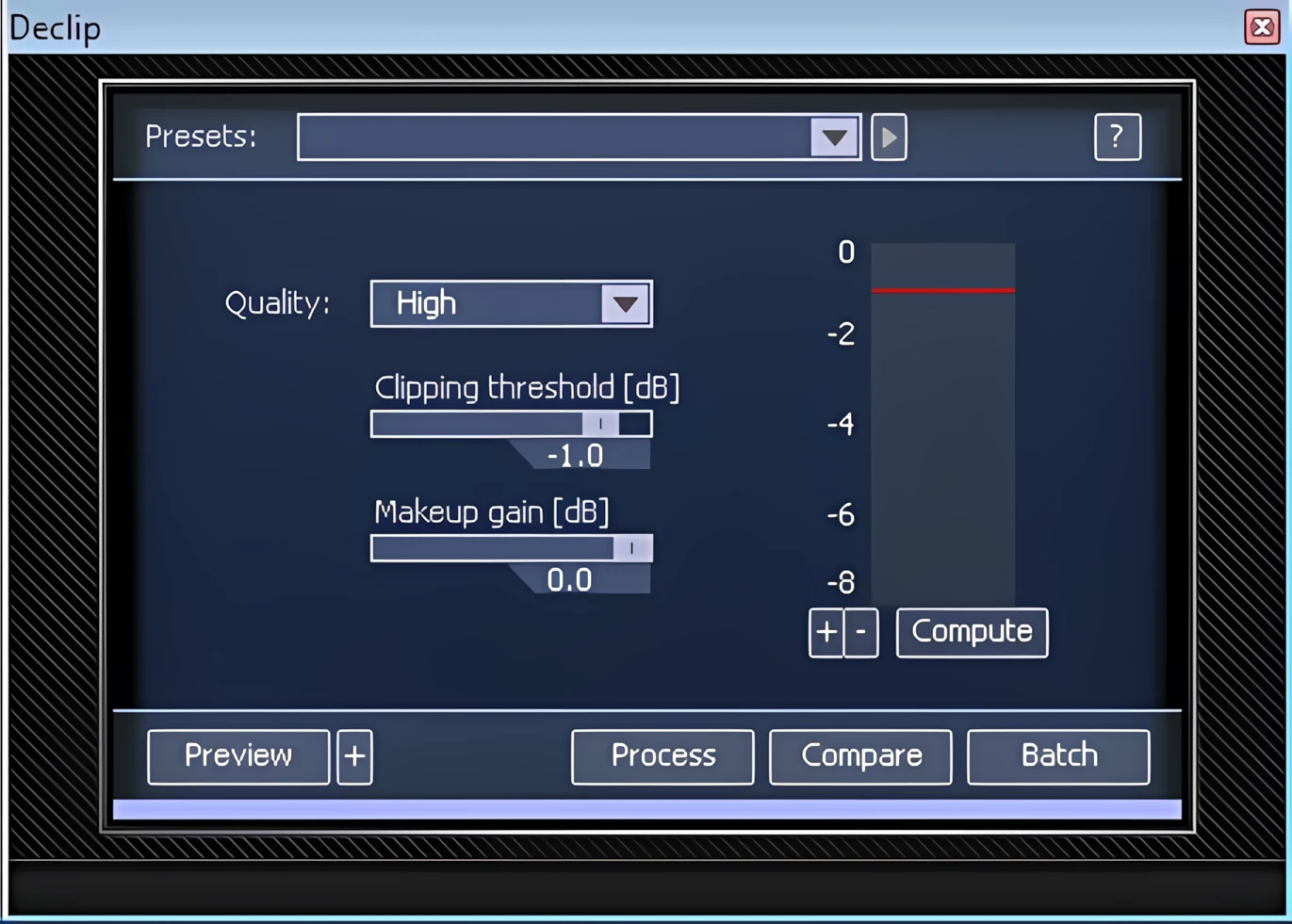
DeClipper:
The DeClipper module provides engineers with a simple, effective way to restore audio damaged by digital or analog clipping. Using iZotope’s advanced proprietary frequency band analysis, it intelligently rebuilds the signal. Six presets cover most declipping scenarios, while key parameters—including clipping threshold, makeup gain, and quality—are fully configurable.
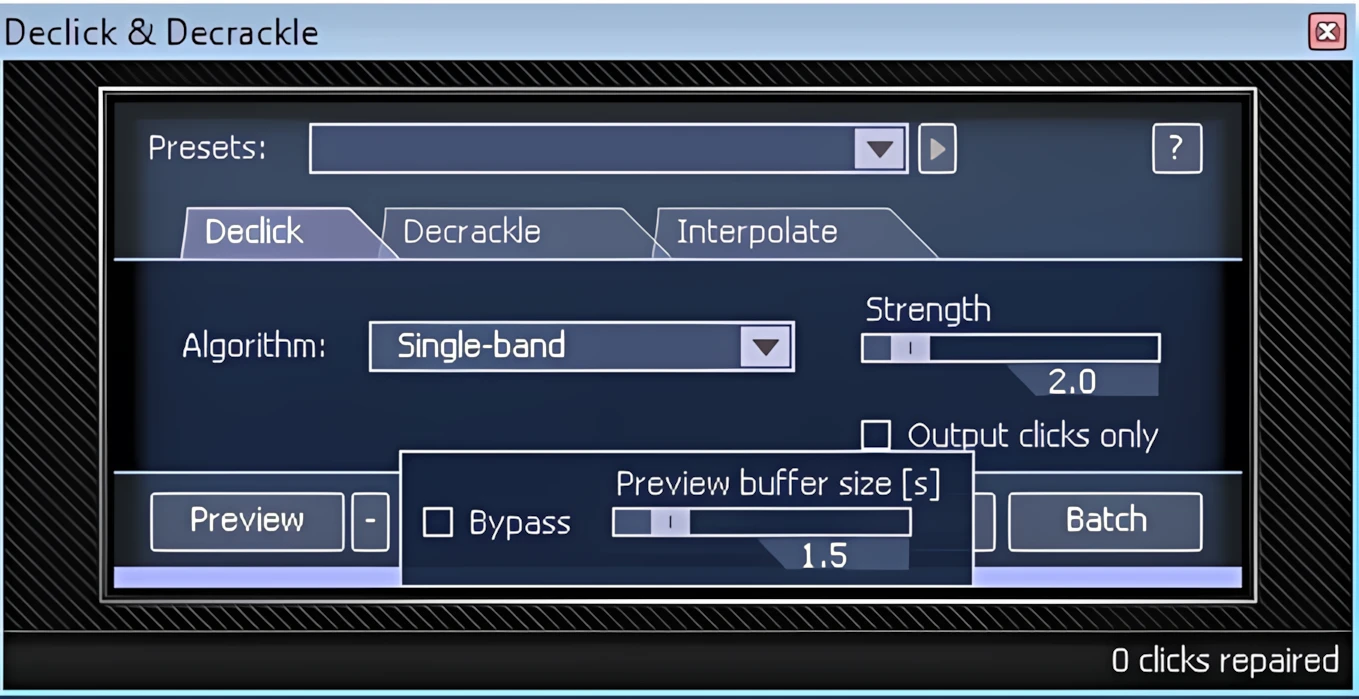
DeClick & DeCrackle:
These modules are invaluable for rejuvenating the audio quality of old vinyl LPs. Astounding audio restoration is possible using this module to remove pops, clicks, scratches and crackle from vinyl LP transfers. The user can choose from three algorithms: Single-band, Multi-band with periodic clicks and Multi-band with random clicks. The Single-band mode best eliminates narrow digital clicks, while the two Multi-band modes better suit LP cleanup. Furthermore, the strength or ‘sensitivity’ of the effect is widely adjustable anywhere from 1 through 10.
I was recently called upon to record a voiceover for a radio announcement. Even though I’d recorded the commercial with a pop filter, the close MIC’d voice recording suffered from too many plosives. I chopped the volume of the unwanted “P” sounds in one of my favourite audio editors: Acon Digital’s Acoustica 5 Premium.
Unfortunately, this introduced light audible clicks at my edit points. Subsequent compression, and its resultant makeup gain, made these subtle artifacts much more pronounced. However, IZotope’s Declick module transparently fixed this annoying little problem quickly and easily. I used the ‘Single-band’ mode with the ‘Strength’ set at 2.0.
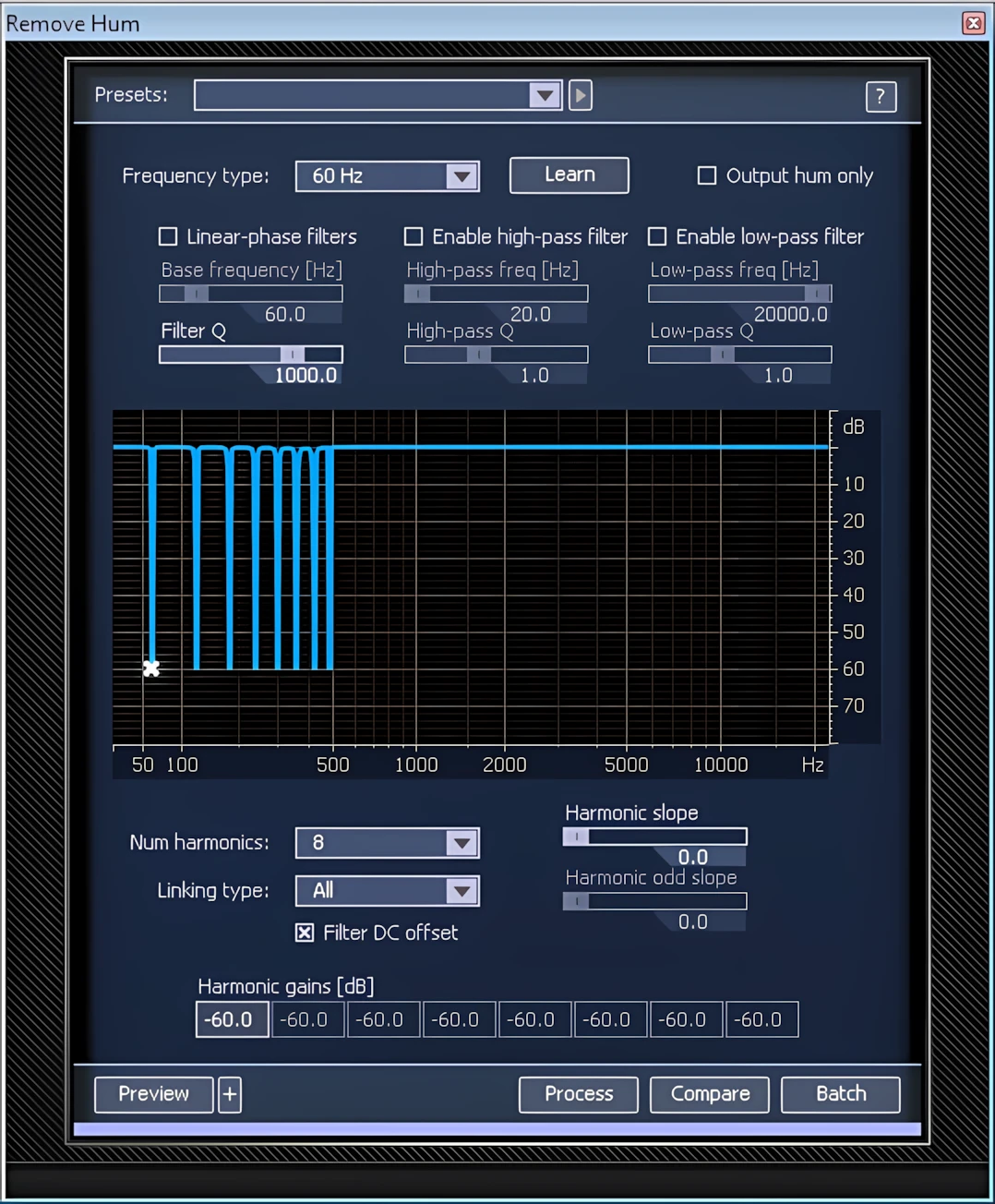
DeHum:
IZotope’s “Remove Hum” module is an absolute must-have for cleaning guitar tracks recorded using noisy, over-driven guitar amps, or ‘buzzy’ live recordings. Great performances that suffer from hum are now perfectly salvageable.
Users can manipulate the number of harmonics (ranging from 1 to 8), harmonic slope, and odd/even linking. The plug-in even includes a Filter DC Offset feature.
For those times when the unwanted hum is elusive, there is a “Learn” function. This is effective at automatically determining the correct frequency by first analyzing the source material. Alternatively, a user can choose the “Free” Frequency Type to unlock the Base Frequency slider. This provides a means of manually finding the Hum’s root note.
Denoise:
This is one of the most commonly used—and most important—modules in the entire collection. Its primary purpose is to target and repair audio that’s plagued by persistent, stationary noise, such as hiss, hum, or other static noise beds.
These include, but are not limited to, tape hiss, microphone hum, power mains buzz, camera motor noise, and other persistent audio disturbances. These noise types generally remain static and retain a consistent spectral shape throughout the recording.
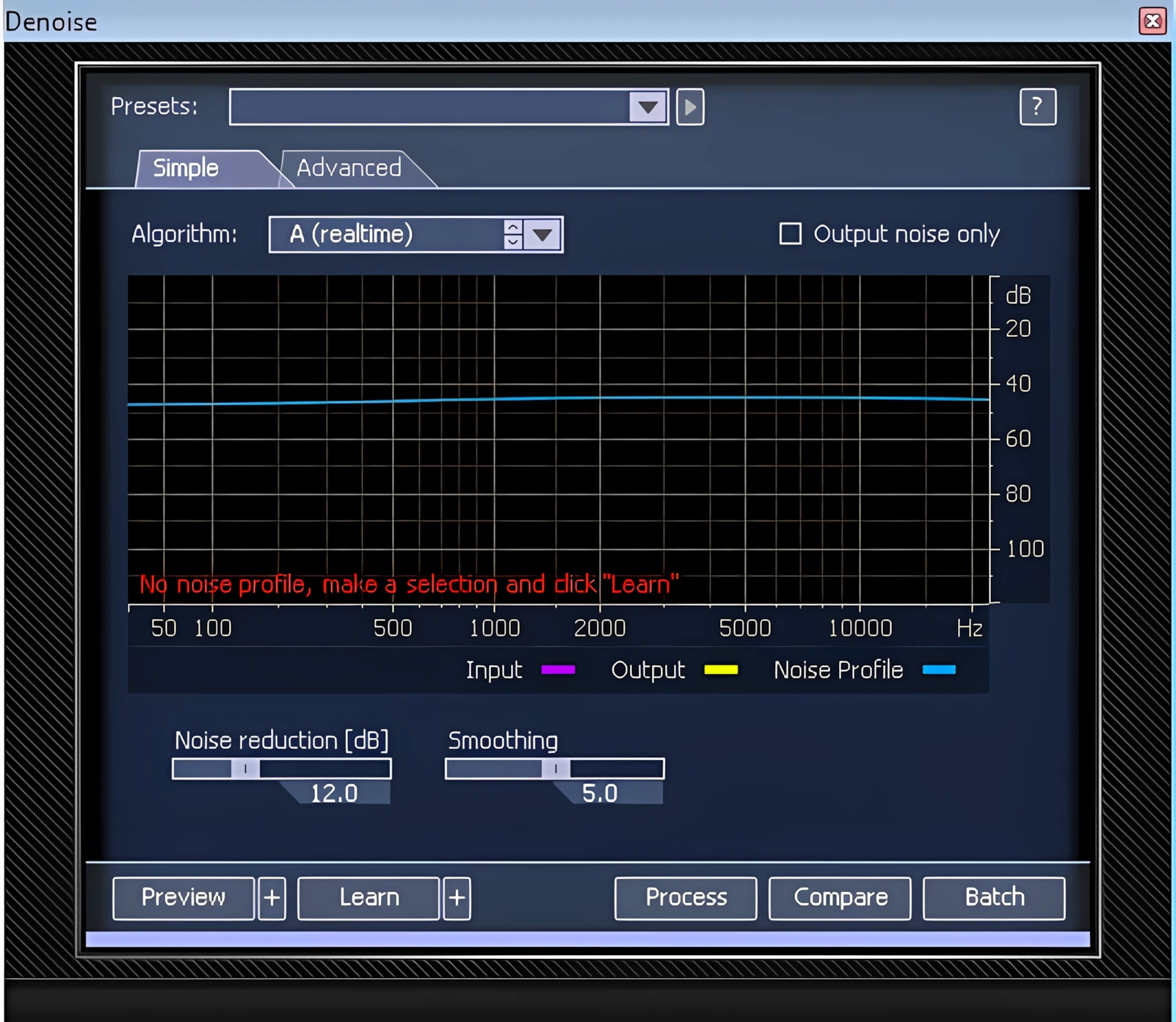
It’s best to select a segment of audio that contains only noise; let the program analyze it with its “Learn” function. I highly recommend that you use a segment that is at least a second long in duration.
Autolearn to the rescue . .
A quick n’ easy option is to employ the “Auto Learn” function which will force the module to automatically seek out the most likely segment of noise, with the least amount of useful audio material. I would use this as a last measure, when a proper noise snippet can’t be located manually.
Hi, you! If you like these kinds of reviews,
be sure to subscribe.
After you capture an appropriate snippet of noise and use it to train the Denoise module, you can further refine the processing by making a time-frequency selection with the lasso, brush, or magic wand tools. This will force the application to denoise only certain frequency regions of the file.
Remember! Processing narrower frequency ranges will allow your audio restoration projects to retain as much of the original audio as possible, while effectively removing unwanted noise. You know, so-called ‘transparent’ processing.
DeNoise Algorithms in Detail:
There are four noise reduction algorithms available: A, B, C, and D.
- Algorithm “A” is the fastest of the lot and is intended to be used more or less in ‘real-time’. This one does a good job and is perfectly suited to less demanding hiss reduction tasks.
- Algorithm “B” has more advanced musical noise suppression by using adaptive 2D smoothing (both time and frequency). It is more cpu intensive and has more latency, but can still run in real-time on most machines.
- Algorithm “C” adds multi-resolution operation for better handling of signal transients and even fewer musical noise artifacts. It is a very cpu intensive algorithm and can only run in real-time on the fastest, most up-to-date, multi-core machines.
- Algorithm “D” (new to RX 2) adds global smoothing of musical noise and high-frequency synthesis for reconstruction of signal details buried in noise. The speed of algorithm D is similar to the algorithm C.
Adaptive Denoising:
Adding the gold seal to the closed-case file, there is IZotope’s proprietary ‘Adaptive’ denoising function. This option is especially useful in denoising outdoor recordings or video recordings; such as wedding footage. The ‘Adaptive’ algorithm will intelligently modify its profile based on the changes it detects in the source material.
I’ve achieved excellent results with the denoising module (Algorithm “D”) while processing old cassette tape transfers. Like anything, sometimes less is more. Setting this module too aggressively will result in other forms of unwanted audio anomalies. These might come out as “swishing” or “ringing”. Nevertheless, I find IZotope’s algorithms to be the most effective of any noise reduction programs that I have ever used.
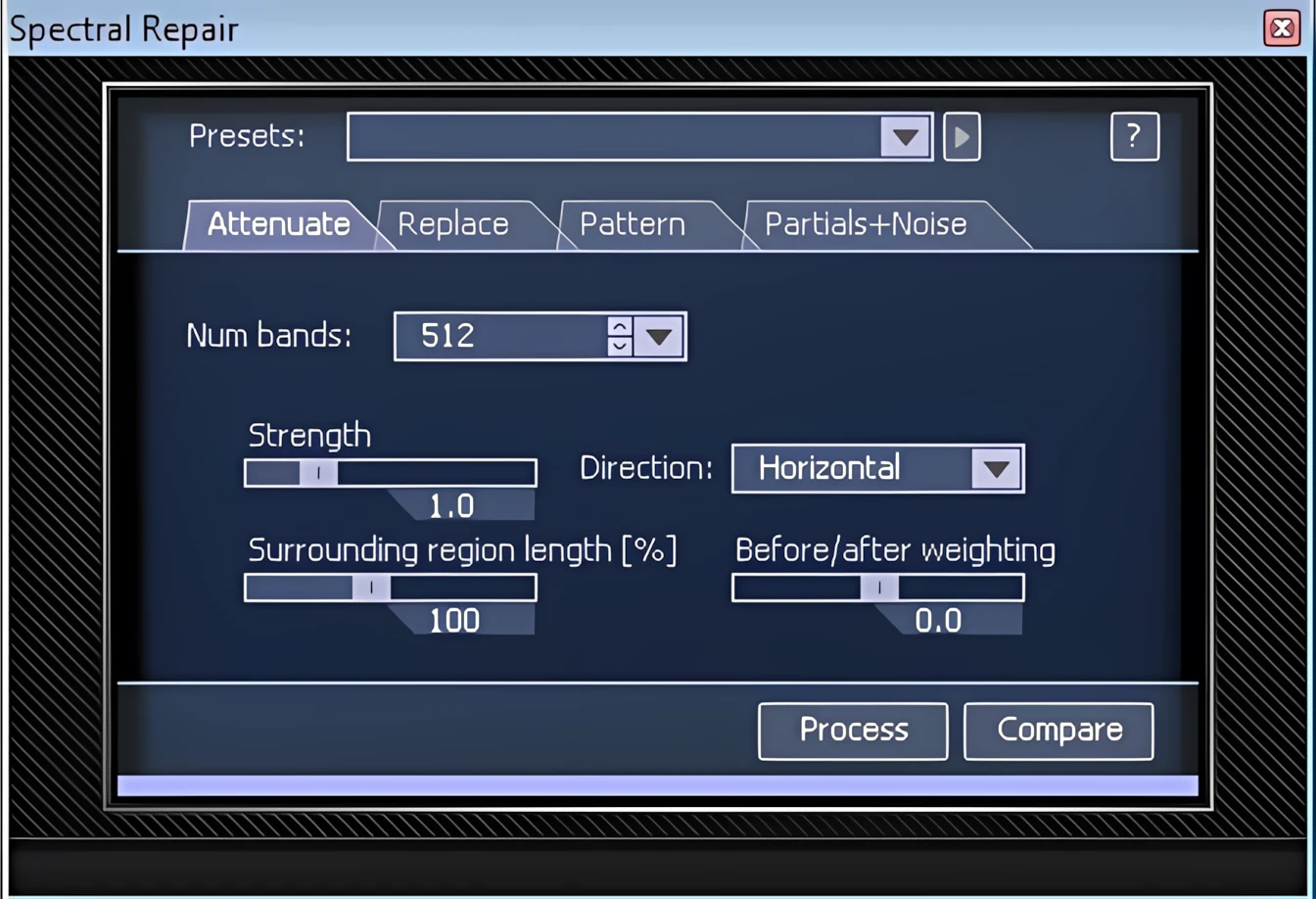
Spectral Repair:
This is probably the most specialized, CSI-grade component in the RX 2 collection. In this reviewer’s humble opinion, IZotope’s Spectral Repair is to audio what Adobe Photoshop’s “Rubber Stamp” tool is to graphics. Using any of the various RX 2 selection tools, a user can isolate an area or segment of a given waveform. This module will analyze the audio material that surrounds the user-selected area and literally resynthesize missing or distressed audio information.
In this video clip, listen to the unwanted backup “beeps” in the recording. Then, afterward, check out how RX2’s Spectral Repair module has processed it.
The ‘Spectral Repair’ algorithms accurately analyze surrounding tonal harmonics and nonlinear pitch changes such as: vibrato, background noise characteristics, and transients. You can use Spectral Repair to remove or reduce certain unwanted sounds from recordings, such as squeaky chairs, coughs, dropped objects, and mobile phones ringing. Furthermore, it can also close up gaps in audio by using advanced resynthesis techniques.
Spectral Repair – Split into four unique modes
The Spectral Repair module hosts four separate tabs, each a unique mode unto itself.
- Attenuate mode is suitable for recordings with background noise or where noise is the essential part of music (drums, percussion) and should be accurately preserved. It’s also good when unwanted events are not obscuring the desired signal completely. For example, this mode can be used to bring noises like door slams, or chair squeaks, down to a level where they are inaudible. They’ll simply blend into background noise.
- Replace mode can be used to replace badly damaged sections (such as gaps) in tonal audio.
- Pattern mode is suitable for badly damaged audio with background noise or for audio with repeating parts. It searches surrounding areas for a similar piece of audio and blends it into the selection.
- Partials+Noise mode is the advanced version of Replace mode. It restores harmonics of the audio more accurately with control over the Harmonic sensitivity parameter. This mode links detected harmonics by synthesizing them through the selection. The Replace method then interpolates them into the rest of the signal.
iZotope RX2 Review: A Personal Testimony
Let me share my personal experience of using this RX 2 feature, with you.
Back in 1989 I recorded a “home made” demo tape of some self-penned Gospel songs. The worship leader of the church I was attending sang alternating melody and harmony lines with me. She played acoustic guitar while I was playing bass. Unfortunately, being a complete recording novice, I tapped my toes throughout the entire recording process.
The “click/clack” sounds of my Wolverines (deck shoes) on the hard-surface flooring sounded like an ugly metronome and were also captured on tape. Oh, let’s not forget the couple of high-pitched barks that the family dog yapped out. While the family thought it was “adorable” that the shiatsu-sized puppy, named “Hefty”, made it onto the recordings, I felt that his barks ruined the tracks . . HUGELY! Bad, dog! Bad, bad puppy.
Now, over 20 years later, I transferred the cassette recordings to my computer. I hauled out RX 2 with hopeful expectations. After familiarizing myself with RX 2 by watching online video tutorials and a few days of experimentation within the standalone application itself, I set out to correct some of the songs from that old demo tape.
I was able to isolate and select the “bright orange” toe taps. Furthermore, I was able to successfully quarantine Hefty’s barks n’ yaps. The software performed extremely well. I forensically eliminated the offending background disturbances with a combination of the ‘Attenuate’ and ‘Partials+Noise’ repair modes.
I’m kinda embarrassed to let anyone hear those hoakie old recordings so I will forego including any audio samples. *Embarrassed grin.
Next: How does it sound? And closing remarks.

Leave a Reply