
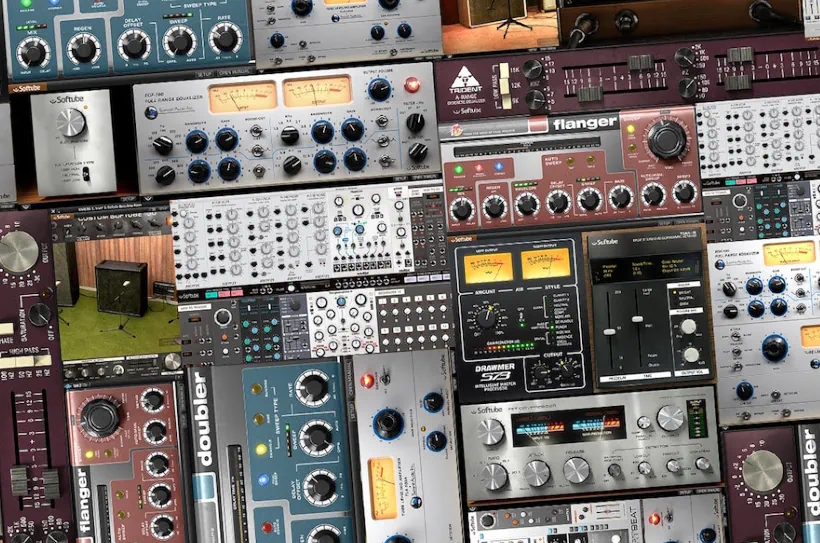
What is Volume 1?
Volume 1 is Softube’s first bundled collection featuring sixteen multi-award-winning plugins designed to address crucial music production tasks. The bundle includes effects like tape emulation, compressors, EQs, and even amp sims. This deep-dive Softube Volume 1 review will introduce you to all 16 plugins and overview noteworthy, nifty features.
Included Plugins:
- Summit Audio EQF-100 EQ
- Summit Audio TLA-100A Compressor
- TSAR-1 Reverb
- TSAR-1r Reverb
- Trident A-Range
- Vintage Amp Room
- Bass Amp Room
- Summit Audio Grand Channel
- Drawmer S73 Intelligent Master Processor
- Fix Flanger
- Fix Doubler
- Tube Delay
- Modular (synth)
- Heartbeat (drum machine)
Introduction:
Softube, the world-renowned DSP wizards, dropped an absolute DAW-busting collection in late 2016. They packed this bundle with vibe and coolness in equal measure. The modest name? “Softube Volume 1″—which somehow undersells the sonic goodness tucked inside.
Don’t let the bundle’s deceptively simple name slip under your radar though. This pallet stack delivers a full load of tasty, characterful effects and virtual instruments. Moreover, these tools infuse any DAW project with analog-ish quality galore.
In a manner of speaking, this collection packs in 16 of Softube’s most sought-after plug-ins – sort of. As a result, it covers most nearly every aspect of mixing and production. You’ll find dedicated tools for compression, EQ, limiting, summing, amp simulation, reverb, delay, echo, flanging, and doubling or chorus. In short, it is a well-stocked toolbox that leaves very few sonic stones unturned.
Softube marching to beat of a different drummer . .
If that weren’t enough, Softube’s innovative “Heartbeat” virtual drum machine effortlessly handles almost any beat-making situation imaginable. Finally, their deluxe, expandable synthesizer, aptly named “Modular,” commands a dizzying spectrum of flexible synthesis. It practically requires a PhD in patch cables, but your ears will thank you.
Bundle = $avings
Purchased separately, all the included accessories would cost you just over $2,000 (MSRP). That is a serious hit to the wallet for anyone without a platinum credit card and nerves of steel.
Instead, you get a full, perpetual lifetime license for this crate-load of plug‑in goodness for just $499 (USD). You pay once, you own it, and it keeps earning its keep in your studio.
If you prefer to spread things out, you can also choose a subscription. Go monthly at $20, or commit for a year at $200. Either way, your budget breathes easier, and your plug‑in folder looks like it just hit the jackpot.
Licensing and Authorization:
iLok – Pace – Gobbler. All Softube products are copy protected by Pace, but do NOT have to be iLok *dongle protected. Mind you, I recommend using an iLok dongle because hard drives can crash, destroying machine-based activations.
Softube now utilizes a closed, proprietary product-management system called “Gobbler.” Through the downloadable Gobbler app, you can easily grab all your personal Softube purchases.
Currently, you can still download older legacy products using an “ALL-IN-ONE” installer. Moving forward, however, Softube will limit all new releases strictly to the Gobbler system.
Hi, you! If you like these kinds of reviews,
be sure to subscribe.
Finally, don’t forget your hall pass. If you don’t have an iLok account yet, Gobbler will strongly urge you to create one during setup.
Bundle Overview:
Softube designed and packaged the “Volume 1” plug‑in bundle to tackle several crucial music production tasks head-on.
By Softube’s admission: they (Softube) have “identified the 11 most common situations in music production, such as creating drum machine and synth tracks, recording and mixing electric guitar, vocals or other acoustic instruments, and then adding the plug-ins needed to solve them.
Volume 1 combines inspiring software instruments with studio-quality effects and tools to enhance the creative process.”
Here’s a quick rundown of common, contemporary music production situations:
- Vocal Mixing
- Mix and Record Electric Guitars
- Mix and Record Acoustic Instruments
- Create Diverse Synth Sounds – ranging from classic analogue to those befitting house, trance,
- Hiphop and more.
- Mix synths and keys (Rhodes, Wurlie, and etc.)
- Mix Synth Bass and Bass Guitar
- Create Dramatic Drums Sounds and Beats
- Mix Electronic Drums
- Mix bus processing
Quoting X:144
X:144, the professional Producer/mixer for Ms. Lauryn Hill, and game audio specialist at Electronic Arts, is quoted as saying:
“Volume 1 is a heavy hitter. The amount of vibe here makes it one of the most unique bundles available. The inclusion of Modular alone is insane.”
So, what is Softube’s intention for Volume 1?
As regards the bulleted list above, doesn’t it cite most home-producers’ requirements?
Softube wants you to understand that “Volume 1” is far more than a basic collection of analogue-modeled processors. The bundle absolutely shines with classic recording genres—think Rock, Country, Jazz, and Gospel. But here’s where it gets interesting: this powerhouse also delivers the audio-processing finesse that modern producers crave for Electronic and Pop productions too.
The “Modular” synth and “Heartbeat” drum machine drive this versatility. The former opens up exciting sonic possibilities, while the latter—a strikingly authentic analogue modulation of classic 80s drum machines—pumps genuine groove and attitude into every beat. Together, they give producers the tools to inject serious vibe and style into their work, whether they’re tracking a bluesy vocal or sculpting an electronic soundscape.
Officialy Licensed Effects – the Lion’s Share
You’ll find that the lion’s share of these effect plug-ins carries official licenses from the original hardware giants like Drawmer, Trident, Summit Audio, Fix, and Doepfer. Yet, a few bundled components skip direct brand acknowledgments entirely. Instead, they deliver sounds, visuals, and controls that scream legendary hardware heroes without ever naming them.
Take the FET Compressor, for example. This tool delivers the biting attack and sonic luster of a vintage UREI 1176. However, it also packs modern superpowers like side-chaining, high/low pass filtering, and wet/dry parallel compression. You get the classic analog attitude without the classic analog limitations.
Softube blurs the Lexicon lines . .
Similarly, the impressive TSAR-1 reverb serves as another great case study. This plugin heavily channels early Lexicon hardware units. Its layout treats you to highly intuitive sliders and tactile knobs, making it look and feel like an old-school studio centerpiece rather than a generic digital menu.
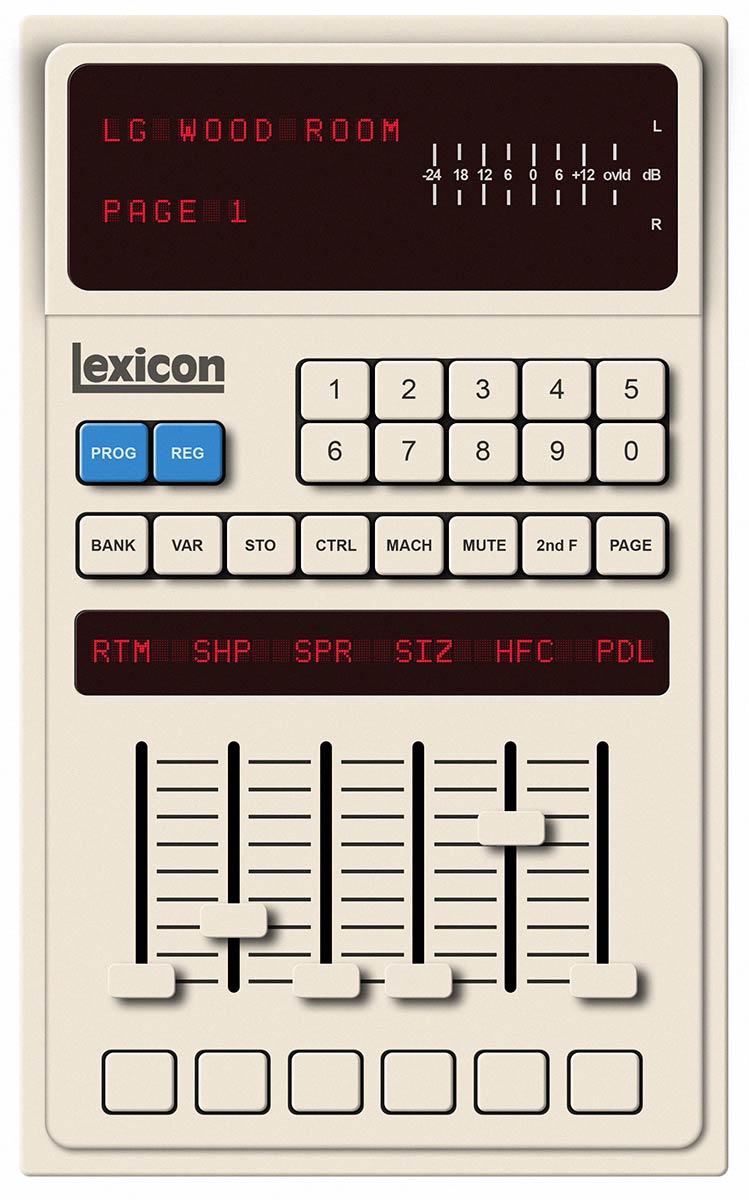
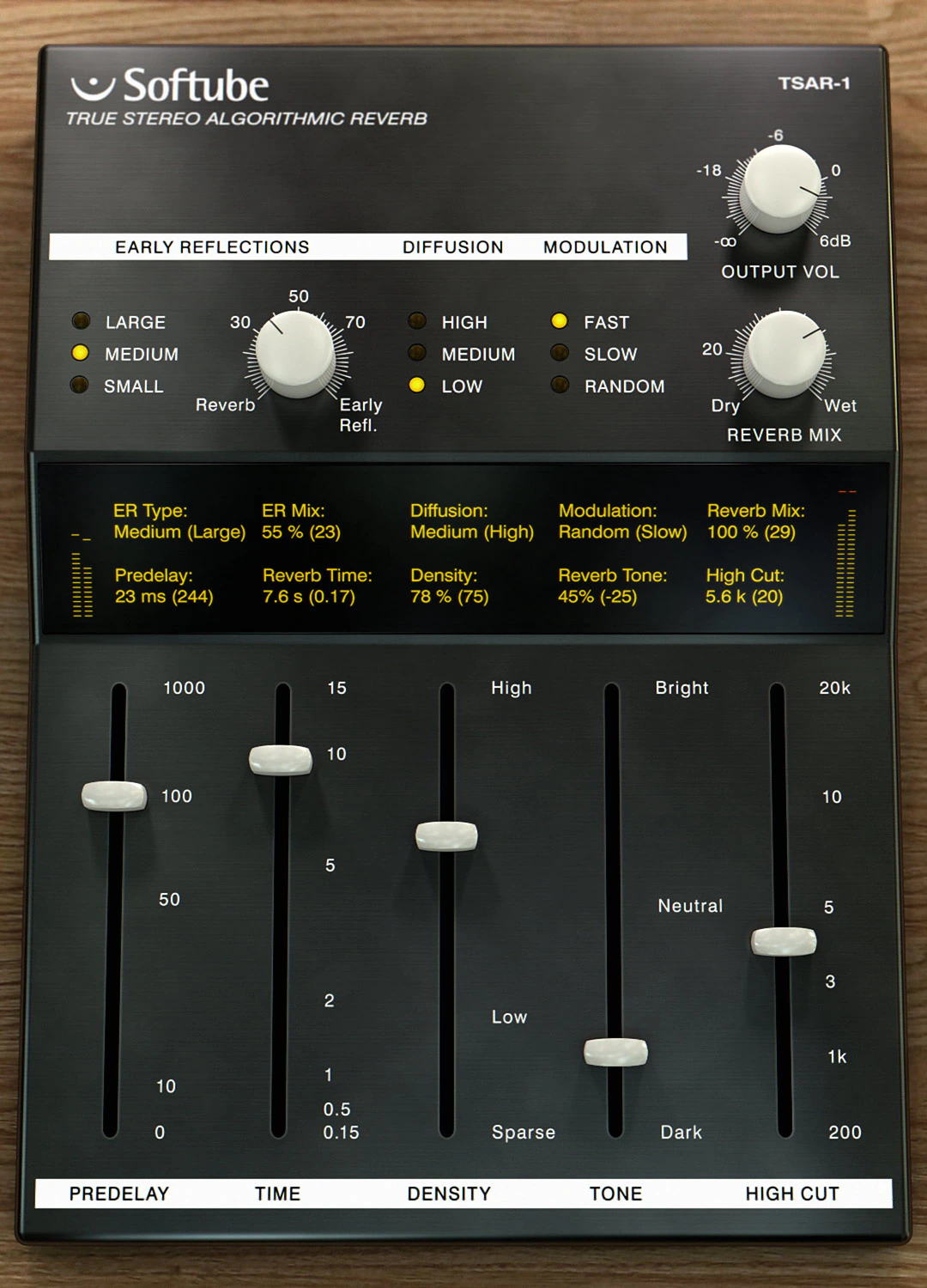
These controls give you just enough flexibility to stay creative, while still keeping everything simple and fast to use. In other words, you stay in charge without feeling like you’re flying a spaceship.
It delivers lush, satisfying reverb tails and convincing early reflections. The result feels natural, musical, and pleasantly immersive. You also get Lex-style, chorus-like modulation on tap. It doesn’t exactly recreate the legendary “spin” and “wander,” but it comes close enough to make your ears smile.
So no, it’s not a strict Lexicon clone. However, it absolutely sits in that Lexicon-inspired family of reverbs. To my ears, TSAR-1 sounds like the love child of a well-tuned Lexicon 480L and an EMT 250. It is perhaps just a touch cleaner and more polished than either parent would admit in public.
So, you ask: What exactly is included in Volume 1 Bundle?
Softube markets “Volume 1” as a package containing 16 plug-ins—and they’re telling the truth (sorta). What they downplay, however, is another story entirely.
You don’t actually receive 16 individual processors!
Honestly, the bundle delivers closer to 14 and ½ in its current form. Even more amusing? One of those counts as a free download anyway—the “Saturation Knob.” So you’re really paying for what most companies would shy away from admitting. Larger companies often sprinkle a little marketing magic into their bundles, and Softube certainly follows that playbook.
Why do I number the plug-ins at only 14 & ½ ?
The Summit Audio Grand Channel packs two legendary tools into one tidy package. You get the EQF-100 parametric passive equalizer alongside the TLA-100A Compressor—both nestled inside a single plug-in. That said, Summit Audio sells each unit separately within their collection as well.
Frankly, this creates a mild overlap you should take notice of. Think of it like buying a combo meal when you could order the items à la carte. Sure, the bundle offers convenience, but the redundancy isn’t exactly subtle. If you already own the standalones, you’re paying twice for virtual twins. On the other hand, newcomers save hassle by grabbing everything at once.
I won’t criticize Softube too harshly here because the channel strip concept does offer a convenient all-in-one solution.
However, the bundle might provide better value if Softube included a couple of additional processors alongside the Grand Channel.
Doing so would increase the bundle’s practical appeal and versatility. After all, a little extra variety never hurts—especially when plug-ins tend to multiply like rabbits in a well-stocked studio.
Bundle “filler” – I’m looking at you, TSAR-1r
The inclusion of TSAR-1r feels like pure “bundle filler.” This plug-in acts as the affordable, stripped-down baby brother to the full TSAR-1. While this junior version helps you grab quick results in a pinch, it ultimately lacks ‘indispensable‘ status.
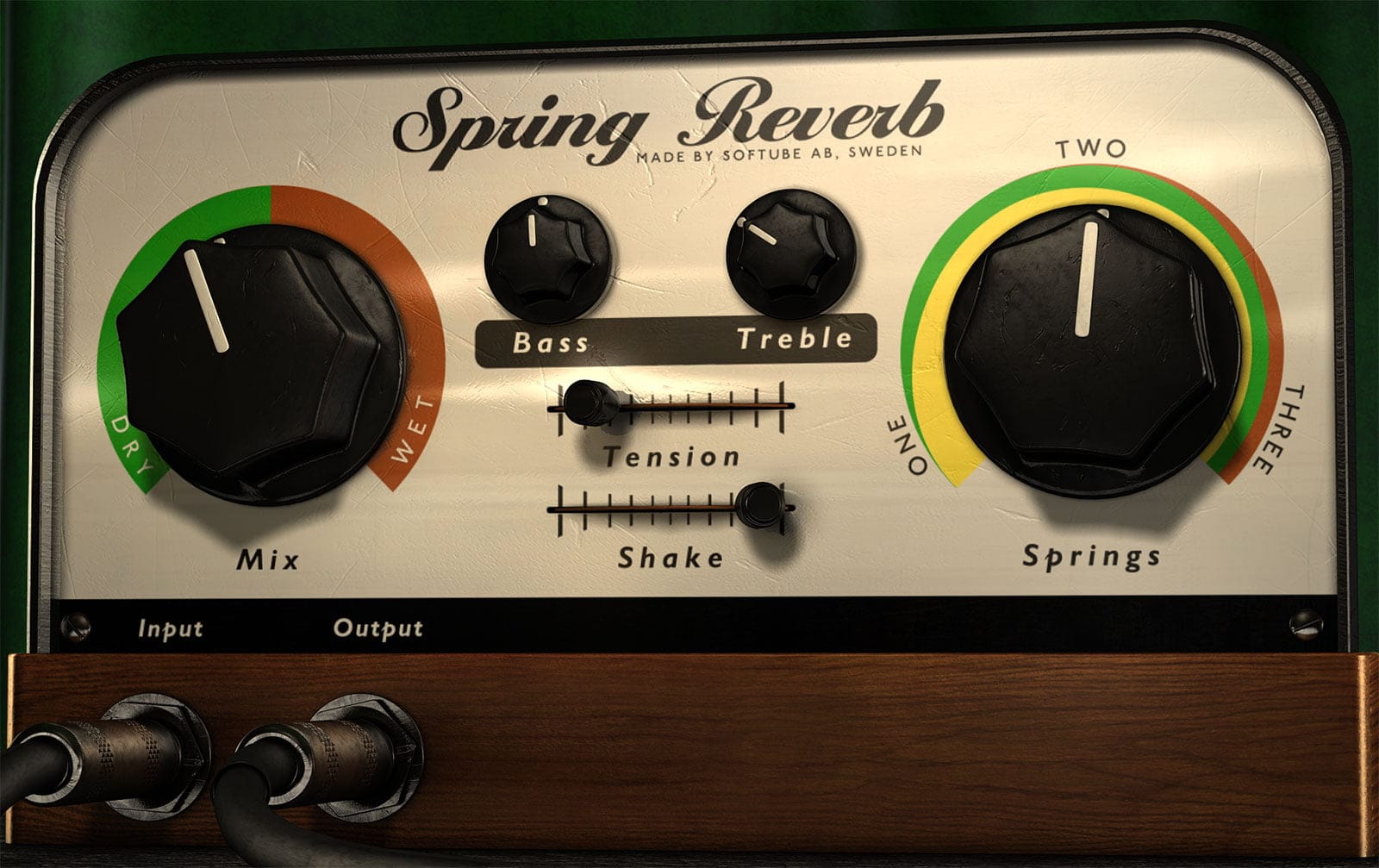
As a guitarist, I would much rather see Softube swap the TSAR “mini me” out for their Spring Reverb. That addition would actually add serious value to the collection. Meanwhile, you can safely consider the full version of the TSAR-1 a mandatory powerhouse for your toolkit.
Now that I have cleared my neutralizing remarks off the reviewer’s bench, I will briefly introduce the other products in “Volume 1.” Since I already highlighted the “TSAR-1” reverb, I won’t go over it again. That way, I respect the reader’s time, patience, and coffee supply. 😉
Summit Audio Grand Channel:
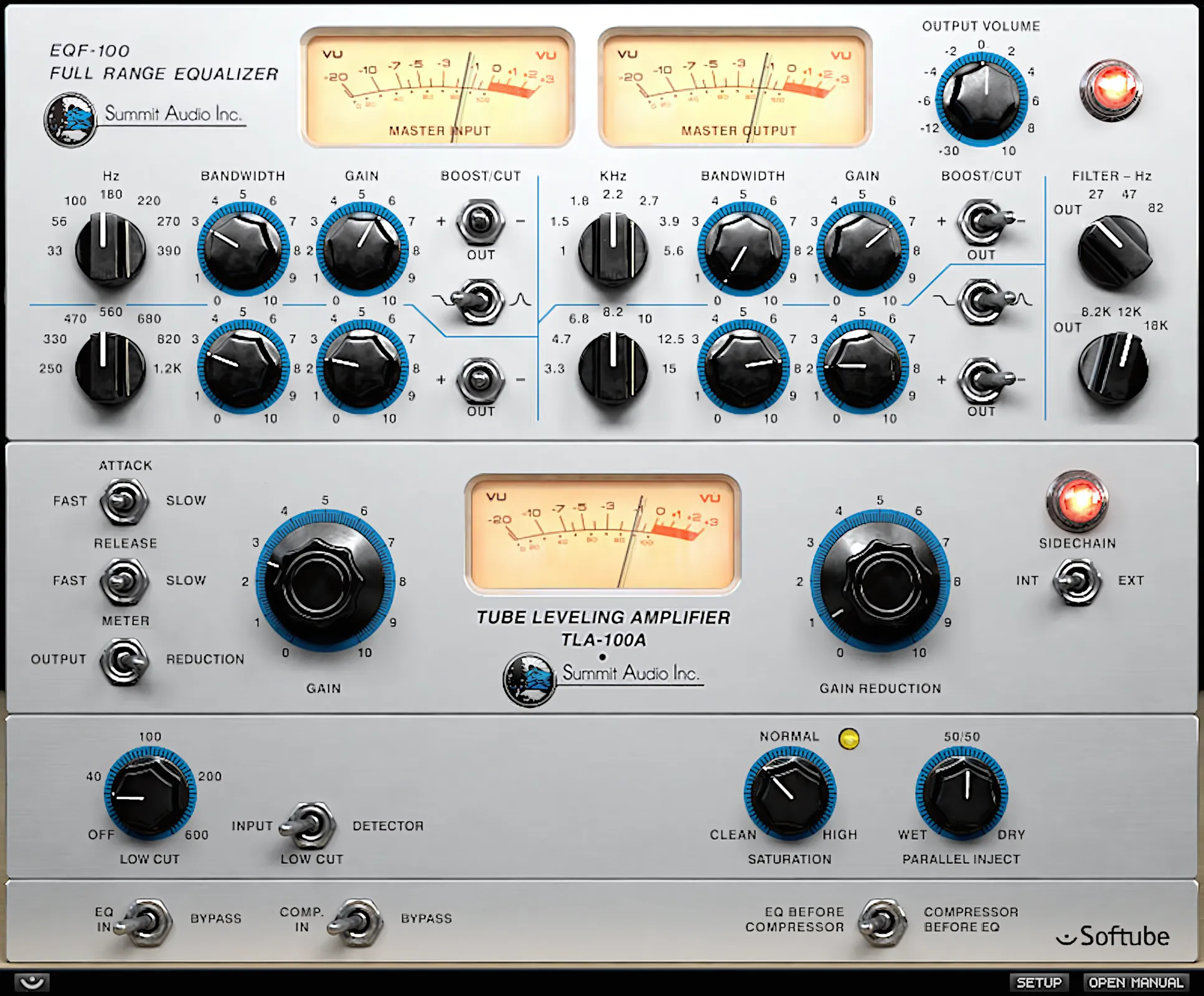
The Summit Audio Grand Channel delivers a lovely, tube-modeled combo that nails the vintage aesthetic. This channel strip plug-in houses two standout components. First, a passive parametric EQ—the “EQF-100″—gives you surgical tonal control. Then, a compressor/leveling amplifier—the “TLA-100A”—handles your dynamic needs. Together, they capture that classic, warm sound most producers chase.
On top, the EQF-100 Parametric EQ
On top sits a rich, smooth-sounding, four-band parametric equalizer. This unit delivers convincingly accurate, time-honored analog-style EQ curves. It applies these curves effortlessly to any track or bus you choose. No need to worry about sounding like a digital robot—this thing channels vintage warmth with impressive skill. Sure, it won’t fix bad recordings overnight, but it certainly doesn’t make things worse either!
The first and last bands let you switch between bell and shelving filter types. They also work alongside three-position high- and low-cut switches, which toggle between Boost, Cut, and Out.
The bands are adjustable, but they operate only at fixed frequency points, just like the original hardware. As with most parametric EQs, this EQ also provides control over the slope, or Q. However, instead of using conventional Q controls, it adjusts the frequency range with bandwidth knobs. Users familiar with Pultec-style EQs will find this approach immediately intuitive.
On the bottom, the TLA-100A compressor
Sitting comfortably below the equalizer, the authoritative yet creamy TLA-100A leveling amplifier handles all compression duties. I wager that Summit Audio built this unit to rival the famous Teletronix® LA-2A. After all, both units share a striking resemblance and dictate an almost identical workflow.
True to form for this type of compressor, just two knobs handle the bulk of the heavy lifting: Gain and Gain Reduction. The workflow keeps things beautifully simple. You just crank the gain to make up for whatever audio you just aggressively squashed.
In addition, you can apply high-pass filtering to the input or the sidechain. Meanwhile, the “Parallel Inject” (Wet/Dry) knob lets you blend compressed and unprocessed signals with ease.
To top off Softube’s 21st-century enhancements, you also get a “Saturation” control. It lets you overdrive the output in a very harmonically pleasing way.
By reason of this compressor being a ‘program dependent’ design, it yields exceptionally smooth, transparent volume leveling over a broad range of applications and program materials.
FET Compressor:
Softube ditched the predictable black aesthetic for this one. Instead, they crafted a visually striking silver-faced GUI that channels a high-end home stereo amplifier from 1986. The retro design hits differently—it captures that golden era of audio gear with genuine style.
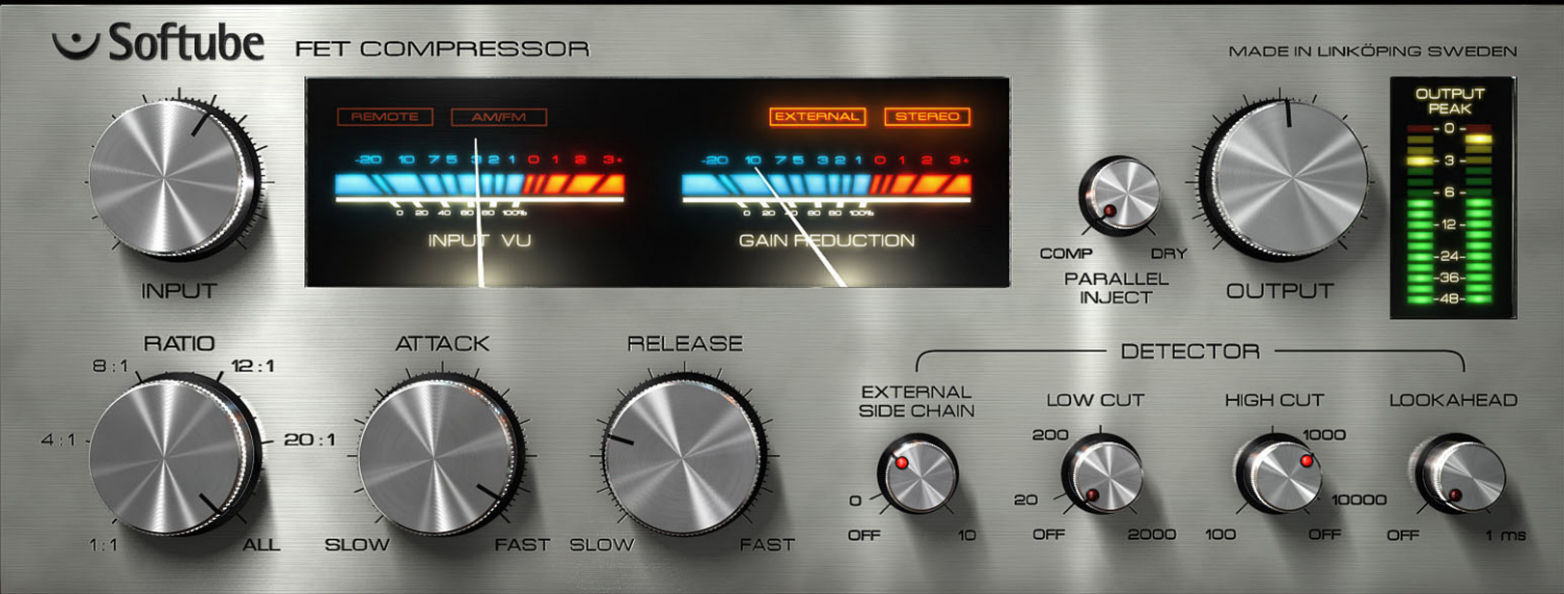
You might spot the VU meters trailing slightly behind your mix moves. Admittedly, they move with deliberate vintage patience. Still, the metering stays attractive and delivers effective readings.
Though it doesn’t wear the “1176” name tag, the FET Compressor pays a subtle yet unmistakable homage to the legendary UREI studio giant. Snap? Check. Ultra-fast attack? Absolutely. A definitive sonic character that jumps out like a vintage surprise party? You bet.
These traits scream careful modeling after an 1176. Was the hardware inspiration a second-revision unit from the late ’60s? Quite possibly. Think silver panel, ready to dive straight into warm saturation like it’s jumping into a hot tub. It’s not just a compressor; it’s a time-traveling audio wizard in plug-in form.
Like it? Go “All In”
The “FET Compressor” brings typical 1176 attributes in spades. Naturally, this includes the legendary, chaotic “ALL IN” mode. Beyond that, you get a generous toolkit. The developers packed in built-in side-chaining, a mix/dry knob for parallel processing, and high/low cut filtering.
Are you struggling to tame a boomy bass track? Don’t sweat it. Simply dial up the low cut on the compressor. By doing this, you instantly slash your extra EQ duties. Finally, a convenient “Look Ahead” function rounds out the new performance upgrades. You can scale this look-ahead time up to 1 millisecond, giving the compressor a literal superpower to see into the future.
It’s worth pointing out that this compressor does not use fixed ratio steps like the original 1176. Instead of push buttons, you control the ratio with a rotary knob. This gives you a fully continuous range of in‑between ratio values, so you can really fine-tune the character.
And yes, true to a proper 1176-style clone, this comp absolutely rocks on drum buses, bass tracks, and energetic, jumpy vocals. In fact, once you hear it working in a mix, you may start looking for excuses to throw it on “just one more track.”
Trident A-Range
It’s reported that there were only thirteen “A-Range” consoles ever manufactured. Thirteen . . . lucky for us!
This EQ definitely brings character. It fully lives up to its reputation by adding all kinds of pleasantly unexpected harmonic surprises. It practically oozes vibe on vocal tracks, guitar tracks, and snare channels. In fact, it flatters pretty much anything you decide to run through it.
Once you start driving the front end, it gently tickles the source with a sexy, peach-fuzz kind of “hair.” It is the kind of effect that makes you grin and pretend you always meant for it to sound that cool.
I hear the A-Range as open and airy. It adds that subtle, high-end sheen that helps a source breathe in the mix.

Four horizontal sliders give you primary EQ adjustments with a boost/cut range of 15dB in either direction. You can shift the frequency centers, though you’ll need to stick with fixed values—no wild improvisation here.
Push buttons activate your high and low pass filters. Here’s where it becomes nicely straightforward: the low pass offers three fixed assignments at 9, 12, and 15kHz, while the high pass provides the same flexibility at 25, 50, and 100Hz.
You gain rich, harmonic saturation simply by twisting one dial—the ‘Saturation’ circuitry delivers sumptuous warmth at your fingertips. Turn that knob a bit further, and yes… your CPU might sigh dramatically as it absorbs extra cycles.
Yet here’s the trade-off worth making: select program materials glow beautifully under its touch. Rest assured, though—the Trident remains exceptionally gentle on your system resources overall.
Vintage Amp Room:
Showcasing three, all-time favorite tube guitar amps in raw, vintage accuracy.
Unlike many other amp sims, this one doesn’t try to emulate dozens of models. Instead, it faithfully captures the sonic character of three iconic kings of tone.
The amp models don’t carry the names of their classic inspirations. However, indulge me while I speculate. The “White” model strongly suggests a Marshall JCM800 half-stack. Meanwhile, the “Brown” model feels like a Fender Deluxe Reverb—minus the reverb, of course. Finally, the “Green” model channels the unmistakable chime of a Vox AC30. The official names may keep things mysterious, but the sonic clues are hardly subtle.
A rich, warm hue wraps the GUI. This color perfectly matches the authentic, tube-like tones waiting for you to draw them out. Furthermore, the pleasant 3D-ish perspective practically begs you to start tweaking knobs.
You can access each amplifier simply by dragging or scrolling horizontally. Once you find your weapon of choice, look up! The respective controls live right along the top of the GUI window.
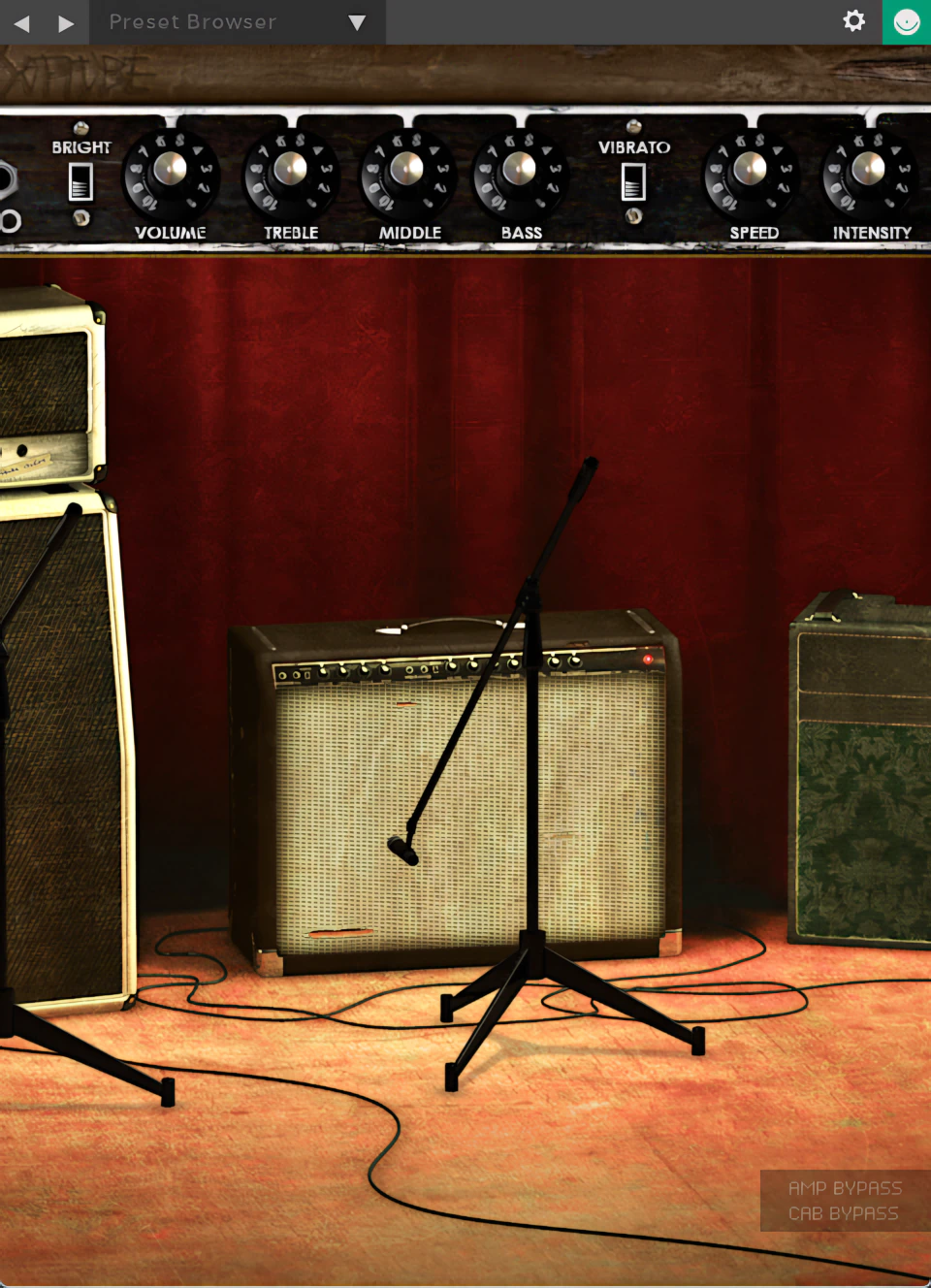
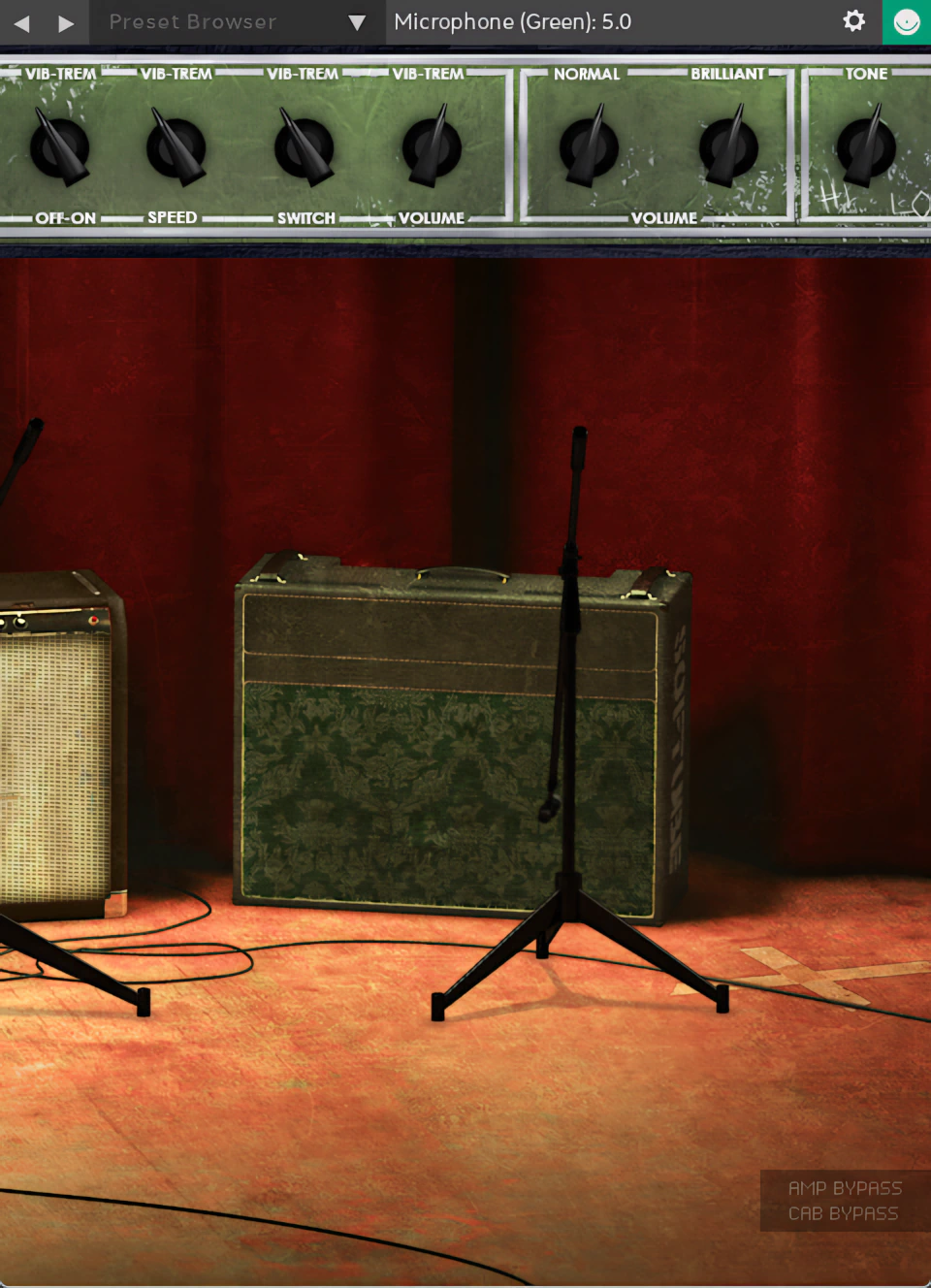
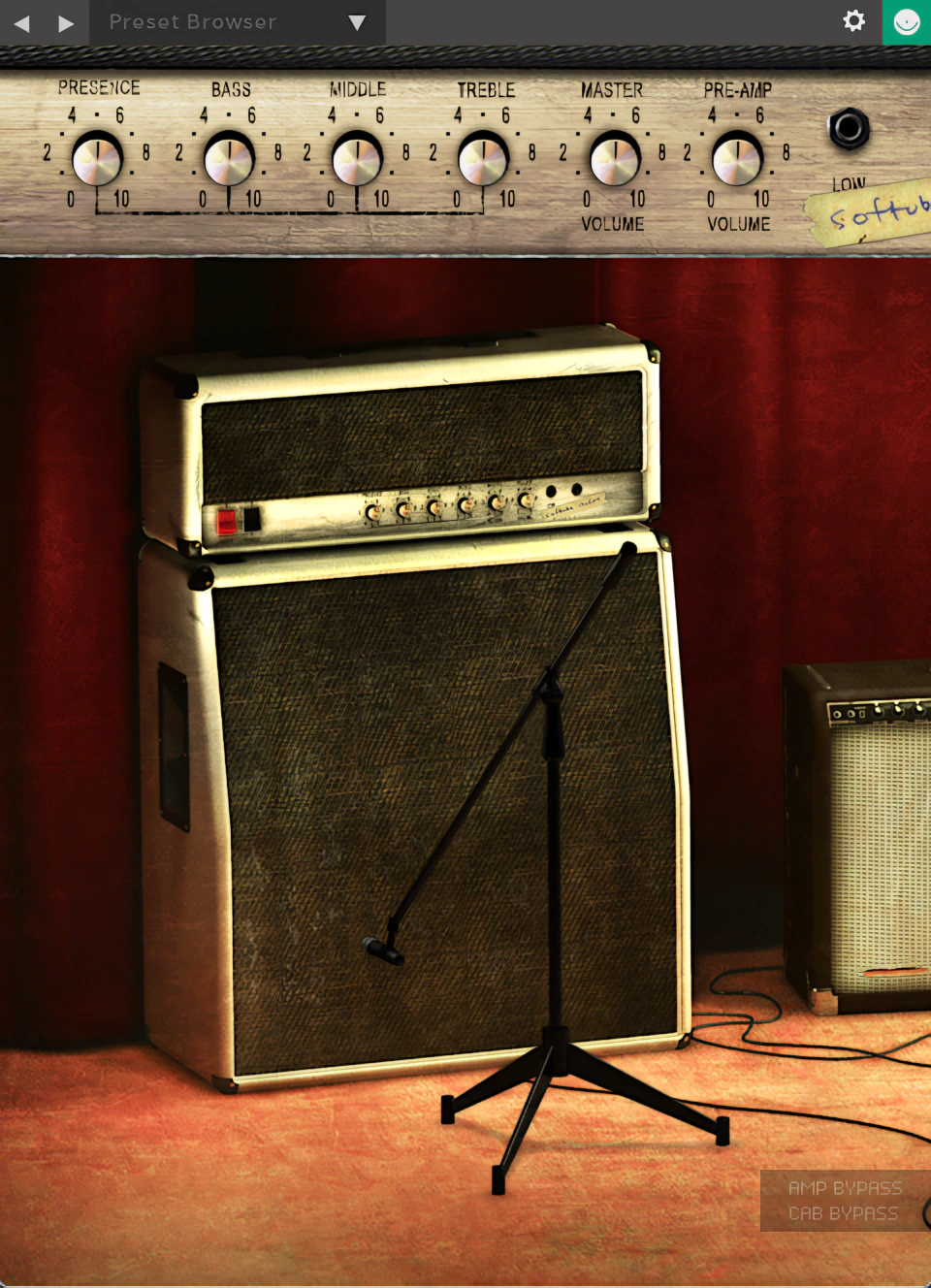
Click any of the above pictures to view full-sized, 2x Upscaled Images
Authentic Tones . .
Each of these three models accurately emulates its hardware counterpart and delivers a convincing analog feel. Even more impressive, they produce rich, tube-like clean tones, something many competing stock plugins simply fail to nail.
When you start dialing in extra gain, it becomes surprisingly easy to forget you are playing through a digital emulation. Big, gutsy tube tones push confidently through the mix, much like Clapton’s ’65 Marshall combo roaring on John Mayall’s legendary “Blues Breakers” tracks. You might even catch yourself playing a little too long, purely for “testing purposes,” of course.
The plug-in’s name tells the story: it models not just amplifier components, but also studio room ambience and microphone placement. This attention to detail really sets it apart.
You can reposition the virtual mics, and the results speak for themselves—you’ll hear obvious tonality changes and shifts in aural distance perspective. And yes, they sound genuinely convincing (no uncanny valley vibes here).
You can shift both microphone distance and axis by varying degrees, giving you real flexibility to dial in exactly the tone you’re after.
What!? No onboard spring Reverb?

Here’s the bad news: the amps skip modeled spring reverb entirely. Yes, you read that right—no dripping, metallic springs to chase your notes into the distance. Softube made a particularly puzzling call here, especially with the ‘Brown’ (Fender) amp.
After all, who has ever heard of a classic dark-faced amp without that signature Fender reverb sound? Exactly. Nobody. That’s like serving a burger without the patty.
Nevertheless, the amp simulation itself impresses on every other front. In fact, the quality reaches exemplary heights throughout. So yes—we can forgive this one misstep. Grudgingly, but we can forgive it.
A fitting workaround is to add the deliciously sproing-y Softube “Spring Reverb” to the signal chain. Unfortunately, it isn’t included in this bundle. You’ll need to buy it separately for an additional $99 USD (MSRP). A shame, really—it would have completed the package rather nicely. I consider this a seriously cheapskate “upsell” tactic on Softube’s part.
Bass Amp Room:
Softube doesn’t cater exclusively to guitarists and keyboardists. Bassists get attention too. After all, low-end players deserve some love—and a little sonic thunder never hurts.
Almost everything that makes Softube’s guitar amp sim so compelling also carries over to Bass Amp Room. This virtual thunder box delivers in all the right ways.
Modeled after a popular ’70s amp originally designed for guitar, it serves up bold, full-bodied bass tones with ease. You can dial in smooth, deep lows or push it toward gritty, authoritative growl. Better yet, it does so without the cheap, fizzy artifacts that plague lesser amp sims.
The plugin provides only a single, tube-modeled amp head. However, you can choose from three nondescript virtual cabinets: a 1×12″, a 4×12″, and an 8×10 (Ampeg SVT style?)”. Honestly, the developers skipped a 1×15″ option, and I am still nursing that emotional wound. But I digress.
Just like its guitar amp sibling, this version gives you full control over flexible mic placement and axis angles.
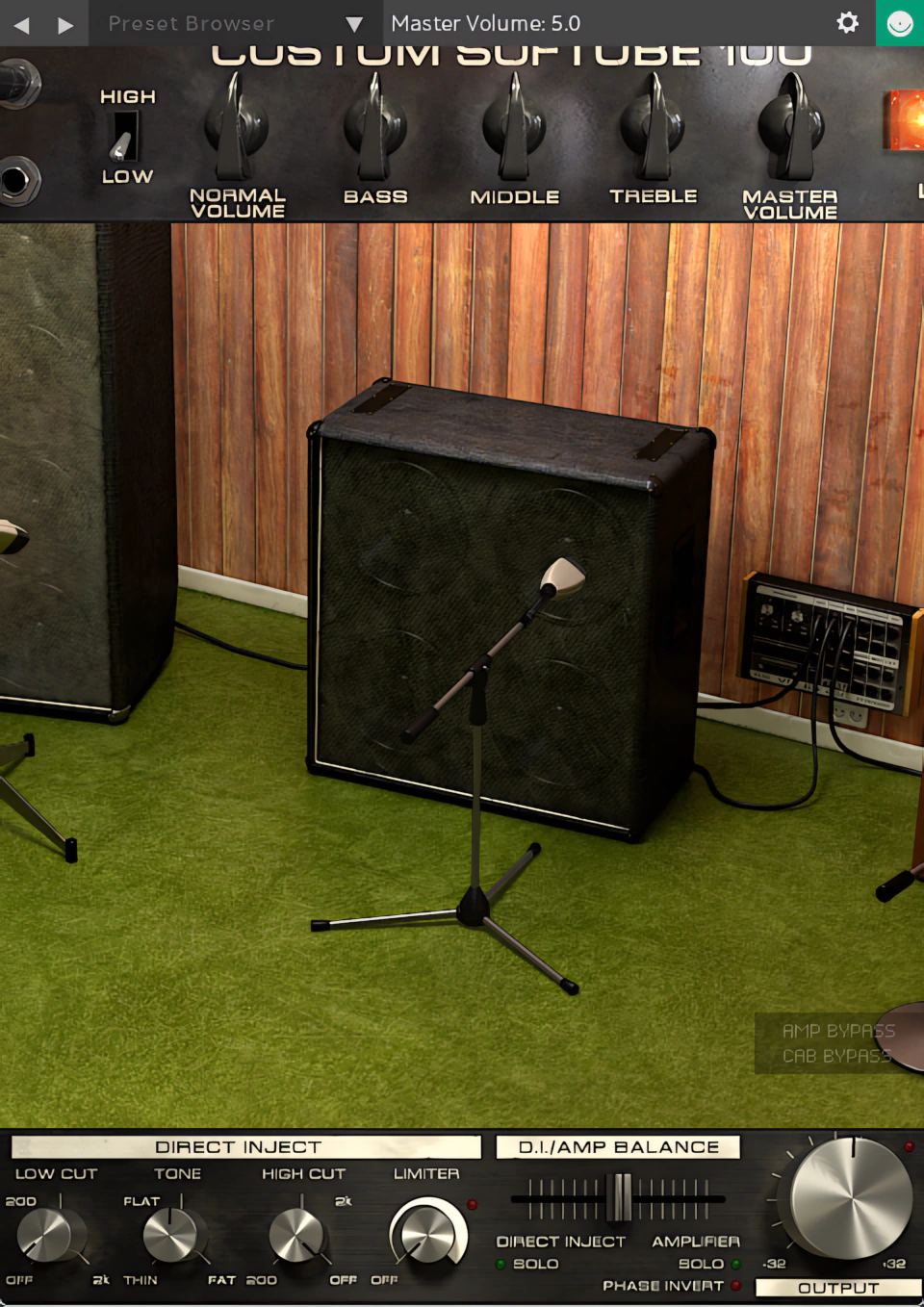
Basic, easy-to-dial-in controls sit neatly along the top of the GUI window. You get input volume, bass, mid, treble, master volume, and a high/low impedance switch, all right where you expect them.
However, a few important differences deserve a closer look. The interesting extras sit along the bottom of the interface. There, you get low and high cut filters, a tilt-style tone control, and a limiter knob. These tools let you fine-tune and shape your sound without ever leaving the plugin.
To round things out, Softube adds its very handy parallel processing gadget, the “Direct Inject” slider. In plain English, that is a Dry/Mix control.
Drawmer S73 Intelligent Master Processor:
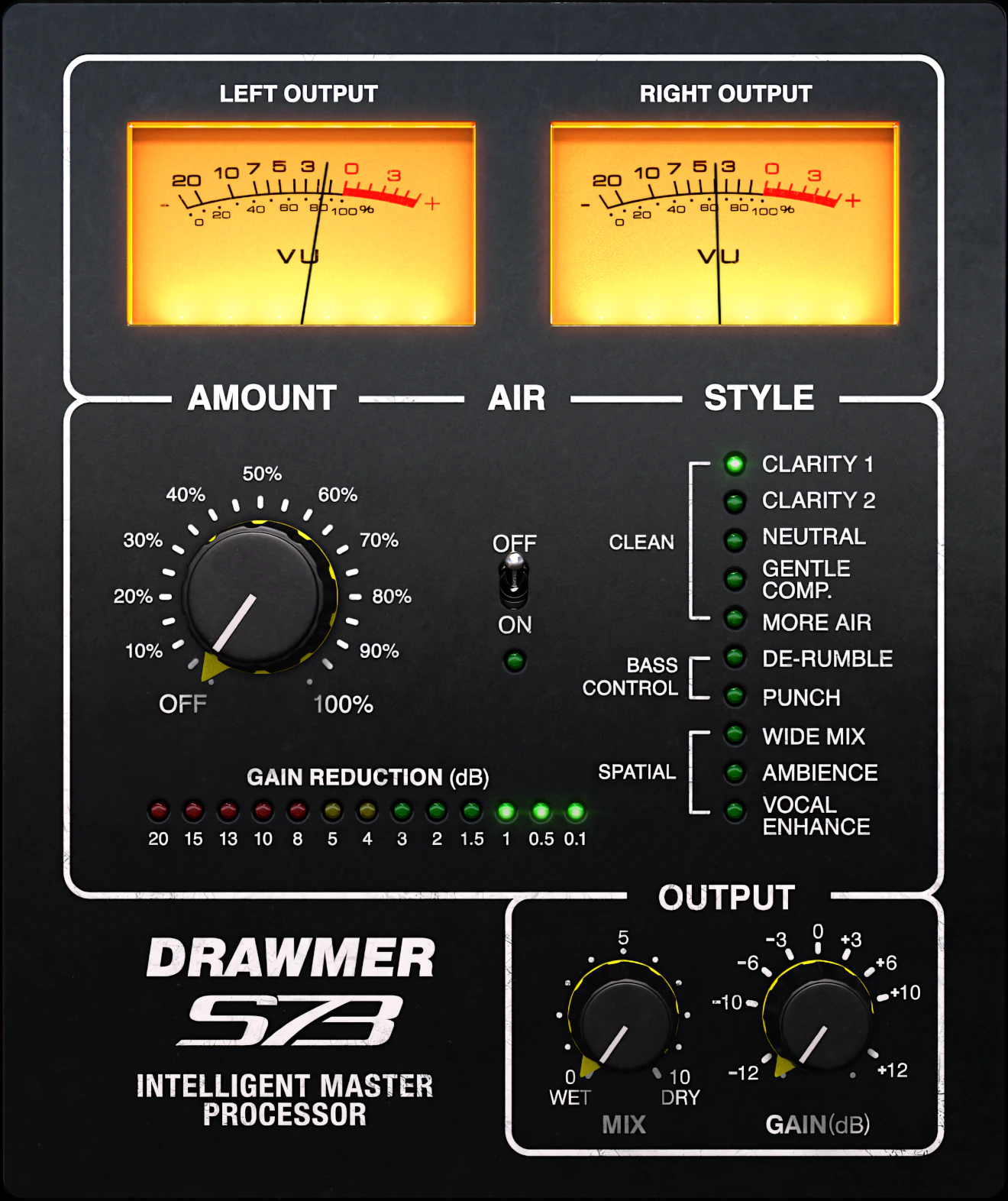
“. . features an enhanced multi-band compressor sound design, fine-tuned to improve your mix with a minimum of tweaking.”
Oh man! I really dig this little beauty. I reckon the S73 is a simplified, scaled-down version of Softube’s larger, more feature laden, “Drawmer 1973”. This unassuming bantam-league gem gives us multi-band (Stereo) compression with the least amount of effort of any multi-band dynamics plug-in I’ve seen to date.
You really can’t go wrong with this plug-in. You get hybrid, semi-fixed settings that deliver immediate, yet effective results—no overthinking required.
Simply drop it on a track or bus, tweak three knobs, and flick one switch. Then you’ll select from 11 processing styles housed in a tidy grouping of LED-indicated toggles. The beauty here? You’re up and running in seconds.
A simple but attractive LED ‘Gain Reduction’ meter gives you visual feedback on exactly how much processing you’re applying. Clean, informative, and honestly, a bit satisfying to watch.
C’est tout – boom! You be done, like steak!
These sounds span the full spectrum—from mild, even-tempered limiting all the way up to searing, energetic force. You get this impressive range because the developers faithfully modeled the hardware unit’s three-band ‘FET’ compression circuitry. They clearly did their homework here. Consequently, the “S73” lets you inject enhancement, lift, and energy into your mix with effortless ease.
And naturally—parallel processing comes standard.

Leave a Reply