
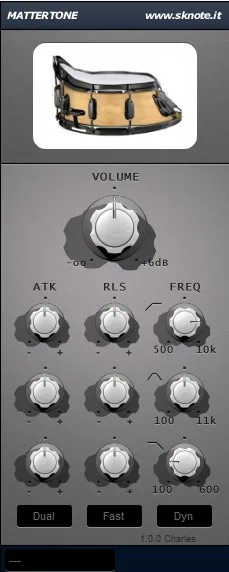
What is SKnote MatterTone?
SKnote Mattertone is a multiband envelope-shaping audio plugin designed for precise transient control without traditional compression. This nifty plugin does its magic without any of the typical dynamics parameters in play such as thresholds, level-sensitivity, and triggering mechanisms. In this in-depth SKnote MatterTone review, we’ll scope out its exciting benefits such as:
- Operates purely on envelope shaping across frequency bands
- Provides multiband control typically found in more expensive dynamics tools
- Shaping drum transients with precision
- Tightening up the low-end without affecting other frequencies
- Adding punch to specific parts of the spectrum
- Serving as a cost-effective alternative to premium transient shapers or multiband dynamics processor
Introduction:
SKnote has entered the league of transient shapers in a gentlemanly, unassuming way. This robust, able-bodied dynamics-device merits serious consideration.
MatterTone packs quite a wallop considering its ultra-light, conservative CPU demands. In contrast, it does not hit your pocketbook hard, because SKnote prices it at only $30 (USD). This plug-in holds up very well under scrutiny. MatterTone can stalwartly occupy the same DAW space as any of its more costly competition without shame or timidity.
Perhaps, dear reader, you think the market already offers enough transient shapers to choose from. So what makes this variant of transient shaping unique? For starters, it operates as a truly “level-independent” apparatus.
Unlike typical compressors, limiters, and most envelope shapers, this plug-in ignores channel gain and responds directly to the audio source. Furthermore, MatterTone truly embraces a multi-band design, delivering separate attack and release controls per band.
MatterTone takes typical transient shaping, splits it into three separate bands, and hands it back to you, empowered with some serious BAM!
Licensing and Authorization:
SKnote’s goodies arrive without extra baggage. Specifically, the company doesn’t require dongles, and it avoids nasty call/response protection mechanisms. Furthermore, within 12 hours of purchase, SKnote sends a direct download link straight to your email inbox. Ultimately, Mr. Quinto Sardo keeps the process simple and easy by eliminating nasty licensing schemes and layers of bothersome piracy protection.
The caveat is that SKnote offers no downloadable demo. However, the benefit is clear: you won’t have to deal with annoying dongles or similar restrictions. Instead, you will receive a link to your very own personalized, digitally watermarked plug-in.
If you decide you don’t like it, SKnote will issue a full refund for your purchase with no questions asked. Even better, if you bundle-purchase “MatterTone” and “Grasso” together, you get both for only $40—a $10 savings compared to buying each one individually.
Quinto Sardo & SKnote are totally “aces” in my books. Over-the-top customer service and high-quality products offered at exceptionally affordable prices. What’s not to love?
Backdrop:
Several transient shapers already existed on the market before SKnote released theirs. While these competitors admirably controlled the attack and sustain of instrument tracks, specifically on percussive instruments and drum buses, SKnote entered a space where specialized dynamics effects had already proven their worth.
Notably, Stillwell pioneered this category with their dandy “Transient Monster”, one of the first plug-ins of its kind. Additionally, Native Instruments offers the “Transient Shaper,” which I have always considered one of the best in the field.
Hi, you! If you like these kinds of reviews,
be sure to subscribe.
When I first heard of SKnote’s MatterTone, I felt no great excitement. Initially, I was perfectly content with my copy of Native Instruments’ Transient Shaper. However, “MatterTone” stands apart because it functions as a multi-band transient shaper.
What’s that? Multi-band? Well, perhaps I should take a closer look at this one. After all, other SKnote products greatly impressed me; why should this one be any different?
Visuals:
The SKnote GUI delivers pleasant, eye-appealing charm with its shaded, medium-grey background and channel strip design. It maintains a moderate footprint at 230px wide by 570px high. The shadowed, quasi‑3D appearance of the buttons creates the polished visual impression of a piece of studio hardware.
The text remains legible, even if it appears a bit small. You can control the buttons smoothly with your mouse and position them precisely by holding down the Shift key on your computer keyboard.
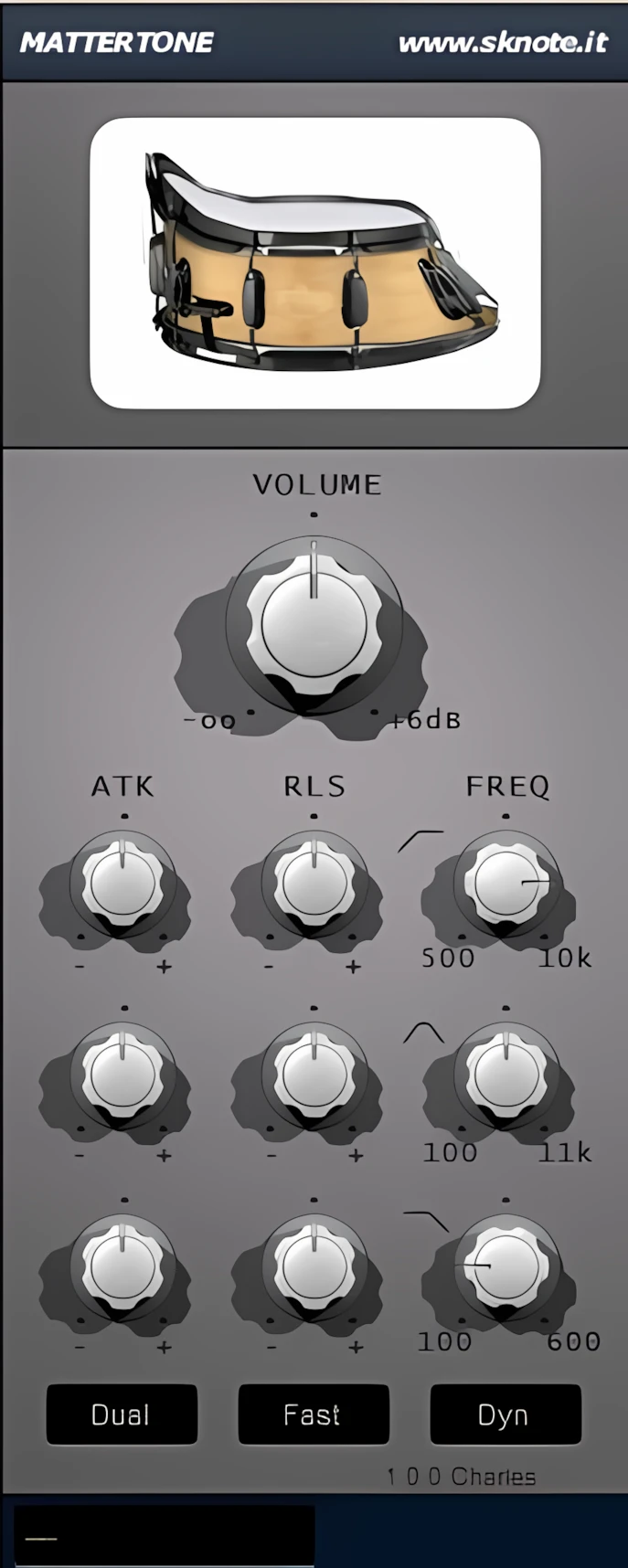
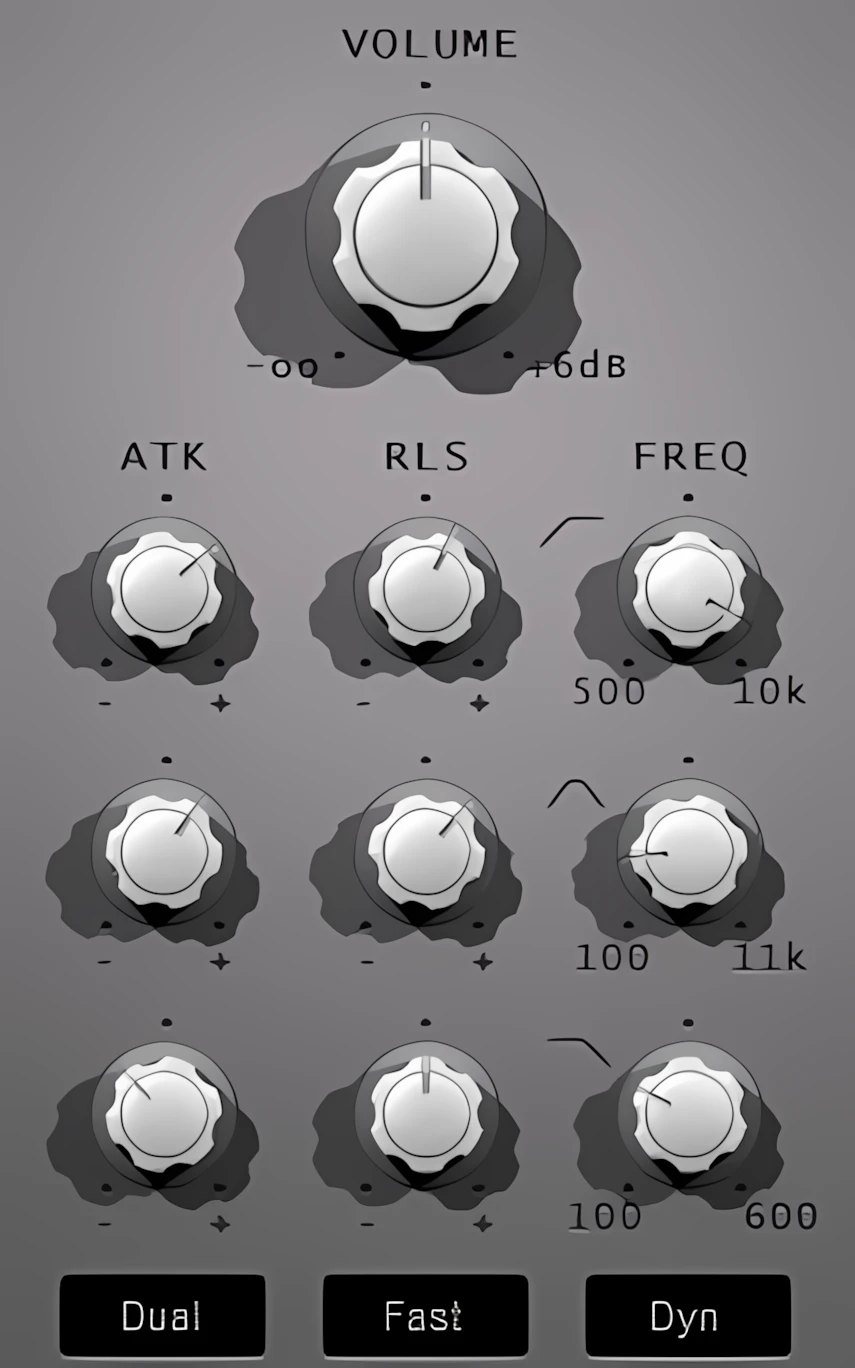
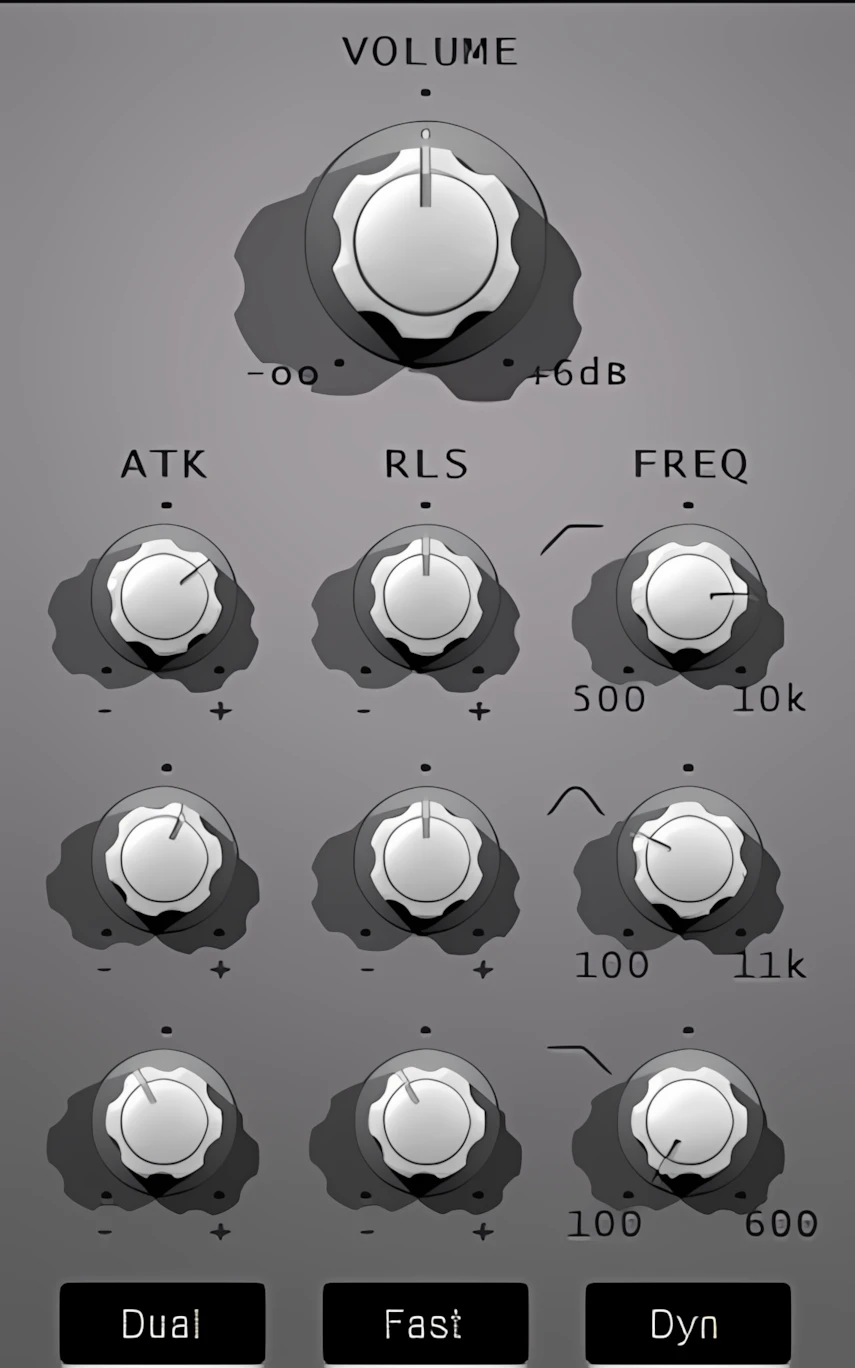
As you turn each knob, a small black view strip in the lower left corner of the interface displays the knob’s value. SKnote also outfits each of the three bands with Attack, Release, and Frequency knobs, which it abbreviates on the interface.
The low-shelf band ranges from 100 Hz to 600 Hz, while the mids sweep peaks from 100 Hz all the way up to 11 kHz. Meanwhile, the high-shelf band covers anywhere from 500 Hz up to 10 kHz. Altogether, MatterTone gives you an impressively wide range of transient manipulation.
SKnote plug-ins include a convenient way to reset each knob or slider to its default zero-value position. You simply hold the Ctrl key on your keyboard and left-click the knob or slider with your mouse to accomplish this. Although SKnote has not documented this feature well, my fellow KVR member, “Crackbaby”, brought it to my attention. Thanks, CB.
Sound Quality:
I genuinely enjoyed bench-testing and reviewing MatterTone. Like many other plug-ins from SKnote, this one has unquestionably earned a permanent place in my personal collection of tracking favourites.
When transient shapers first surged in popularity a few years ago, many of us likely assumed that this clever form of dynamics control still had considerable room for improvement. To a large extent, I still hold that opinion. Nevertheless, the multi-band approach that SKnote implemented here delivers substantially greater control over the transient dynamics spectrum than most competing designs.
Although MatterTone’s primary function is transient and envelope shaping, it also performs remarkably well as a DeEsser. Interestingly, Quinto Sardo admits this capability emerged rather accidentally.
Despite this serendipitous origin, this dynamics engine proves astoundingly versatile. Crucially, it possesses a subtlety that keeps it transparent on any track. Yes, I am using the over-clichéd industry “T” word, but MatterTone truly earns that label.
While you can push the plugin for creative applications, it excels most at its author’s intended purpose. Ultimately, MatterTone stands out as an engineer’s secret weapon for precise envelope shaping.
MatterTone in Action: A Use Case
While I prepared audio clips for this review, I experimented with Toontrack’s “EZ Drummer” as a multi-output VSTi within Mixcraft Pro Studio 6. [INSERT DISCRETE PRODUCT PROMO HERE] By inserting MatterTone on the individual Kick, Snare, Hi-Hat, and Tom channels, I successfully elevated ToonTrack’s default pop/rock kit to a new level.
I go on record right now: for the most part, you simply cannot beat EZ Drummer—not even with a “stick” (pun intended). Although I own several high-grade drum sample libraries from Native Instruments, FXpansion, and XLN Audio, for my personal style of music, I consistently choose EZ Drummer’s “Americana” or “The Classic” kits.
Admittedly, the default EZ Drummer kit is adequate, but it lacks a unique voice or character; it tends to be quite, well… vanilla. But—and this is a big “but”—whack some MatterTone on the kick, snare, and toms, and you instantly inject serious soul into the mix!
Take a listen.
Audio Snippets:
The Breakdown:
Do you hear how the Kick Drum has more attack and more sustained “Thud”?
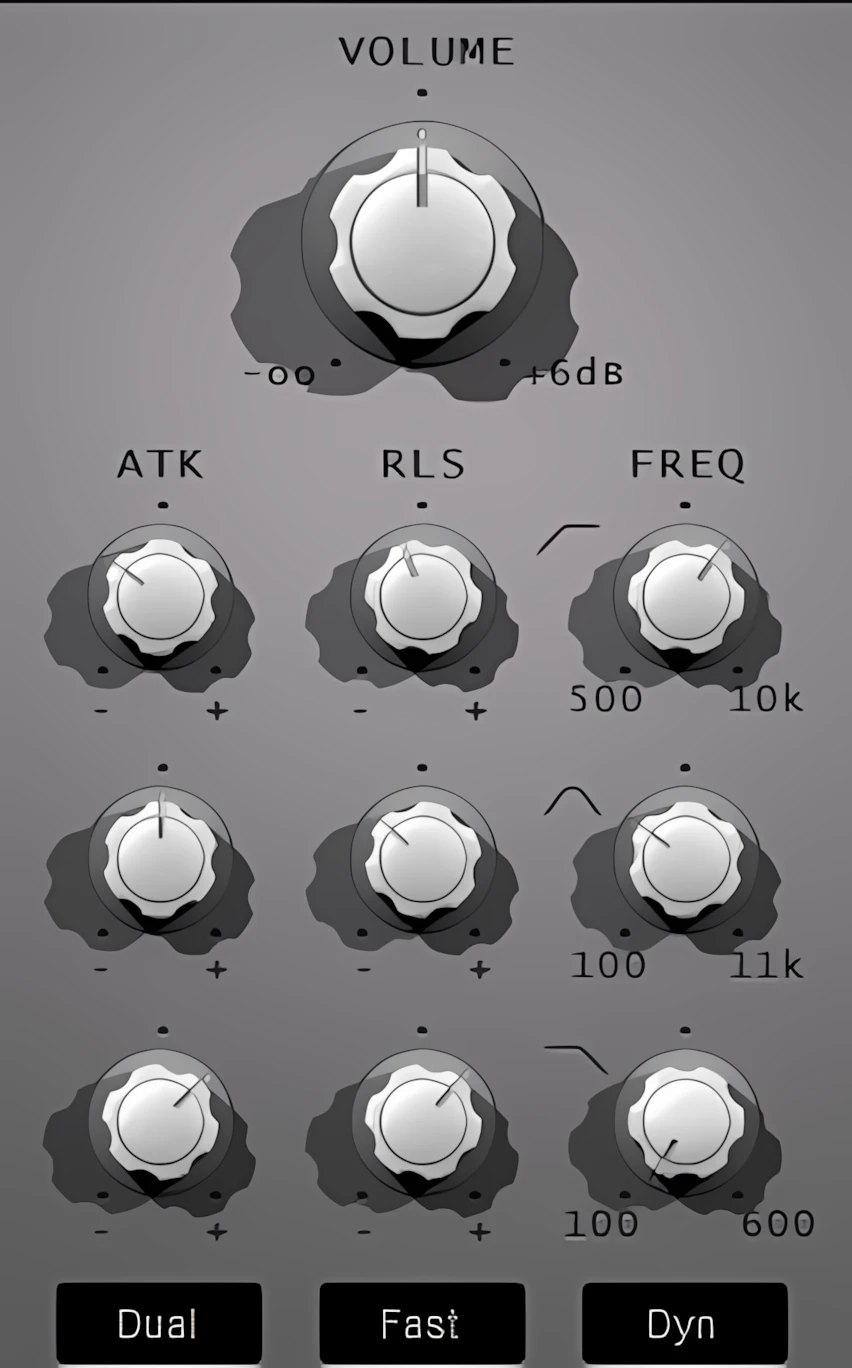
The snare has more “whack” and a crisper top end. I wanted to achieve a fat 70s snare with a nice crisp attack.
High Hats are more defined. We have some ‘sizzle’ now.
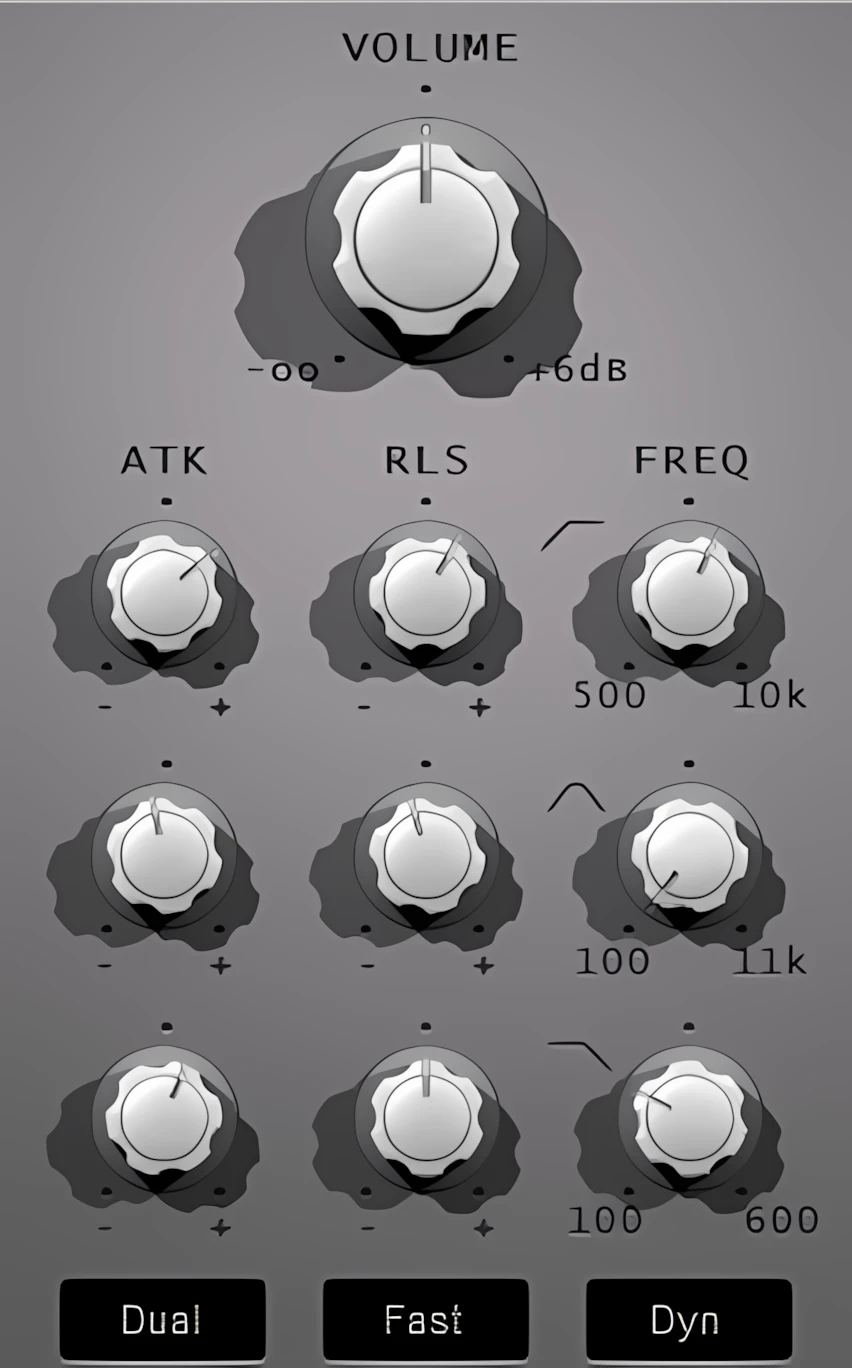
Much like the snare, I wanted the toms to have a nice snappy attack and cut through better. They are now more focused in the midrange.
Here are screenshots of the settings I used. Click on each picture to view 3x Upscaled Images (opens in new tab).
CPU Consumption:
MatterTone stays very light on CPU usage. Even on today’s powerful multi-core PCs and Macs, a DAW can start to feel boggy and sluggish when you load in dozens of plug-ins. Fortunately, MatterTone avoids adding to that system‑draining sludge and instead remains refreshingly light and manageable. Excellent work, SKnote—5 Stars!
4.5 out of 5 Stars


:: Pros
- Affordable.
- High quality dynamics envelope shaper.
- Very transparent sounding.
- Easy-to-use and it’s difficult to make it sound “bad”.
- Attractive, functional user interface.
- Level-independent design.
- Capable of both subtle and forceful envelope shaping.
- Wider range of application than typical transient shapers.
- Friendly, professional product support.
- No dongles, call/response challenges, nor invasive piracy protection overhead.
- 32 & 64 bit (MAC & PC)
::Cons
- No downloadable demo
Visit the SKnote website. SKnoteAudio.com
Intellectual Copyright – 2013 – All rights Reserved. This review may not be copied or reproduced in whole, nor in part, without express written permission from the author.

Leave a Reply