
What is Endless Series 3?
Endless Series 3 is a unique audio plugin developed by Oli Larkin. It’s based on the Shepard Tone auditory illusion, which creates the perception of infinite rising or falling scales that never actually reach a destination. In this Endless Series 3 Review, we’ll explore its other brilliant FX capabilities too.
Key Features:
- Sound Generation: Creates mind-bending infinite scales, risers, drones, and psychedelic textures
- Multiple Modes: Functions as a tone generator, ring modulator, phaser, flanger, or resonant filter bank
- Stereo detune/fattening
- Auto-panning effects
- Harmonic control of each partial
- Distortion and noise modulation
Introduction:
When I first encountered the fascinating audio psychedelia of Endless Series 3, it instantly reminded me of Marvin the Martian and the unmistakable sound of his “Eludium PU36 Explosive Space Modulator.”
Just in case you aren’t familiar with Marvin the Martian, I’ve included a YouTube link at the end of this article for your amusement.
“Oh my, what an interesting digital specimen. I will now attempt to analyze it with my multi-purpose ACME space ray device.” ~Marvin the Martian (circa 1959, Warner Bros.)

Endless Series 3 is unique. It is difficult to categorize, but I would label it as a creative filter effect. Its most noteworthy feature, and primary function, is that of the Shepard-Tone generator. (Shepard-tone will be explained shortly.)
Endless Series 3 also offers up blue-ribbon modulation effects in the tradition of flanging, ring-modulation, and phasing. ES3 will only require £29.99 GBP ($46 USD) of your earthly, monetary substance.
To blatantly plagiarize Wikipedia, Shepard-tone is defined as:
“A sound consisting of a superposition of sine waves separated by octaves. When played with the base pitch of the tone moving upward or downward, it is referred to as the Shepard scale. This creates the auditory illusion of a tone that continually ascends or descends in pitch, yet which ultimately seems to get no higher or lower.”
Frankly, this plug-in is not for everyone. In this Endless Series 3 review, you’ll quickly see why so many creative musicians and sound designers hold it in such high regard. Ultimately, the only real limit is the reach of your imagination.
Appealing directly to the whimsical creativity of forward‑thinking beatniks, synthesists, and artists working in experimental or electronic genres, Endless Series 3 stands out as one of Marvin’s most inspired and delightful interplanetary discoveries.
Visuals:
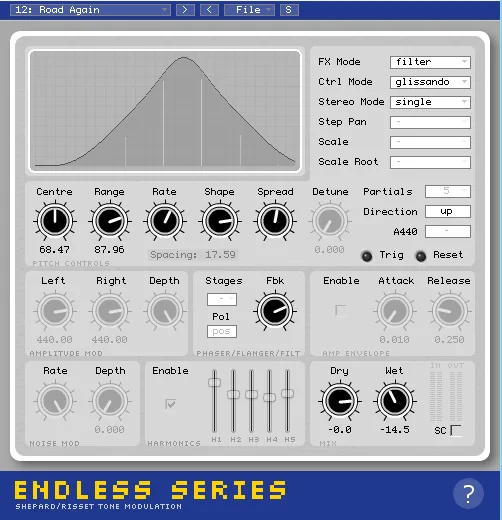
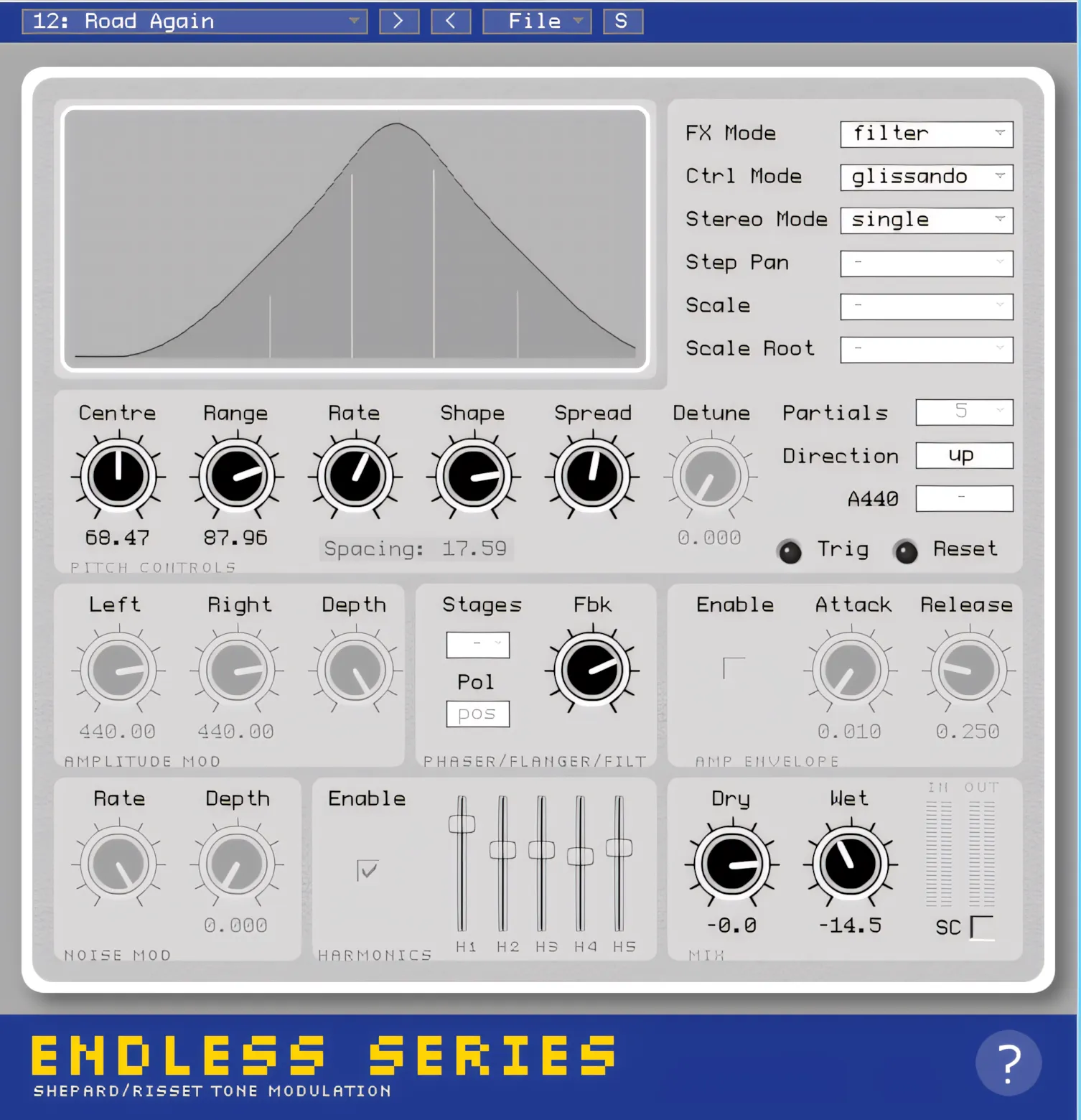
This simple-looking plugin sits inconspicuously in a minimalist’s GUI, measuring 500px wide x 520px high. Eschewing the common trend of white labels against dark backgrounds, Mr. Larkin has crafted a lite interface.
It’s light on the eyes and it’s lite on system resources. Yet the apparent simplicity of the interface belies the magnitude of the other-worldly imperium it affords over a boring, blasé audio source.
Hi, you! If you like these kinds of reviews,
be sure to subscribe.
The stark contrast of black knobs against the interplanetary-saucer-grey background lets the user easily get a bead on the various settings. Although the interface is unassuming and conservatively sized, there is good separation between the varied sections (or groupings) of controls. Everything is labelled and marked in a precise, highly visible style.
Amidst nuanced shades of grey, there is a rectangular window referred to as the “Visualiser” screen. You see the width and amplitude of the sine-wave partials displayed here; similar to a typical spectral display. The primary difference being: the Visualiser displays ‘pitch’ and ‘amplitude’ as opposed to FFT data.
Each knob is surrounded by a halo of gray-shaded rings with precisely spaced increment markers.. The font-style of all labels and menu items has a Unix/Linux terminal-like appearance. The text is small, but it is legible.
I’m viewing the plugin on a 15.6” laptop screen with a native resolution of 1366 x 768. This plug-in may be difficult to see on larger monitors set at much higher native resolutions.
The buttons and sliders all respond nicely to mouse movements. As with any well-made plug-in interface, “shift-click” mouse actions result in smooth, fine parameter changes.
Stereo Imaging:
There are two Stereo modes available; single and dual. In single mode, there is one signal chain and partial panned somewhere within the stereo image. Dual mode means that there is actually a separate audio signal for the left and right hand channels – so you have two separate processors running simultaneously.
The user can detune the right channel or offset the phase of the control data. I wouldn’t exactly call this a double-tracking effect, but it sure does do something of ethereal proportions to an otherwise boring instrument track.
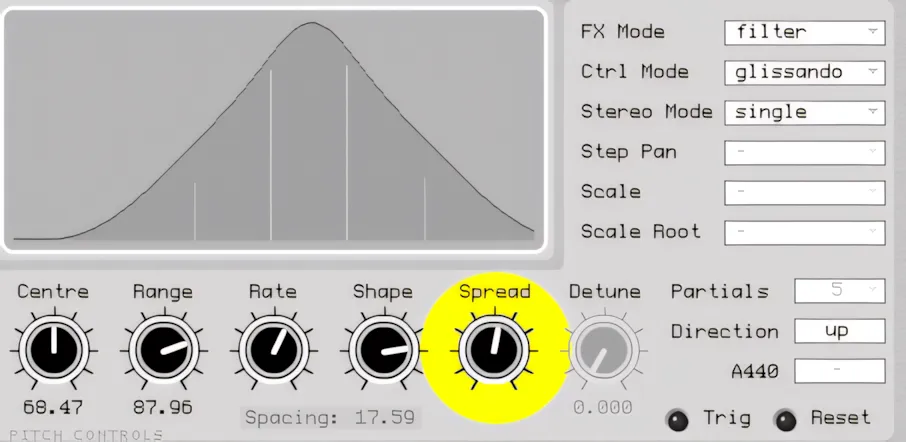
The ‘Spread’ knob set to its maximum produces very wide effects. In a controlled test environment, I processed a snare track using ES3’s ‘Filter’ mode.
The snare sits in the center, yet the filter processing creates a very distinct spread. Yes, it sounded wide – as though the sound were capable of extending beyond my headphones casing. The Stereo Mode was set to ‘single’.
Setting the Stereo mode to ‘dual’ makes the effect sound almost doubled. It seemed to me as though there were two filters working, in tandem – well, almost in tandem.
It’s difficult to accurately describe exactly what it sounds like. However, since we’re scrutinizing the Stereo Imaging features of this plug-in, I can honestly report that it is very wide sounding and expansive.
More Imaging Details:
To further experiment with this plug-in’s stereo processing prowess, I processed a close-mic’d, mono, acoustic rhythm guitar track using the ‘Phaser’ mode. I set the Control mode to ‘glissando’.
In each of the phaser’s 24 stages, the stereo panning and phasing was Stere-O-ifcally lush. (Stere-O-ifically: my new word. It means “terrifically, in stereo”) Swirling, psychedelic phase sweeps kept my attention absorbed in suspended bemusement.
I rarely praise flanger effects, but this one genuinely impressed me. In fact, it exceeded my expectations by a considerable margin. The deeply-flanged, pulsing effects are there in plenty, but so too, is a pleasant, more subdued flange that is somewhat similar to its phaser cousin.
As before, setting the ‘Spread’ knob to the maximum, results in sumptuous, surround-like sonic tapestries. Putting the flanger into dual mode, and dialing the ‘detune’ knob up to 12 o’clock, resulted in a fantastic palette of sonic color that rivaled any creative effect I’d ever heard.
The source became so vivid and spacious sounding. I’ve used many different stereo-widening plugins, but this diminutive, plain-looking plug-in is quite spectacular in the breadth of its signal processing capabilities.
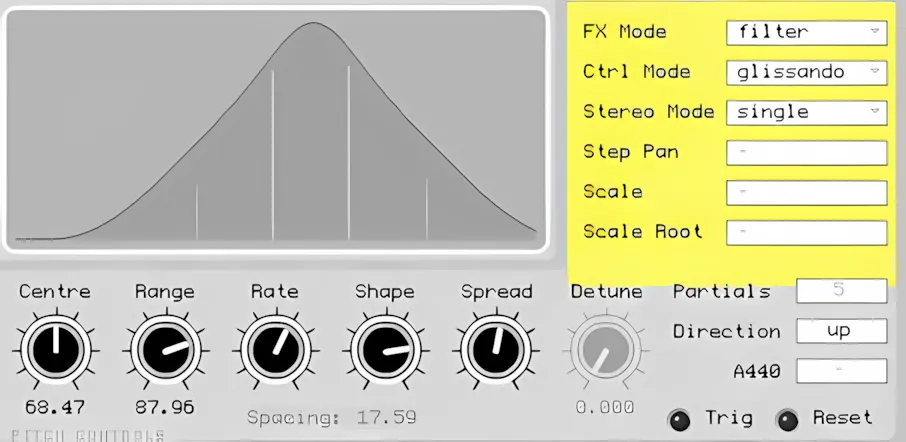
On the upper right hand side, there is a group of six drop-down combo boxes. Here, the user can choose FX Mode, Control Mode, Stereo Mode, Step Pan, Scale, and Scale Root. Whenever the current Ctrl Mode does not make use of the scale and step parameters, the irrelevant combo boxes become disabled and ‘greyed out’.
It is subtle, intelligent features like this, which give me the impression that the interface has been well designed with careful, calculated attention to work-flow and details.
Quick Contextual Help:
A particularly convenient element of this thoughtfully designed GUI is the dynamic mouse‑over help and information feature. Located in the bottom right corner, you will find a ‘Question Mark’ icon.
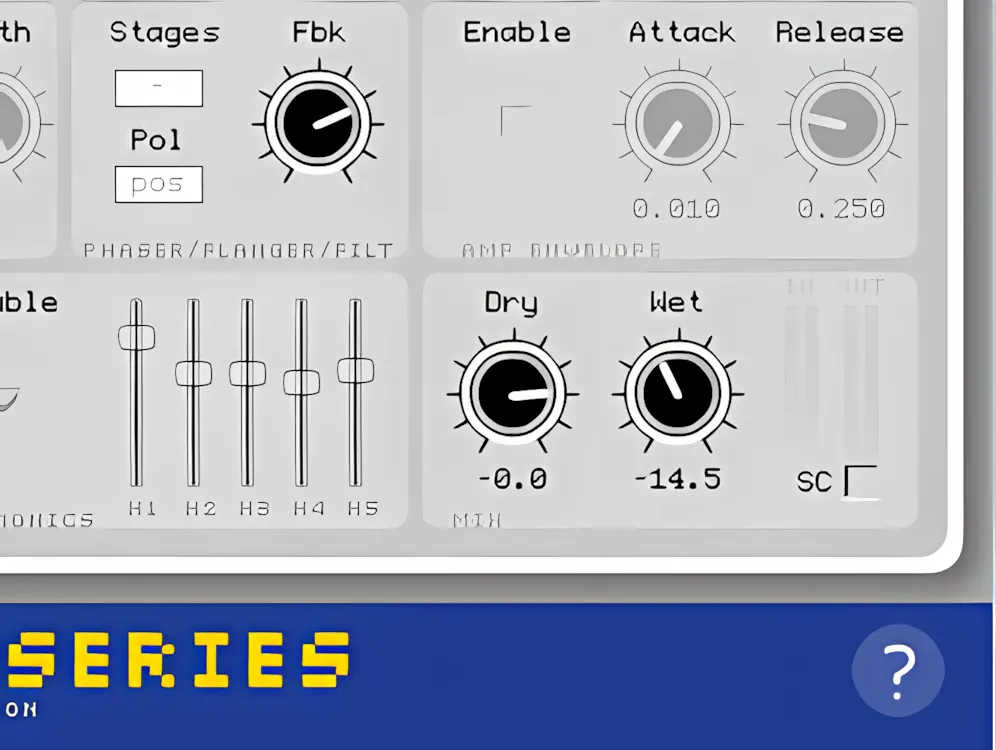
When you click this icon with the Help/Info feature enabled, the software displays a brief description of each knob, button, and menu item in the bottom panel. To view the description and purpose of any user-adjustable element, a user simply hovers the mouse cursor over the element of interest.
Sound Quality:
To bench-test and review some types of plug-ins, I wear my trusty Sennheiser HD 280 Pro headphones. Without “Rabbit Trailing” into a debate about studio headphones, I LIKE my Sennheiser pair.
Why am I telling you this? I’m mentioning it because the Sennheiser HD 280 PROs let me hear fine details easily. The bass isn’t muddy, nor is it too deep and booming. The mids are well-balanced for the most part. The highs are pristine and accurate.
So then, with moderate volume settings, I listened – and I mean “listened” – to a few of my favourite reference instrument tracks processed through ES3. I enjoyed what I heard. I didn’t test with sine waves and FFT spectrum analyzers, but I did listen carefully.
This plug-in’s interface has an antiquated 80s synth look about it, so one expects some artefacting and noise, right? I didn’t perceive any unwanted aliasing or noise – even while listening to very clean acoustic guitar tracks.
Balancing Wet and Dry:
Set both knobs too high, and you can overload a channel because no signal limiting exists. Don’t judge hastily though! Sensible gain settings of 0 dB, and lower, retain clean and distortion-free sound. If judicious gain-staging is not enough, the ‘SC’ (Soft clipping) feature can be useful to tame signals that are occasionally distorting.
Excluding the desired signal processing effects, I did not discern this plug-in tainting or altering the frequency balance of source audio material. In other words, the mids did not become too pronounced or scooped. Unwanted boosts or reductions didn’t negatively affect lower frequencies. The highs remained untouched; they weren’t rounded off either.
Employing ‘tone’ FX mode is when you really get to hear the Shepard-tone filtering phenomena. If you haven’t heard of this audio-illusion before, I invite you to take a listen to this audio snippet:
Endless Series 3 easily recreates this type of sound plus many more mind-challenging audio effects. Setting Ctrl Mode to ‘glissando’ creates an extremely smooth tonal sweep.
On the other hand, unlike the scaled Shepard Tone, glissando produces a fluid, circular pitch illusion. I suspect this plugin was created primarily for that effect.
Effects and Features:
ES3 set to Phaser, with midi stepping on a GOA/Synth Lead.
ES3 12-stage phaser on Acoustic Guitar track.
It goes without saying that the most notable feature of ES3 is the enthralling, illusionary effect known as Shepard-tone, and the fluid, non-quantized iteration of it, called the Risset-tone. You can configure both of these tonal illusions to operate in either upward or downward scaling—or, if you prefer, in forward or reverse motion.
For my own, and my readers’ education, I am including this very pertinent information from the plug-in’s well-written user’s manual.
“Composer, Jean-Claude Risset, did further work with circular pitch illusions and created a version based on a glissando rather than a scale. The theory behind circular pitch illusions involves creating a number of “partials” that are spaced equally in pitch across the frequency spectrum (for instance one octave apart). As the partials rise or fall in pitch, their amplitude is adjusted so that as the higher partials are fading out, the lower partials are fading in.”
“This way, the ear is tricked as the listener focuses on the movements of the loudest partials. It’s often possible to hear this cyclic pattern if you know what you’re looking for, or if the pitch is changing rapidly; the illusion can be very convincing.”
“There are many sonic variations that can be achieved by varying the basic parameters of the Shepard/Risset Tone. For instance, you can change the partial spacing to make the timbre inharmonic, you can add extra harmonics to each partial to make a richer sound, you can modulate the pitch of the partials. You can also use the same control information that would be used in the additive synthesis model (i.e. N amplitude-frequency pairs) to drive other audio effects such as a filter bank.”
“Endless Series aims to make it easy to experiment in real-time with these things, which is something that would otherwise be a very laborious process.”
Since we’ve already taken a good look at the flanging and phasing effects in this article’s “Stereo Imaging” segment, let’s investigate the more experimental aspects of this Gee-whiz VST.
Tone Illusion Effects:
Setting the FX Mode to ‘Tone’ engages the Tone illusion effects. In this mode, you can easily replicate some interesting ‘Space 1999’ soundtrack effects. Although the tone-filtered sounds are experimental and unusual, they preserve an ‘organic’ quality. Increasing the number of partials can produce exceptionally lush, titillating tones. The user can select from between 1 to 20 partials; 10 being the default.
There are 14 different scales that the user can choose from:
- Chromatic
- Ionian
- Dorian
- Phrygian
- Lydian
- Mixolydian
- Aeolian
- Major Pentatonic
- Locrian
- Wholetone
- Minor 7
- Ninths
- 11ths
- 13ths
- Diminished 7
- Minor Pentatonic
You can set the quantized scaling direction of the additive tone generator to move either upward or downward. In my experimental play-time with Endless Series 3, I found that a higher number of partials, set in upward direction, fashioned a ‘tinkling icicle’ kind of sound.
This “tone-illusion” is very effective when used in conjunction with a good VA synth pad, such as those produced by the Xils-Lab PolyKB II.
Assigning the ‘glissando’ Control Mode to ‘tone’, results in a circular, fluid tone-illusion. Unbroken rises in pitch continuously ambit through the assigned range of the ‘Risset-tone’. You can set the range anywhere from a single semitone to an enormous 10 octaves.
We also have available five harmonics sliders. Activating the HARMONICS function and increasing the mini-faders’ values can replicate dropped-bomb (downward direction) or engine whining (upward direction) effects.
Endless Series 3 is so very unassuming, and inconspicuous. It doesn’t blast it’s way across your screen. Its features are vast, yet its screen footprint is decidedly subdued. For example, there is the discreet ‘NOISE MOD’ panel; it’s not exactly a chorus-like modulation, but it adds cool vibrato and intonation instability.
Presets:
There are 32 presets delivered with ES3 when it lands in your DAW. What’s more, Oli Larkin has included a very convenient preset management system. The user can tweak existing presets or get adventurous and custom-build some from scratch.
CPU Consumption:
Mr. Larkin has a great deal of professional programming experience. He has put a very concerted effort into ensuring that ES3 would be very light on system resources. The plug-in has been developed in C++ using the WDL from Cockos.
This plug-in is immediately responsive and lends itself to being a CPU-friendly insert effect. The average PC or MAC can effortlessly run a 12 to 18 simultaneous instances of this little DSP wonder.
Concluding Remarks:
I didn’t know what to expect when Mr. Larkin contacted me and invited me to review Endless Series 3. In the past, I’d never really had an interest in creative effects nor synthesized music. I must admit, this plug-in, along with Xils-Lab’s Le Masque Delay, have certainly expanded my thinking about these types of effects.
I am pleased to support and promote Oli Larkin’s Endless Series 3. It’s an enthralling and unique plug-in. Endless Series 3 delivers such a massive range of creative effects that adventurous electronic music artists and producers will remain inspired, engaged, and constantly experimenting.
I don’t suspect that an engineer would find a lot of use for this plug-in’s more experimental attributes on Gospel, Jazz, Blues or Country projects. However, I’m am confident that said engineer would be very quick to add the flanger and phaser effects.
The ‘filter’ effect can really put a wonderfully unique vibe on a drum track. Even if the genre of music did not call for a heavily processed snare or kick drum, it can certainly put a special something on the toms.
This plug-in is not offered in a time or feature-limited demo version. Hopefully, this review and the online audio demos (on the developer’s web site) will give you confidence in this excellent product.
As our little buddy, Marvin the Martian, would say:
“At last, after 2,000 years of work, a plug-in that sounds like the Eludium PU36 Explosive Space Modulator. At long last, my dream come true!”

4 out of 5 Stars


:: Pros
- Unique, multi-faceted tone filtering.
- High quality Flange, Phase, and Ring Modulation effects.
- Intuitive, well-thought-out work space.
- Optimized programming code – light on CPU.
- Very good stereo imagery.
- Well-written user’s manual.
- Convenient, built-in preset manager.
- No dongles, call/response challenges, nor invasive piracy protection overhead.
- Fast, courteous customer support.
- Experienced, professional programmer.
- Affordably priced. Excellent Price vs. Quality ratio.
- Available for 32 bit & 64 bit systems. MAC & PC.
- Operates as a plug-in OR as a STANDALONE application.
::Cons
- Small GUI and fonts. The interface feels well-designed and intuitive, although a resizable layout would make it even more versatile and user-friendly. DDMF and Valhalla plug-ins are a good example of size-adjustable GUIs.
- Not exactly a “CON”, but perhaps a downloadable demo would be nice.
Audio software by Oli Larkin: www.OliLarkin.co.uk
Intellectual Copyright – 2013 – All rights Reserved. This review may not be copied or reproduced in whole, nor in part, without express written permission from the author.

Leave a Reply