
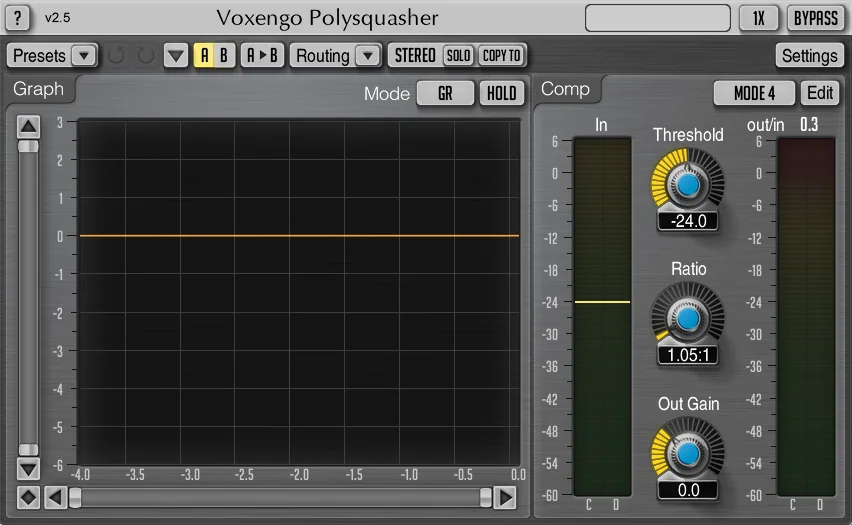
What is Voxengo Polysquasher 2?
Voxengo Polysquasher 2 is a professional mastering-grade compressor plugin designed for audio production and music mixing. In other words, it gives precise control over dynamics processing during mastering and mixing stages. In this Voxengo Polysquasher 2 Review, we’ll take a close look at all it has to offer.
Here’s what it offers:
- Transparent compression sound suitable for mastering applications
- Real-time relative gain-reduction graph for visual feedback
- Multiple built-in compressor modes (6-8 depending on version) with a dedicated compressor mode editor for customization
- Stereo, mid/side, and multi-channel processing
- Internal channel routing and grouping
- Up to 8× linear-phase oversampling
- 64-bit floating-point processing
- Low latency (~22 ms compensated)
- Preset manager with A/B comparison tools
- Undo/redo history
- Contextual hint messages
- All sample rate support
- Works with any host supporting AAX, AudioUnit, VST, or VST3 plugin formats
Introduction:
Russian audio-software developer, Voxengo, has been highly-visible on the global audio plug-in radar for a few years now. Voxengo is well-known for producing quality, cross-platform DSP software devices which capably address home/small studio needs for equalization, convolving reverb, modulation, delay/echo, compression, saturation, and et cetera.
Polysquasher earns its reputation as a mastering plugin, delivering the studio-grade, mix-glue compression that defines professional audio excellence. Above all, anyone looking for top-drawer performance on a budget, the $80 (USD) price tag is reasonable.

Do you know what the tongue-in-cheek acronym, ‘GAS’, refers to? It stands for: “Gear Acquisition Syndrome”. It is this reviewer’s opinion, that this chronic affliction has elicited the ire of more musicians’ spouses than most nearly any other behavioural dysfunction.
Thankfully, Voxengo lessens the strain on many relationships by offering attractive bundle-pricing and multi-item discounts. Voxengo’s discount plan will save you a tidy 12 percent, when purchasing two or more plug-ins at a time.
In addtion, the savings are even more substantial when a purchase total exceeds $200 (USD). Rather than indulging my perambulatory verbiage on the bundle and multi-item pricing, perhaps you could scope out the Voxengo web site for yourself.
This cross-platform dandy might appear to be a simple, unassuming compressor plug-in, but in all actuality, it is anything but lacklustre or sparing with its features. Additionally, Voxengo Polysquasher 2 uses 64 bit floating-point internal processing.
Visuals:
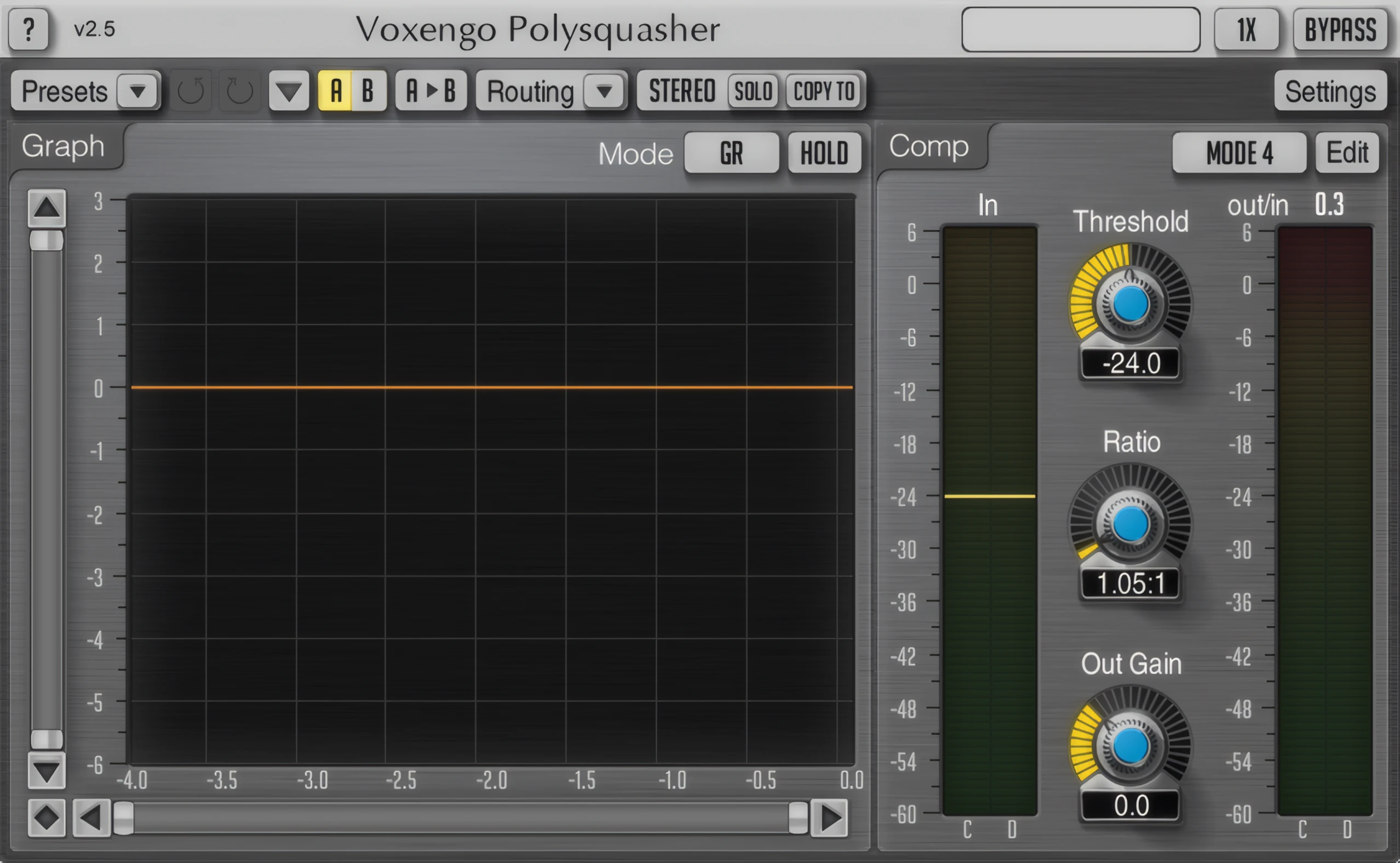
Voxengo plug-ins have a distinct, and visually refreshing design; refreshing like an extra squeeze of lime in a chilled margarita. Their idiomatic GUI design has become popular and immediately recognizable.
At a glance, Voxengo plug-ins stand out singularly from the crowd. Very few developers have so successfully ‘branded’ a product-line with their choice of interface design. Not only are the plug-ins capable of producing high quality signal processing, they also exude a unique charm and intuitive work flow.
Voxengo’s common GUI design shows off ever-so-slightly rounded corners and subtle curves. Similarly, every button, panel, and slider boasts gentle 3D features and subtle shadowing for a polished look. Hovering your mouse-cursor over a ‘clickable’ GUI component produces discrete, tasteful highlighted effects.
The more that I dug into this plug-in, the more I found to admire about it. Let’s be real, folks — there’s a dramatic difference between entry-level new-comers and hard-boiled veterans such as Voxengo. Big V plug-ins not only emanate their own unique characteristics, but they also excel in work-flow design.
Hi, you! If you like these kinds of reviews,
be sure to subscribe.
All Voxengo plugins are immediately familiar to you, after you’ve become accustomed to using any one Voxengo plugin.
The Graph:
The largest element that the user sees on the GUI is the Graph. This frame displays a real-time graph that represents the compressor’s operation. You may switch between GR (gain reduction) graph and the and Wave graph.
First, the GR graph reveals the exact gain reduction applied to your input signal, while the ‘Wave’ graph overlays both input and output waveforms for instant visual comparison. Note that the overlay color blends the hues of both graphs.Secondly, these graphs let the engineer evaluate how deeply the compressor is working. The ‘Hold’ switch freezes the graph display temporarily for closer inspection.
Voxengo’s five different color-variations match most common DAW and/or OS color-themes. The default theme is soft, and easy on the eye balls (pictured at the top of this page). The default grey and burgundy color-scheme matched my “GO-TO” DAW (Acoustica Mxcraft 6) perfectly. Lastly, the interface employs a clean, anti-aliased sans-serif font that ensures exceptional legibility and effortless reading.
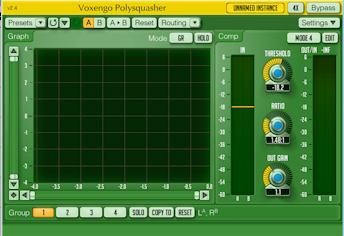
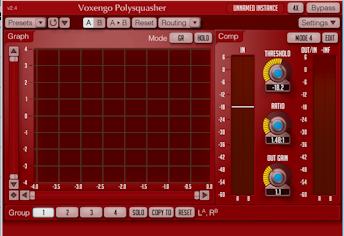
Sliders, knobs, labels, and preset management are all arranged with exceptional clarity and precision. The Voxengo plug-in GUIs are FAST and responsive. The knobs and sliders respond to mouse movements nice n’ smoothly.
Stereo Imaging & 5.1 Surround:
We’ll get to the actual sound quality of Polysquasher 2 in a little bit, but first, put a bead on the first-string M/S and 5.1 Surround features built into this gallant little keener.
Man, just when I was sure that I had a perfectly-polished, double-tracked acoustic guitar track happening, I slipped “Poly” into M/S mode. Just for grins n’ giggles, I wanted to see what a bit of knob twisting could do. Zowee! The width of the double-tracked acoustic took the express route to WIDES-ville. Spacious, vibrant sonic-detail fairly leapt through my Sennheiser headphones and dazzled my cochlear nerve.
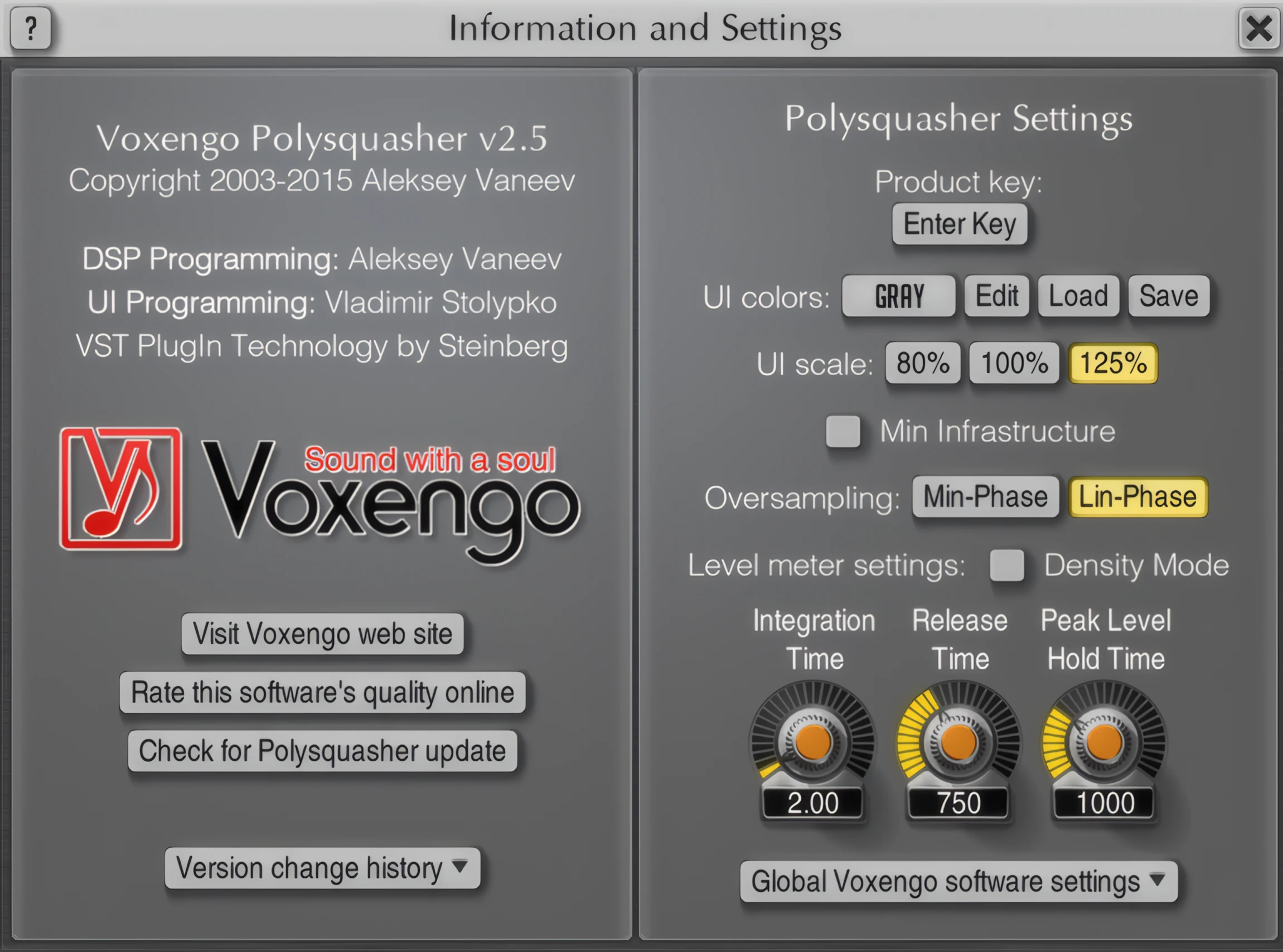
Noteworthy features that help keep Voxengo a head taller than most, are the sizeable GUI and choice of color-scheme. A user can easily select his/her preference from five color themes and three GUI sizes; 80%, 100%, and 125%.
Color changes take effect instantly, but resizing the GUI demands a DAW restart. Imagine the convenience if you could reload the size without shutting down your host! (Only a minor niggle.)
Hidden in Plain Sight:
Alesky Vaneev has wisely hand-crafted a pleasing GUI design that ‘hides’ advanced feature settings, keeping the plug-in’s work area uncluttered and free from unnecessary distraction. However, all features are easy to avcess with minimal navigation. The user isn’t required to click repeatedly through convoluted kludges of GUI mayhem.
While operating this pluggie in M/S or multi-channel modes, the individual audio channels are accessible by clicking on any one of the grouped channel tabs beneath the ‘Graph’, on the main screen. Each channel is processed independently.
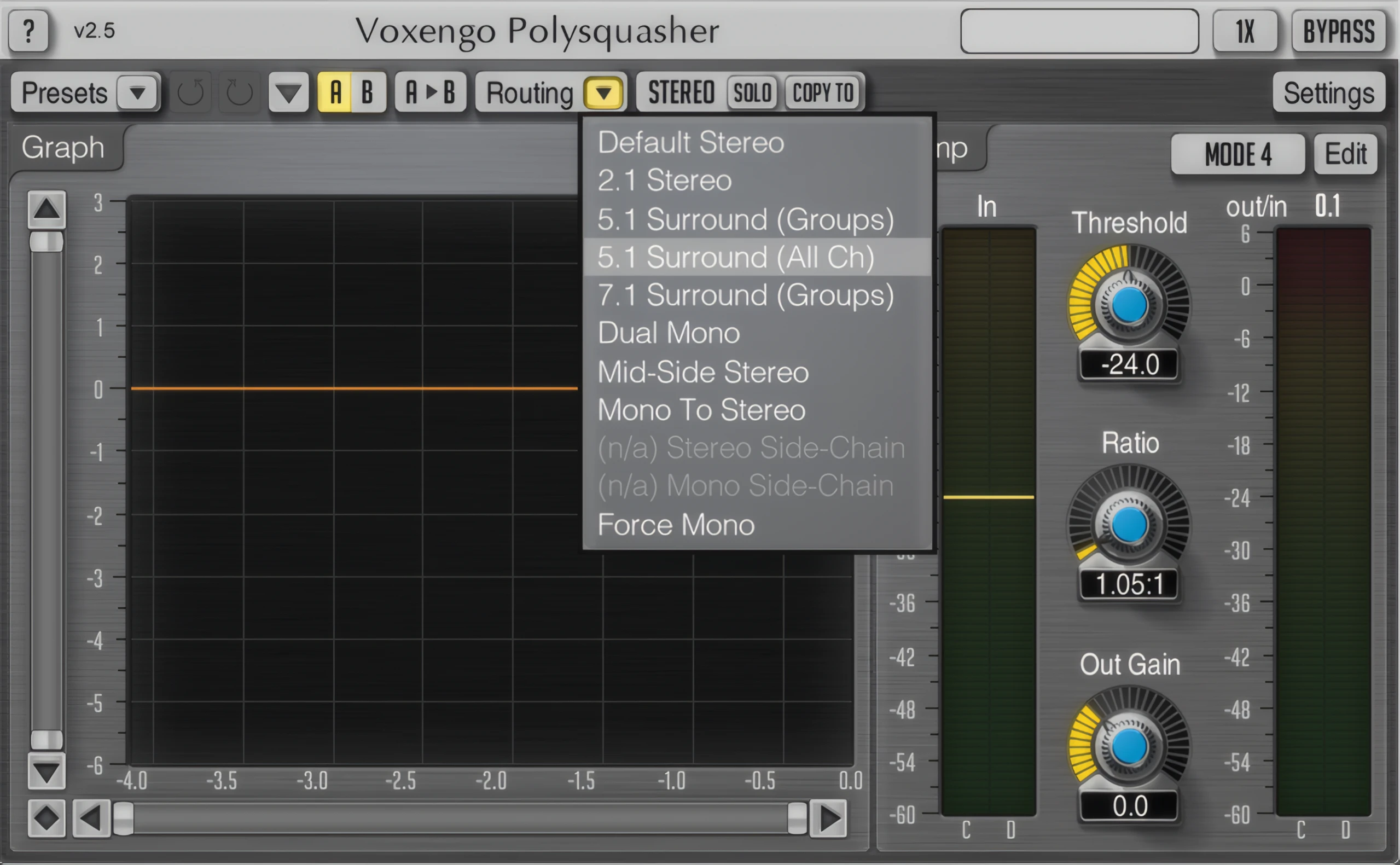
Again, the plug-in looks rather unassuming, but it extends tremendous range of control to an engineer. For anyone who is just starting out with M/S mastering, Polysquasher makes it possible to achieve professional-like results with relative ease and convenience. I like it. I like it a lot.
I have no doubt that this compressor will be a serious shot-in-the-arm for many games developers and anyone involved in video editing (working in 2.1 or 5.1 surround environments).
Polysquasher will give much greater, cleaner results than the default compressor(s) included in most DAW or NLE suites. As a matter of fact, it doles out powerful, transparent results than will stand up against most nearly any other compressor plug-in that I’ve ever heard; including those costing two or three times more.
Sound Quality:
After repeated bench-tests, in a quiet, controlled environment, I kept coming away from Polysquasher with a smile of genuine satisfaction. Throughout my listening tests of various types of source material, this adaptable compression ‘rock star’ performed well beyond reasonable expectations.
Furthermore, Polysquasher transparently tames peaks with the finesse of a bona fide professional-grade studio unit. Using the louder modes of operation yielded strong, ample sonic punch without taking on any unwanted “squashed” effects.
Minimum and Linear Phase.
Voxengo has gone beyond most of their peers with regard to their implementation of oversampling programmed into this compressor. For instance, there is not just one, but two oversampling filtering options: Minimum Phase and Linear Phase.
One can literally spend dozens of hours researching the differences and benefits of linear vs. minimum phase filters. Without swimming down a ‘red herring’ stream, let me quickly touch on their differences.
In a nutshell, most industry pundits agree that linear phase filters are best suited to final mastering tasks. This is due primarily to their lack of sound colouring. Linear phase filters require phase delays in order to affect harmonic character, without changing the overall level of the source. Phase delays mean increased latency.
Minimum phase, on the other hand, can induce some unwanted phasing artefacts, but function without introducing latency. As a general statement, minimum phase appliances are BEST suited to tracking and individual channel processing.
In sum, Polysquasher sounds great in both Minimum Phase and Linear Phase modes, even on a busy stereo mix bus. With Minimum Phase filtering activated, this compressor made acoustic guitar and piano tracks gel in a mix very solidly.
The compressor preserves the acoustic instrument’s natural dynamics and characteristics while reporting processing latency invisibly to the DAW. I did not experience any latency problems with Polysquasher at any oversampling setting — in either Minimum Phase or Linear Phase modes. It should be noted, however, that the Linear Phase settings are more CPU intensive.
Transparent Loudness:
On quiet orchestral-like mixes, and soft acoustic pieces, Polysquasher will bring project levels up to modern loudness-range with lucent ease. Moreover, your music’s original tonal qualities and dynamics remain intact. Your mix will come across with much greater presence. Crucial to bus and mastering compression needs, this plug-in empowers an engineer to mix and master modern loudness-levels with crystalline transparency.
Voxengo recommends that this compressor be used at the 4x oversampling setting to minimize distortion and increase level-detection precision. I temporarily disregarded the rules in my testing though. Even at 1x and 2x oversampling settings, the output still sounded clear and brisk. Ratcheted up to the recommended 4x oversampling does indeed help you to produce hi-fidelity, pure, studio-grade sound.
Effects & Features:
Comp Panel: This frame contains parameters that affect compression.
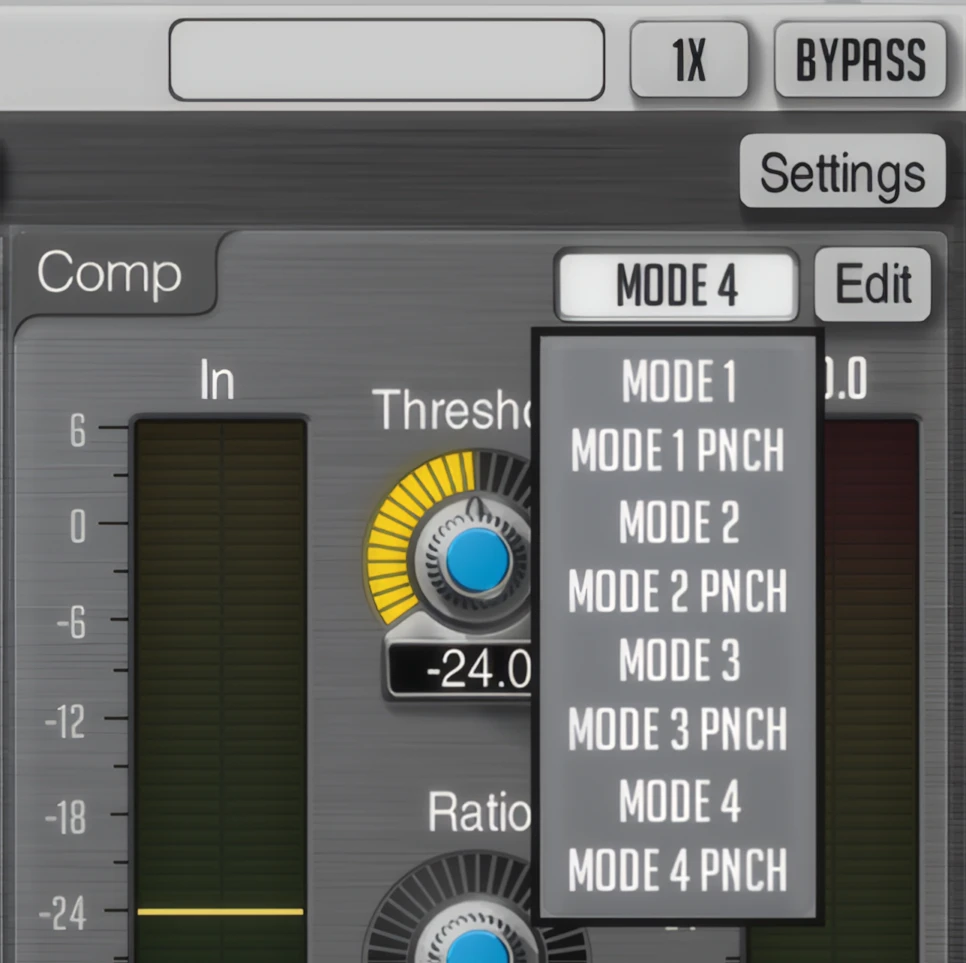
A mode selector allows you to switch between various built-in compressor modes. You can select their own previously saved Preset modes here as well.
The Edit button opens the “Compressor Mode Editor” popup window to a thorough control over the compressor mode. In addition, the “Punch” modes produce strong, punchy output. Transients are largely kept intact, allowing the processed audio to come through vibrantly. Thus this plug-in truly does deserve to be classified as a transparent studio-grade compressor.
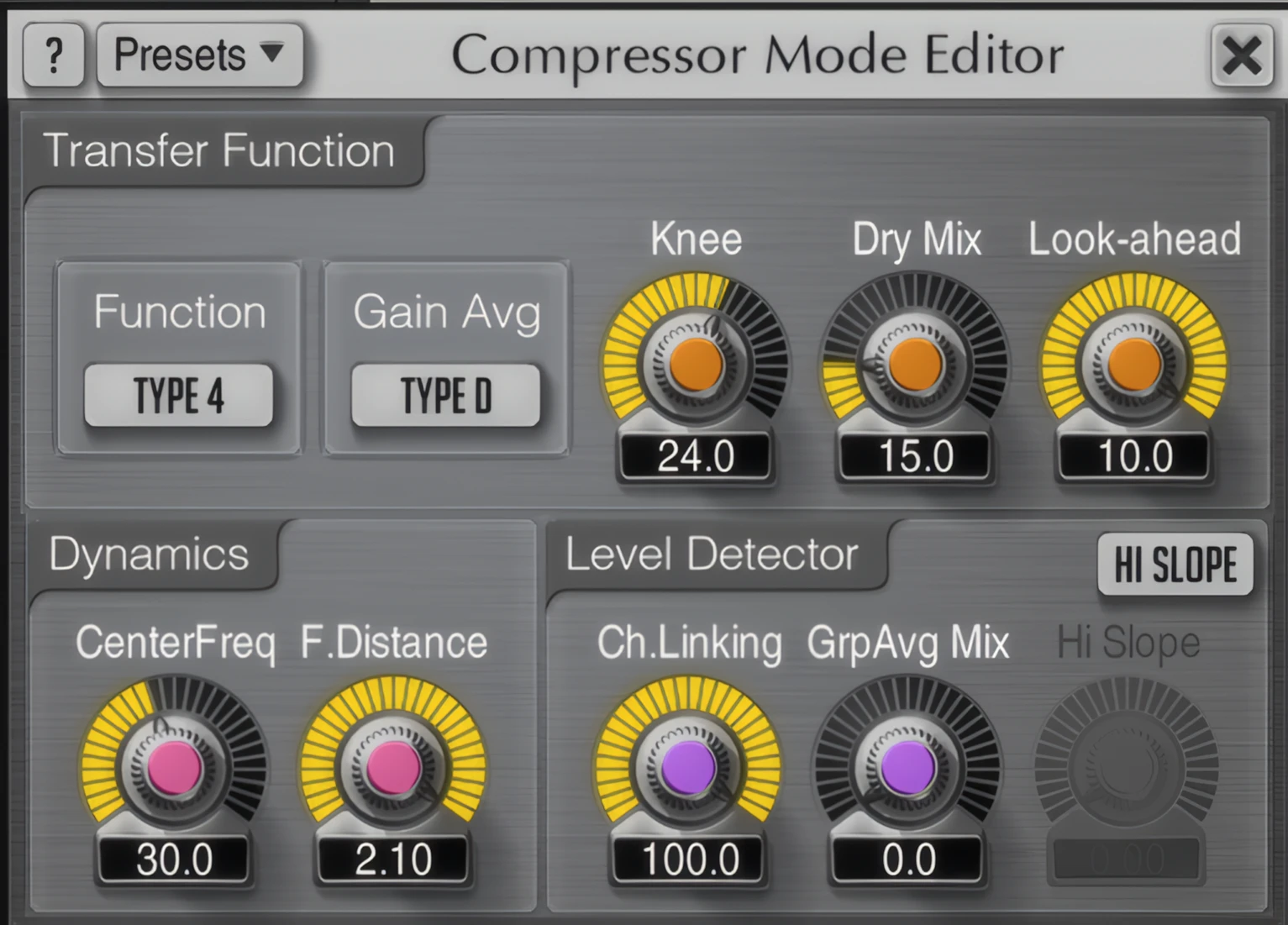
Polysquasher doesn’t give the user common compression attack and release settings; its compression algorithms rely on internal timing constants. These constants are influenced by two Dynamics parameters – ‘CENTER FREQ’ and ‘F. DISTANCE’.
The user’s manual explains the principle as follows:
“The ‘Center Freq’ parameter specifies central timing constant (expressed in Hertz). The ‘F. Distance’ parameter specifies distance between all internal timing constants. This value is used to multiply a given timing constant and produce a next adjacent timing constant.
“For example, when ‘F. Distance’ equals 2.0 and ‘Center Freq’ equals 100, this will produce a set of internal timing constants “25, 50, 100, 200, 400”. The actual number of timing constants is not specified.”
Level Detector: Level detector parameters affect the method input loudness (peak level) detection, in multi-channel routings. Rather a simple ‘on/off’ switch, Poly accords an engineer with very fine, granular control over channel-linking within each channel group via the CH. LINKING knob; with ‘0%’ being completely unlinked and ‘100%’ forcing maximum linking.
GRP AVG MIX: This grants even more refined control over a multi-channelled configuration. With this parameter, an engineer can specify the percentile between an individual channel’s peak level in ratio to the average loudness level of all channels within the group.
HI SLOPE: The HI SLOPE knob provides control over spectrum slope, as it were. The compressor is forced to overreact to higher frequency content when the slope knob is turned fully clockwise. This preserves lower frequencies energy facilitating a ‘silky’ top end without over-compression. Increasing the slope also helps to reduce unwanted ducking artifacts caused by loud, momentary low-frequency sounds.
CPU Consumption:
Throughout my Voxengo Polysquasher 2 review process, it has proven itself to be surprisingly light on CPU. I’m super impressed. After all, this is a powerful, mastering-grade compressor we’re talking about. Polysquasher does require a quite a few extra CPU cycles while linear-phase over-sampling is active, however.
Please bear in mind that this isn’t something that a home producer or small studio engineer will typically need to be very concerned about. To clarify, linear-phase over-sampling is usually relegated to mastering and mix-down tasks.
Typical mixing (and perhaps tracking) compression duties are well addressed by this able performer in 2x minimum-phased over-sampling mode. I deliberately bench-test audio products on my old clunker Toshiba laptop that hobbles along on an AMD Turion X2 CPU and only 2GB of DDR-533 memory. Even on such a meager system, Polysquasher 2 operated well.
Concluding Remarks:
Voxengo has become entrenched in the home producers and small studio community; for good reason! Experience, hard work, and innovation have catapulted the company to a position of distinction. To sum up, Voxengo’s plug-ins are fast, and generally light on both CPU and memory. Most importantly, they produce excellent, pro studio-grade results.
4 out of 5 Stars


:: Pros
- Commercial-grade M/S and MULTI-Channel compression.
- Unique, easy-to-navigate GUI.
- High quality, studio-grade results with minimal effort.
- Intuitive, well-thought-out work space.
- Optimized programming code – reasonably moderate draw on CPU.
- Exceptional value within the price category.
- Well-written user’s manual.
- Convenient, built-in preset manager.
- No dongles, call/response challenges, nor invasive piracy protection overhead.
- Fast, courteous customer support.
- Experienced, well-established audio-software developer.
- Available for 32 bit & 64 bit systems. MAC & PC.
::Cons – N/A
- In this reviewer’s subjective opinion, Polysquasher does not suffer from any programming or feature-set flaws. FIVE STARS!
Visit the Voxengo website. Voxengo.com
Intellectual Copyright – 2013 – All rights Reserved. This review may not be copied or reproduced in whole, nor in part, without express written permission from the author.

Leave a Reply