
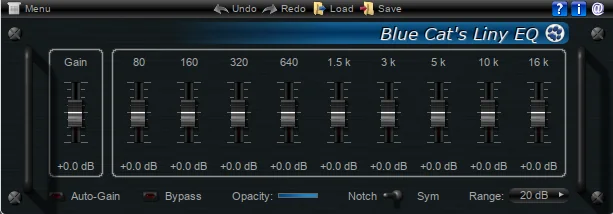
What is Liny EQ?
Blue Cat Audio Liny EQ Pack is a set of light weight, but very powerful, linear phase graphical equalizer plugins designed for professional audio production. In this detailed Blue Cat Audio Liny EQ Pack Review, we’ll find out why these plugins are particularly useful for mastering.
Key Features:
- Linear Phase Processing: Unlike traditional minimum-phase EQs, LinyEQ preserves the phase relationships between frequencies, which can be crucial for mastering or situations where phase coherence matters.
- High Precision: It offers very steep filter slopes and precise control over frequency bands.
- Zero Latency Option: While linear phase EQs typically introduce latency, LinyEQ includes a zero-latency mode for real-time monitoring during recording or live processing.
- Multiple Bands: Usually comes with multiple adjustable bands (often 6–10+), each with configurable filter types (low/high shelf, bell, notch, etc.).
- Stereo/Mid-Side Processing: Supports stereo and mid-side editing for advanced mixing techniques.
- Cross-Platform: Available for Windows and macOS, in VST, AU, and AAX formats.
Introduction:
From Paris, France, Blue Cat Audio has positioned itself as one of the world’s finest craftsmen of cross-platform, higher-end DSP software and frequency analysis tools. Blue Cat’s audio software is widely regarded by professional audio engineers and studio owners as true blue‑ribbon excellence—premium tools that consistently deliver top‑tier sound quality and reliability.
Blue Cat Audio was founded by Guillaume Jeulin with a clear mission: to deliver exceptional software quality and rock-solid reliability. Today, Blue Cat plug-ins are trusted worldwide by top recording studios, universities, audio schools, home studio owners, recording engineers, and both professional and amateur musicians. Their tools have earned a place in serious workflows across the globe.
With a MSRP of 119€ or $159 (USD), this studio-grade EQ solution is not necessarily one that some home producers would consider affordable (read: cheap-software) – but I assure you, it is a definite cut above the standard fare.
With that reputation firmly established, it is only fitting to take a closer look at Blue Cat Audio’s LinyEQ Pack and see whether it truly lives up to that high bar of excellence.
“Linear phase equalization, without the latency.”
Quick Overview:
Blue Cat’s Liny EQ is a 9-band linear phase equalizer. That’s right! A genuine, classic GRAPHIC-styled EQ. It is visually striking with an elegant, curb side appeal. It processes audio signals without the usual phase distortions that many classical digital EQs introduce.
LinyEQ is customizable and offers a wide range of frequency gain adjustment (from +/-10 dB to +/- 40 dB per band), making it suitable for any sound-sculpting task – including subtle, final-mix equalization duties.
LinyEQ (standard) is available by itself at the affordable price point of only 69€ or $89 (USD). For less than twice the price, the Liny EQ Pack furnishes an engineer with two additional plug-ins: feature-rich Mid/Side processing, along with dedicated stereo processing that grants exacting control over each channel individually. It is the Liny EQ Pack that we are evaluating at this time.
Installation and Setup:
Blue Cat Audio plug-ins install quickly and easily with clear, easily-understood configuration options. These plug-ins can be installed as both DirectX and 2.x VST plug-ins (VST, VST3, AU and AAX – including 64 bit – as of 2015).
The user is prompted to either accept the default install locations, or browse for a user-defined directory to contain the VST dll files and the required data folders.
Near the end of the installation process, a dialogue box pops up, displaying input fields for the assigned username and serial code. The licensing/authorizing information is electronically delivered to your email inbox shortly after purchase.
Hi, you! If you like these kinds of reviews,
be sure to subscribe.
I am also pleased to report to you that the licensing method is serial code protection rather than resource-consuming, bothersome C/R or dongle protection. I will now also make mention that quality developers such as Blue Cat Audio deserve to be supported.

There are nefarious audio-software piracy sites on the internet that can potentially inflict great harm to the hard-working, independent developers who make these fine-quality products available to us.
Instead of having to buy expensive outboard gear costing hundreds, if not thousands, of dollars, we are offered extensive DSP options for a fraction of the price. I encourage all my readers to support developers honourably and honestly.
Visuals:
The default Blue Cat graphics-style and color theme is one of my favourite schemas of any plug-in GUI design. The chassis of these VSTs are depicted with a rich, blue-black anodized facsimile, complimented by alluring, royal-blue accents.
The plug-in(s) are most nearly photo-realistic in appearance and exude a classy, elegant charm; replete with 3D-like rack mount handles. Optionally, the GUI skin can be set to any one of the three included skins. These being: the default Dark Blue skin, a “Blue” skin, and lastly, a “Button” skin. There is even an opacity slider allowing the user to set the visual transparency threshold.
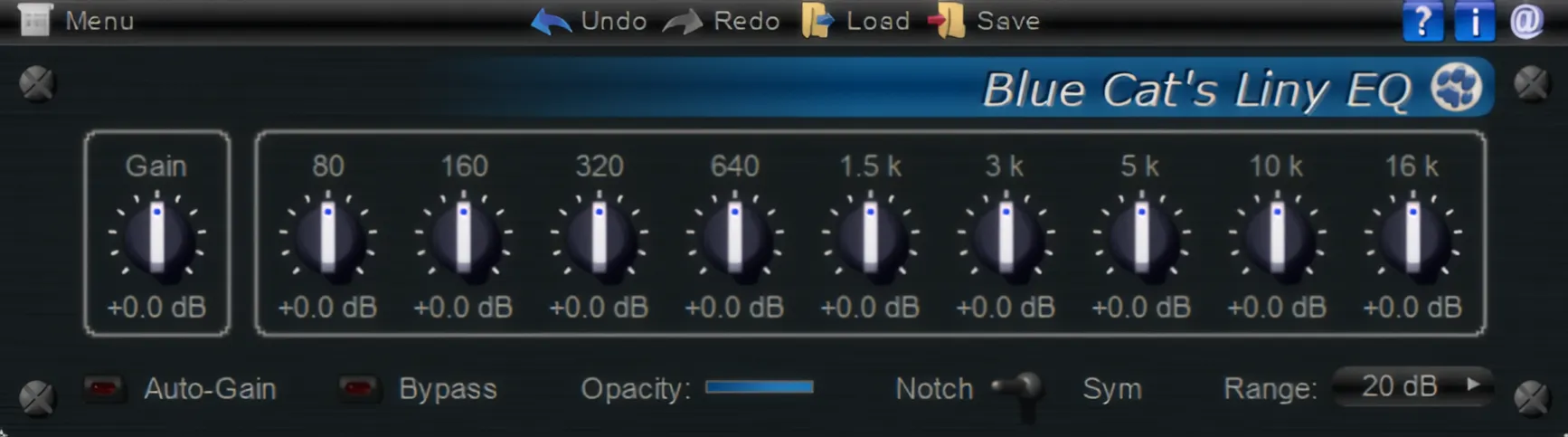
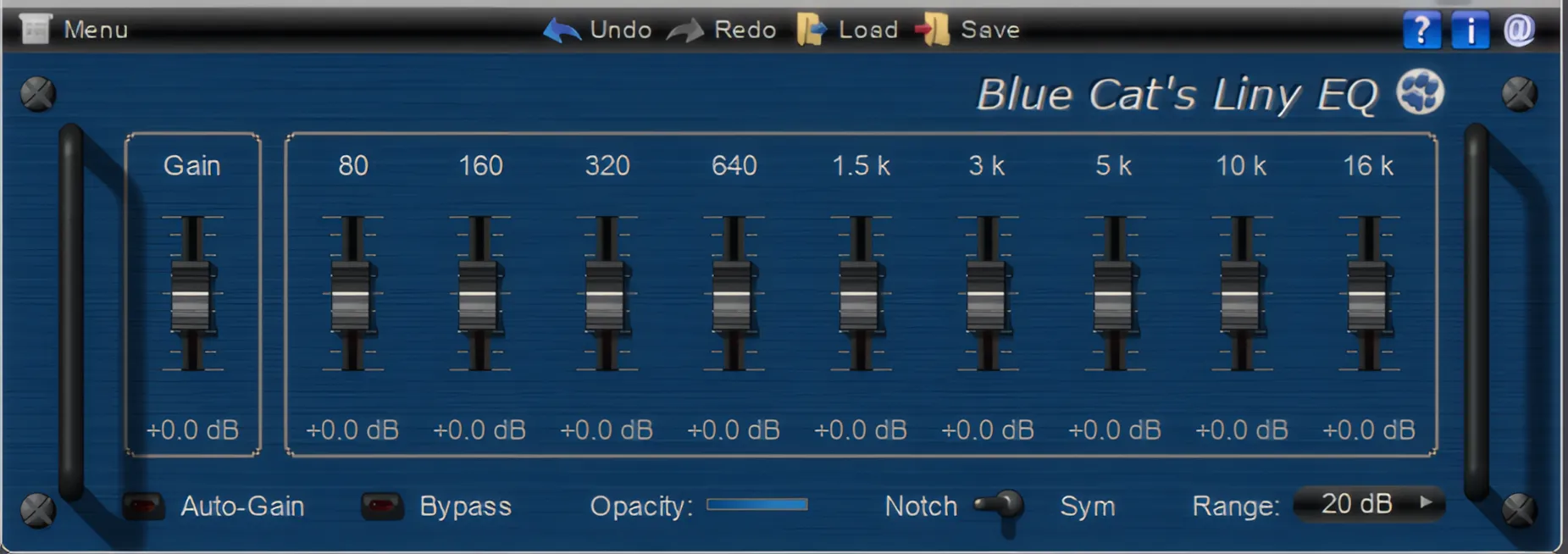
The GUI of each individual plug-in contained in the LinyEQ pack is very responsive. Not only are these plug-ins appreciably light on system resources, but their GUIs are light and fast as well. The faders are smooth-scrolling, and while the “shift” key is held down, the motion range is very finely-tuned and granular.
In classic Blue Cat fashion, the refined, elegant design makes everything a pleasure to look at. The anti-aliased labels stand out clearly in crisp white sans serif type against the sleek, dark backgrounds. Every pixel receives the same meticulous care as the underlying DSP engine, creating a plugin that looks as sophisticated as it sounds.
User’s Manual:
Click the question mark icon in the upper right corner to instantly access the user manual. Right-clicking on any empty space in the main GUI reveals a popup menu for the plug-in configuration options.
Items such as skins, presets, global settings, and the user’s manual, are all readily accessible from this popup menu. Right-clicking on any slider or knob instantly resets the control to default parameters.
Each fader, switch, and control in the interface is carefully detailed, with subtle shadows and a tasteful, 3D-style texture that feels both modern and inviting. A discreet, refined preset menu runs across the top, lending the whole design a polished, professional look that really completes the visual experience.
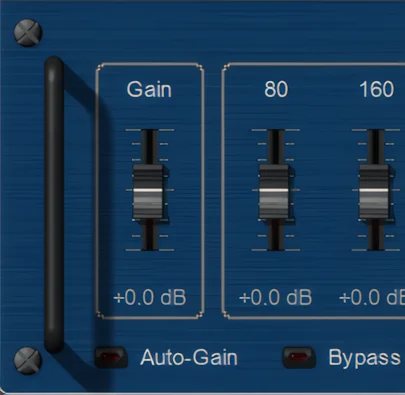

The only niggle that I have concerning the visual design of these plug-ins is that they are a little bit small for today’s high resolution monitors. Perhaps Blue Cat could consider adding a resizing feature, or release the plug-ins in a larger size. For example, famed freeware developer, Bootsie (Variety of Sound), followed this track with VOS’s “Baxter EQ”.
Stereo Imaging and M/S Processing:
Stereo Imaging
Blue Cat’s ‘standard’ Liny EQ controls both the left and right channels equally. For example, adjusting the 3k band instantly affects both stereo channels simultaneously with identical precision. The quality of stereo separation and isolation is extremely good thus maintaining very accurate stereo-imaging.
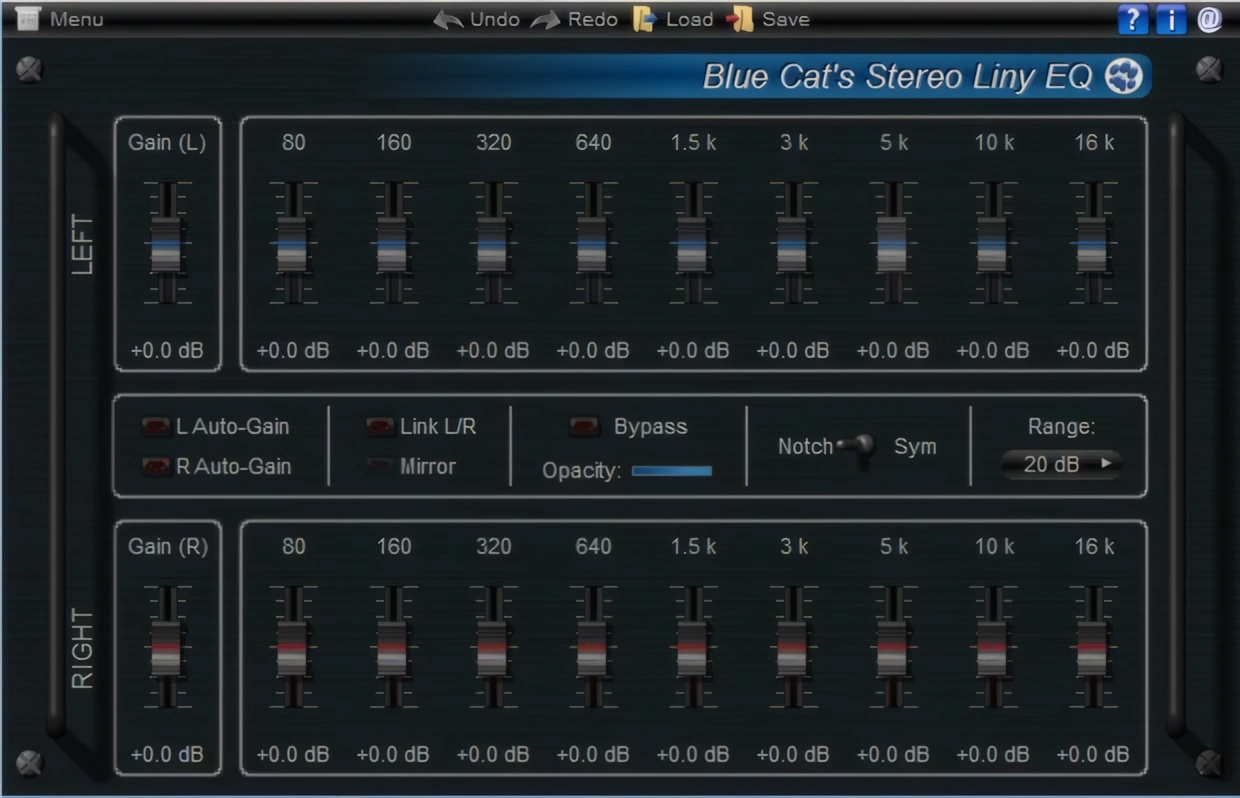
Mid/Side processing
Blue Cat’s “Widening Liny EQ” apportions tremendous, ear-pleasing stereo width and enhancement. Having just finished my in-depth review of Voxengo’s stellar “Polysquasher 2,” I’ve developed a sharpened discernment for M/S processing.
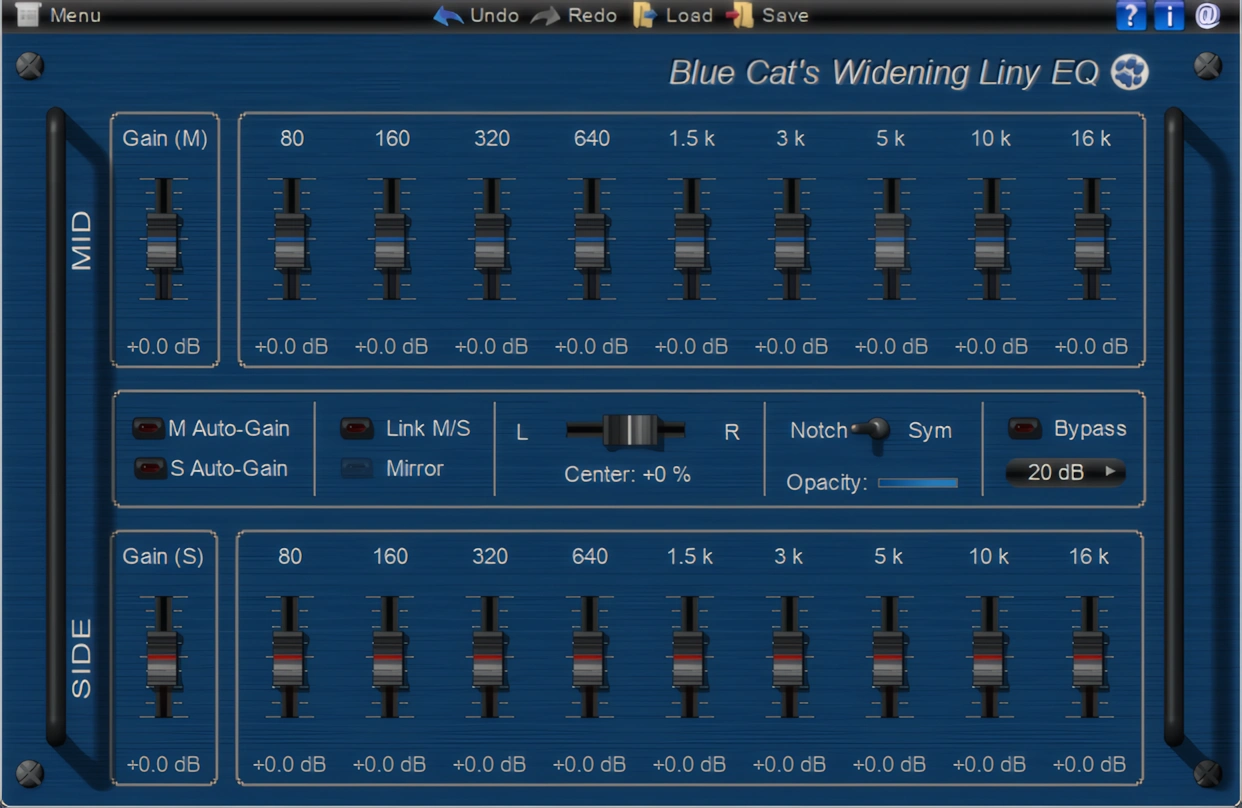
The “Widening Liny EQ” certainly does not disappoint. It lavishes your auditory senses with luxuriant, spacious-sounding signal processing; without introducing unwanted artifacts or obvious phasing anomalies.
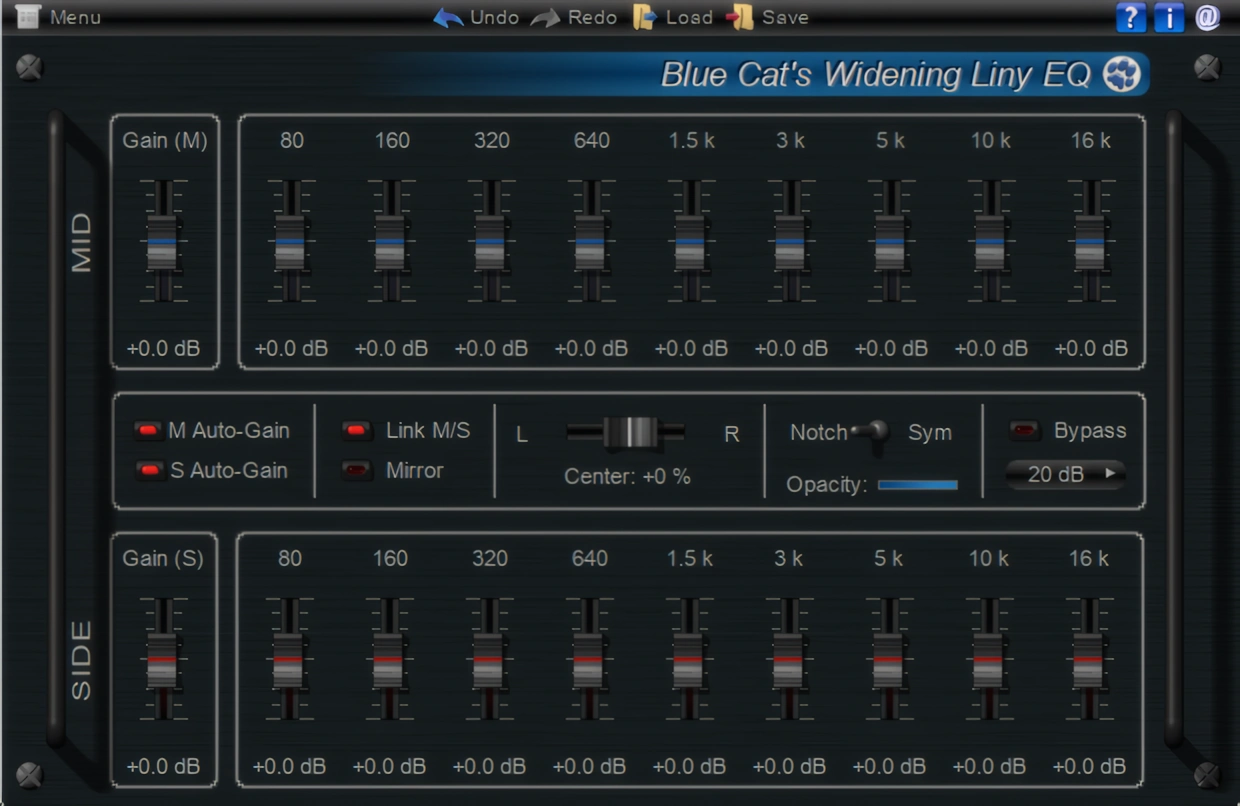
Each channel group operates independently within its own rack space, giving engineers precise control over the mix. Meanwhile, the auto-gain buttons help maintain proper mid/side balance without overcompensation. As a result, engineers can work more confidently without worrying about accidental clipping.
In the Center:
There is a ‘Center’ slider that supersedes a typical L/R balance control, like those found on many stereo devices. This slider allows the engineer to set the center of the signal: it lets you control where you want the equalization to take place within the stereo field.
The user is free to make adjustments that will enhance high frequencies on the sides, and bass levels in the middle. This feature can strengthen an existing stereo recording or completely reshape an instrument’s position within the mix. The effect also works wonders on a mono signal, since you can modify the perception of the stereo image by choosing the virtual ‘center’ position.
There is full automation support provided by this plugin offering a zipper-free, real-time and continuous change of parameters. If you wish to use this plug-in as a simple equalizer, you can choose to link the mid and side faders.
While linked, the Widening EQ works similarly to the standard Liny EQ. If you want a typical Left side/Right side equalizer, just set the ‘center’ all the way to the Right. The ‘Mid’ controls will become left channel parameters and the ‘Side’ controls manipulate the Right channel.
Sound Quality:
The Liny EQ plug-ins deliver exceptionally clean, transparent digital processing that any serious mix or mastering engineer will gladly welcome into their toolkit. In this present age of 4x oversampling (or greater) it is most gratifying to use a Class A equalization plug-in that doesn’t introduce lag and heavy CPU consumption, or the need for CPU-intensive oversampling.
As I noted earlier, Blue Cat Audio focuses its programming efforts on delivering exceptionally high-quality, feature-rich, and reliable plugins. Furthermore, the software supports all sample rates. These plug-ins seem to handle any sample rate easily.
Liny EQ (and its stereo & M/S brethren) is a tone-shaping EQ – not a ‘character’ enhancing device. There are plenty of so-called virtual analogue EQ’s on the market, but pristine, tone-shaping plug-ins are an entirely different matter. This plug-in very aptly fits into the latter category. As such, Liny EQ delivers precise, uncolored results perfectly suited for audio sculpting and surgical adjustments.
I actually found that I had to really drive these EQ plug-ins hard before they began distorting. I’ve reviewed some EQ products which do not share this coveted accolade.
Keep it Clean, Mister!
Clean, transparent plug-ins like Liny EQ are very important to engineers who work within the Jazz, Gospel, Country and Folk musical genres.
If the user is mixing audio material comprised of glitchy additive synthesized sounds, or heavily distorted electric guitars, then crystalline, sonic purity is not necessarily obvious.
As long as the levels are not exceeding 0 dB on the master channel, then strains of unwanted THD (Total Harmonic Distortion) will probably go unnoticed. Even yet, they may be desirable in some scenarios.
In a good set of studio headphones, or on a decent pair of quality reference monitors, the quality of Liny EQ is quickly apparent.
Blue Cat’s exemplary programming allows a user to to apply moderate cuts/boosts to lower frequency bands with Liny EQ — WITHOUT it resulting in ugly, phased distortion.
5 Stars for Blue Cat Audio!
Special Features:
Since we’ve covered many of Liny EQ’s features, I will now highlight the remaining ones you haven’t seen yet.
No CPU Load on Idle:
When the plugin is fed with silence, the processing smoothly shuts down, to optimize the CPU usage of your Digital Audio Workstation.
Noiseless True Bypass:
Smooth Bypass allows the user to activate/deactivate the plugin with absolutely no noise bursts. I have demoed some rather expensive plug-ins that are difficult to use with automation for this very reason.
Multiple Undo/Redo:
This illustrious set of EQs all feature Blue Cat’s admirable Undo/Redo functionality. No need to rely on a DAW to accomplish this. It’s convenient to be able to block-restore a previous setting, but Blue Cat’s Undo/Redo implementation once again displays this company’s commitment to quality and attention to details.
If you move any slider, knob or switch, each individual change is temporarily held in memory to readily facilitate incremental restoration of parameter settings.
Refined Preset Management:
Not only is a user free to create and save as many presets as desired, but he/she can also import and export in a non Host-dependent format. Because the plugin manages presets directly, you can deploy your saved settings across any DAW seamlessly.
Each of the three EQs included in the Liny EQ pack have a factory default “Flat” preset. This preset resets all parameters to perfectly flat, zeroed values.
CPU Consumption:
Gentle sigh of relief. Liny EQs are refreshingly light on CPU, allowing an engineer to insert many simultaneous instances throughout a project. This is a very, very noteworthy feature, considering that this is a Linear Phase EQ. At those times when multiple instances of Liny EQ are in use, Blue Cat’s proprietary “No CPU Load on Idle” is a fortuitous bonus.
Concluding Remarks:
Blue Cat Audio’s products are of stellar quality and functionality. These EQs are capable of achieving fantastic tone-shaping results with minimal effort. The feature-set is well implemented and powerful.
The locally installed Help and Users Manual is well-written, easy to understand, and yes . . . very helpful. Enjoy offline access since the software installs directly on your computer, eliminating any need for an internet connection.
Although the Liny EQ pack is not “cheap”, I would not necessarily assess it as being over priced either. The more that I examined this bundle and scrutinized its features, the more I realized its great value.
I don’t mean to infer value as being inexpensive, I mean value as in having advantageous merit. Any small studio owner or serious home producer will want to carefully demo these exquisite, black-tie-worthy products.
Lastly, the personalized serial number authorization is a beautiful thing! No C/R hassles, no dongle disasters – just good, clean serial authorization.
SPECIAL TECHNICAL MENTION:
Blue Cat Audio’s products are developed on Blue Cat’s own platform, and entirely coded in C++. Blue Cat Audio is not using bog-standard linear phase filters, but rather, a custom transform. That’s what lets them optimize their DSP kernel for such low latency.
4 out of 5 Stars


:: Pros
- Commercial-grade M/S and Stereo processing.
- Attractive, professional-looking GUI.
- High quality, studio-grade results with minimal effort.
- BEST-in-CLASS performance level for a Linear Phase EQ(s)
- Optimized, native programming code.
- Exceptional reliability.
- Well-written user’s manual.
- Convenient, built-in preset manager.
- No dongles, call/response challenges, nor invasive piracy protection overhead.
- Experienced, well-established audio-software developer of distinction.
- Available for 32 bit & 64 bit systems. MAC & PC. (AAX, AU, VST)
::Cons
- In this reviewer’s subjective opinion, Liny EQ is just a tad expensive.
- GUI is a little too small for modern, high resolution monitors.
Visit the Blue Cat Audio website. BlueCatAudio.com
Intellectual Copyright – 2013 – All rights Reserved. This review may not be copied or reproduced in whole, nor in part, without express written permission from the author.

Leave a Reply