
What is Valhalla Room?
Valhalla Room is a digital audio reverb plugin that specializes in simulating natural, acoustic spaces. This impressive algorithmic plugin goes head-to-head with any convolution counterpart due to its jaw-dropping depth, space and ambience capabilities. In this ValhallaDSP Valhalla Room review, we’ll explore its features, sound quality, and how it elevates your audio production.
Most importantly, Valhalla Room delivers professional-quality reverb at a budget-friendly price, making it accessible to home studio producers and professionals alike.
Key Characteristics:
- Multiple reverb algorithms (different types of room simulations)
- Known for high-quality sound at an affordable price point
- User-friendly interface with intuitive controls
- Low CPU usage compared to many competitors
- Available for Windows, macOS, and Linux (as of 2026)
Introduction:
ValhallaDSP was first spotted on the digital horizon back in 2009. Valhalla Room received positive buzz from the very outset; in part because of its excellent sound quality, and also because of its affordability factor. It approaches outright comedic lunacy to even contemplate comparing an independently-crafted $50 (USD) reverb plug-in with those costing upwards of FIVE times more.
Nevertheless, this true-stereo, cross-platform, algorithmic reverb plug-in deserves nothing less!
Why?
Sound quality.
The resultant reverberation quality heard on audio tracks that have been processed with Valhalla Room is nothing less that breath-taking. And don’tcha know, the reverberation decay can be as long as 100 s e c o n d s in duration!
Introducing Sean Constello:
There is an ever-growing community of ardent admirers who uphold and laud the DSP prowess of ValhallaDSP’s plug-ins. As a result, the founder’s name is referred to with great respect and appreciation. Ladies and Gentlemen, please make welcome, Mr. Sean Costello: the sole developer and founder of ValhallaDSP.
Some netizens have dismissed Mr. Costello’s choice of ATARI-like 2D GUI design, over the commonplace trend of vintage-looking, photo-realistic plug-in interfaces. For those whom have spent any time demoing or actually working with Valhalla reverb plug-ins, GUI design arguments become diminutive, at best.
Why?
Again, sound quality.
Hi, you! If you like these kinds of reviews,
be sure to subscribe.
By his own admission, Sean Costello approaches reverb algorithms from a psychoacoustics perspective. He says, and I quote:
”The most elegant math in the world doesn’t matter to me if it doesn’t sound good. Replicating physical reality is not nearly as important to me as creating the impression of sounds that are bigger and better than the physical world. My work is grounded in a deep appreciation and analysis of the analog and digital techniques of the past, and extending these foundations into new directions of awesome.”
In a word, it is this reviewer’s opinion that Mr. Costello has achieved and maintains his manifesto — perhaps even exceeds it. In fact, I feel confident in comparing ValhallaRoom to most nearly any other Room/Hall reverb plug-in. Even if we don’t take cost into the equation, Valhalla Room is magnificent.
The lush, rich, deep sense of space that this brilliant DSP gem is capable of reproducing is startling.
Obviously, we can consider Mr. Costello not only an exceptionally skilled programmer but also an eloquent wordsmith. He introduces visitors to the product’s web page with grammatical poise and class.
ValhallaDSP’s Intent:
“ValhallaRoom has been designed from the ground up to produce a wide range of natural reverberation sounds. Sounds range from tight ambiences and rooms, through traditional hall and plate sounds, all the way up to vast modulated spaces. The algorithm designs have been influenced by some of the classic room simulation boxes, as well as state of the art modern theory.”
“Instead of creating a simple physical model of a simplified physical space, VRoom generates early and late acoustic energy that provides the spatial and phase cues needed to create an “idealized” room impression.”
In truth, I concur, Mr. Costello.
This reviewer finds that VRoom should not be considered a clone of any famous software or hardware product. However, Valhalla Room certainly does exhibit the same kinds of qualities that the time-honored greats are known for.
I refrain from naming the famous devices and software(s) to which I’m alluding. But, Dear Reader, if you’re seeking a reverb plug-in that reproduces “that famous” modulated reverb sound; you need look no further.
Installation and Setup:
If your other reverb plug-ins rely on an iLok dongle, and that dongle malfunctions, goes missing, or gets stolen, you could lose access to everything. On the other hand, using Valhalla plug-ins ensures that the show can still go on, and the project will still sound GREAT! To clarify, Valhalla authorizes its plugins with customized, encrypted serial codes.
- Purchase online at valhalladsp.com for only $50 (USD)
- Wait for a brief period of time (no more than 24 hours, typically)
- Install tiny application not much bigger than 2 MB
- Open DAW
- Put Vroom on a channel
- Browse for XML license file
- Plug-in registered
- Done
- Hold on to computer chair and brace yourself for incredible reverb quality (optional)
Visuals and Interface:
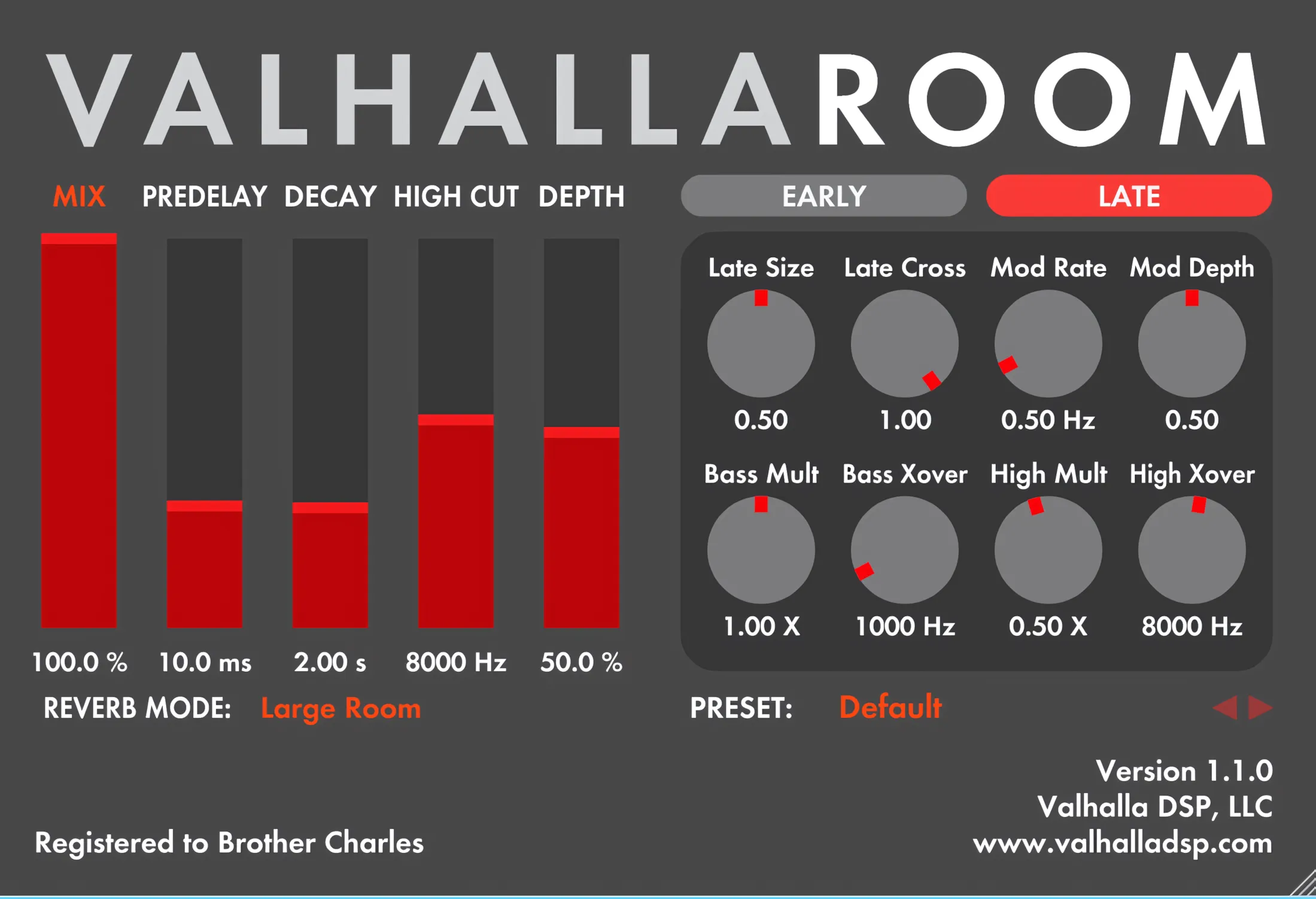
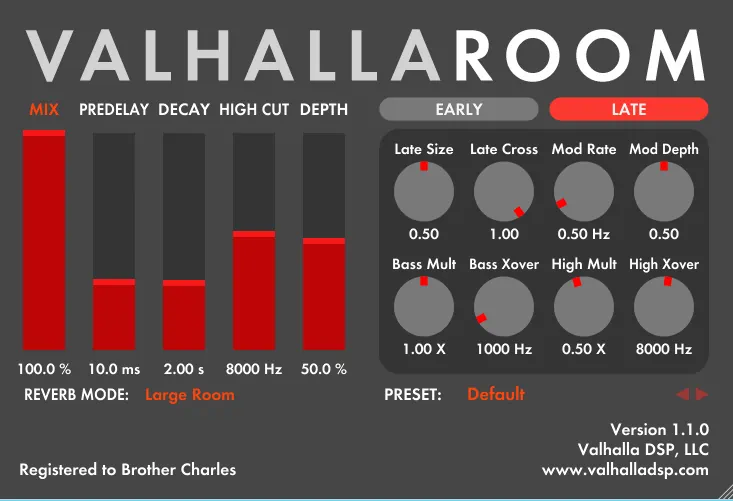
ValhallaDSP plug-ins have a definite and immediately identifiable charm about them. This closely resembles the ingenuity Voxengo demonstrates in creating a unique interface “style.” In view of this fact, the color themes differ from product to product, but the design-style is consistent throughout the evolving ValhallDSP product range.
Many of us have become accustomed to shiny, photo-realistic plugin GUIs that required Photoshop gymnastics to create. On the contrary, ValhallaDSP has chosen a divergent Modus Operandi. VRoom presents comfortable, default GUI dimensions that sit restfully within your DAW’s workspace at 730px wide by 500px high.
Ah, but it doesn’t stop there, brethren. Firstly, Valhalla Room can oh-so-easily be resized to any dimension. You accomplish this by grabbin the lower right corner of the plug-in GUI with your mouse, and drag-resizing to your heart’s content. Not only does the interface itself change, but the knobs and sliders resize in perfect, direct proportion as well.
Nice Lite Vectors:
ValhallaDSP GUI’s are nice n’ light on system resources. In view of this, Windows GDI will not throw a hissy fit or demand that you install an nVidia or ATI 3D acceleration card on your system. For this reason, the intuitive, easy-to-use workflow is an absolute joy to work with.
We can agree that it’s very pleasing for the eye to look at photo-realistic graphics, but ease-of-use and HUGE sound quality pays off very well in a real-world application. In the final analysis, no one can contest the uniqueness and simplicity of ValhallaDSP’s 2D GUI designs.
Visual Design:
The Valhalla Room features a gentle shade of grey as its background, nicely spiffed up with rich red and tangerine-colored accents. For this reason, the GUI is very easy on the eyes.
Text and labels are legible and clearly read in attractive, anti-aliased ‘sans serif’ typeface. Each of the knobs and sliders feature silky-response to mouse movements, and offer some very kool right-click options. The user can choose to use “velocity sensitive” mouse movements, or one of three variations of rotary motion. (circular dragging, left-right dragging and up-down dragging)
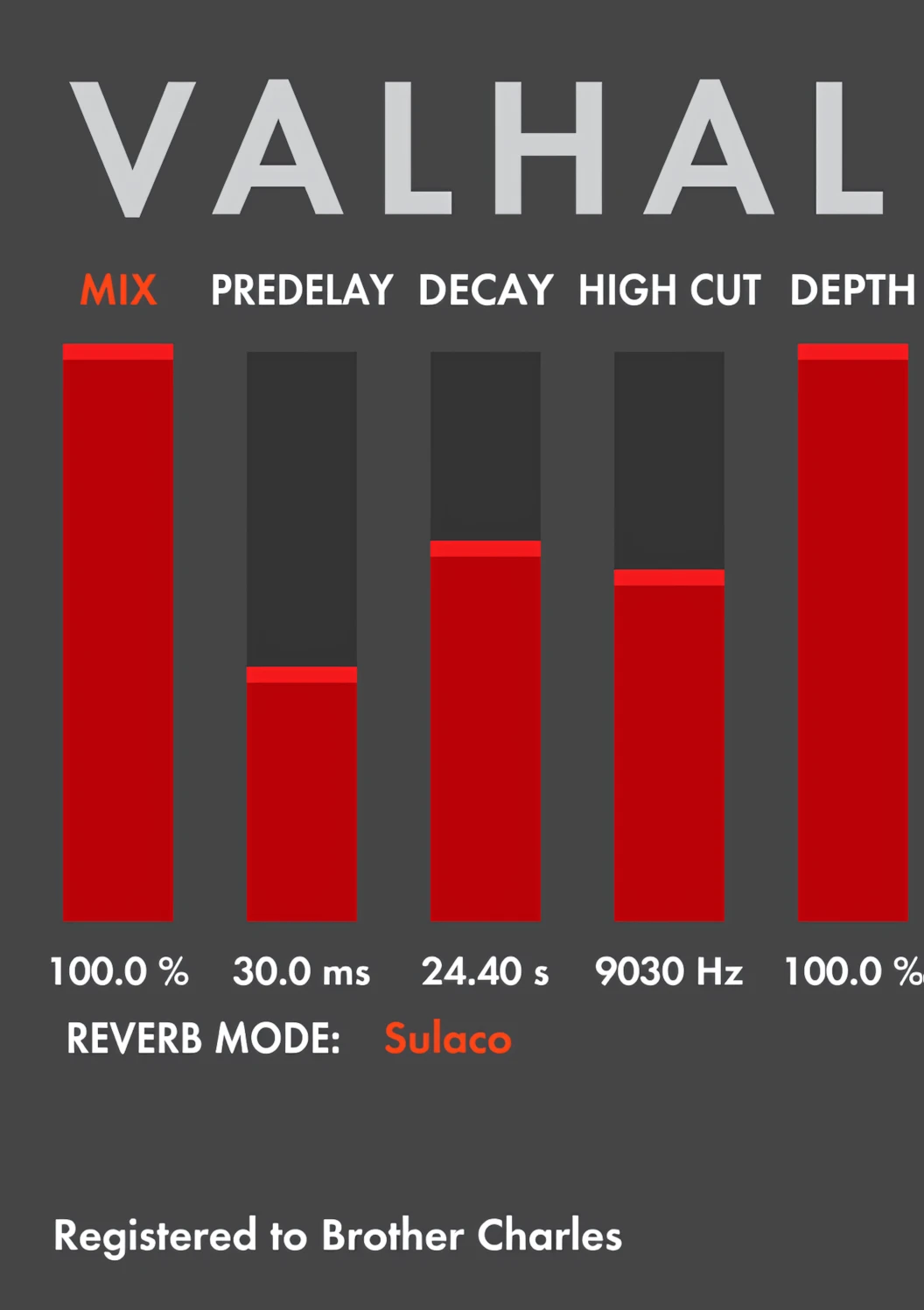
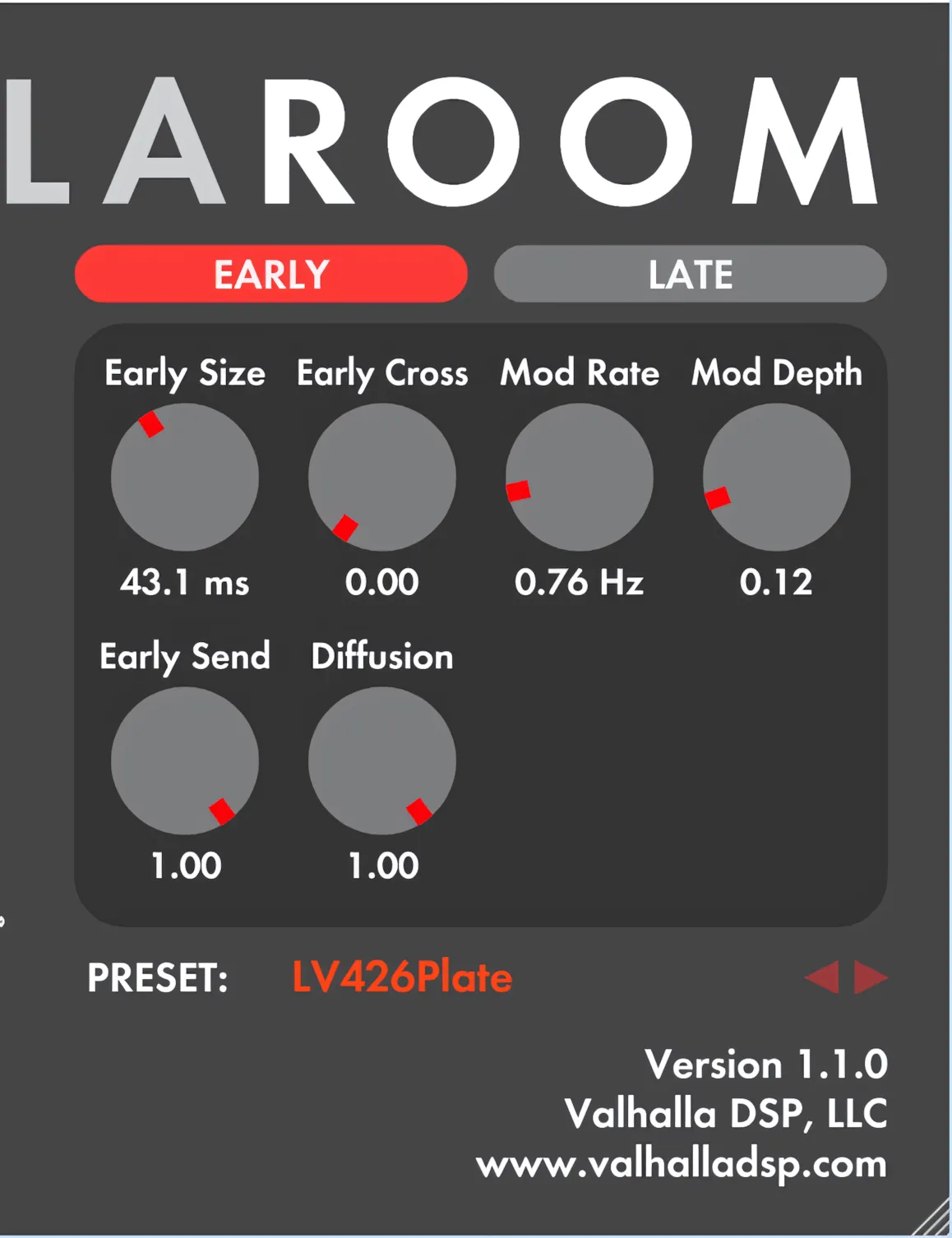
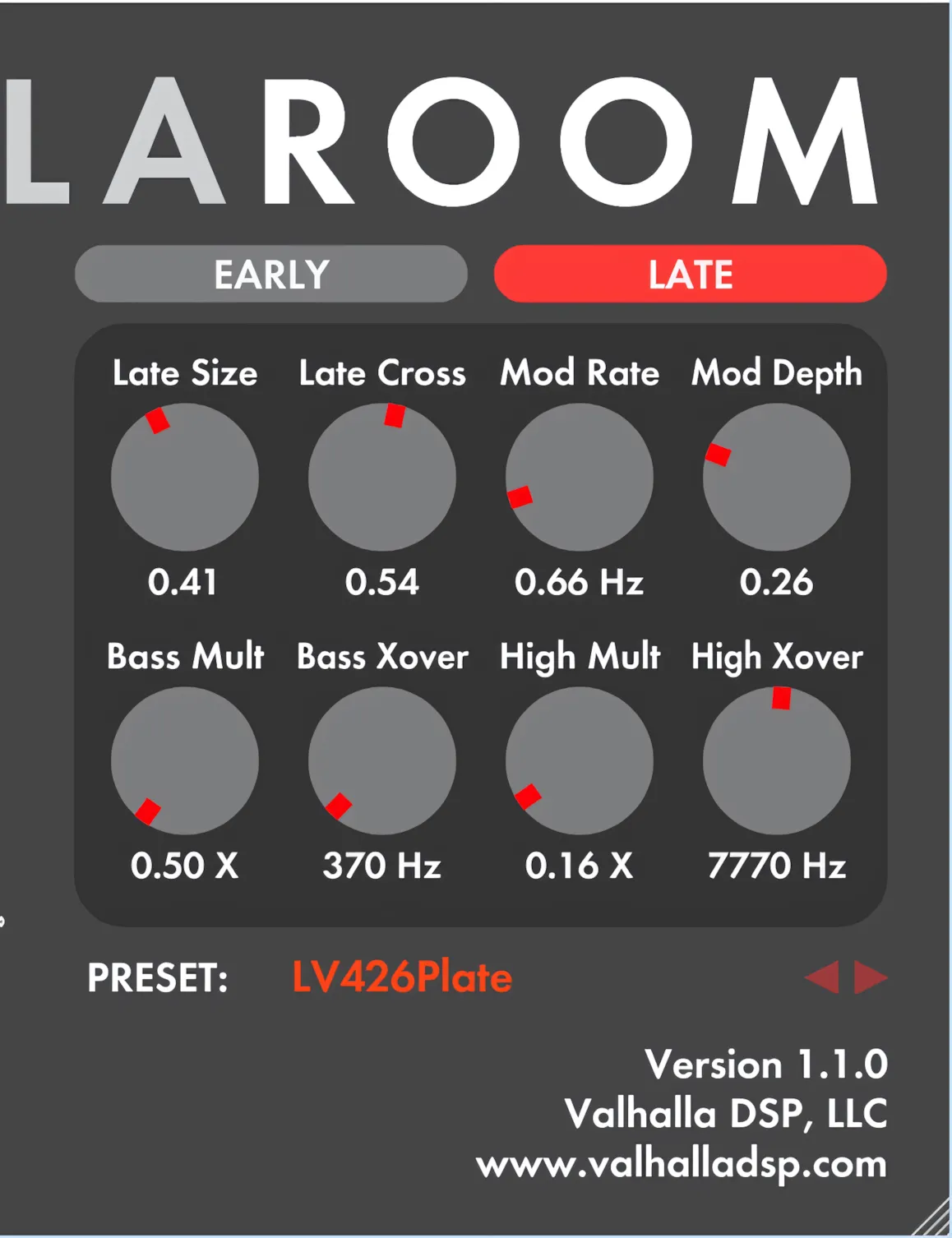
There are two primary control areas. Firstly, on the left you can configure the degree of mix/dry signal ratio, PREDELAY, DECAY, HIGH CUT, and DEPTH. Secondly, two luxuriously-sized tabs for both the EARLY and LATE reflections manipulation greet the user on the right side.
Click on the pics to view upscaled Images (opens in new tab)
Contextual Help:
ValhallaRoom does not include a separate user’s manual, in PDF (or other) format. Instead, ValhallaDSP have conveniently incorporated product documentation in what they refer to as “Self Documentation”. This time-saving help/manual method works especially well for this type of GUI design.
For example, the mouse cursor causes an item to ‘dim’ ever-so-slightly whenever it hovers over it. Similarly, the plugin displays a clear, easily understood description along the bottom of its window.
Presets aplenty:
An ample presets menu sits cozily below the ‘EARLY’ and ‘LATE’ panel. The immensities of the included factory-presets are much more than mere “starting points”. In fact, the presets are finely-tuned and immediately gratifying.
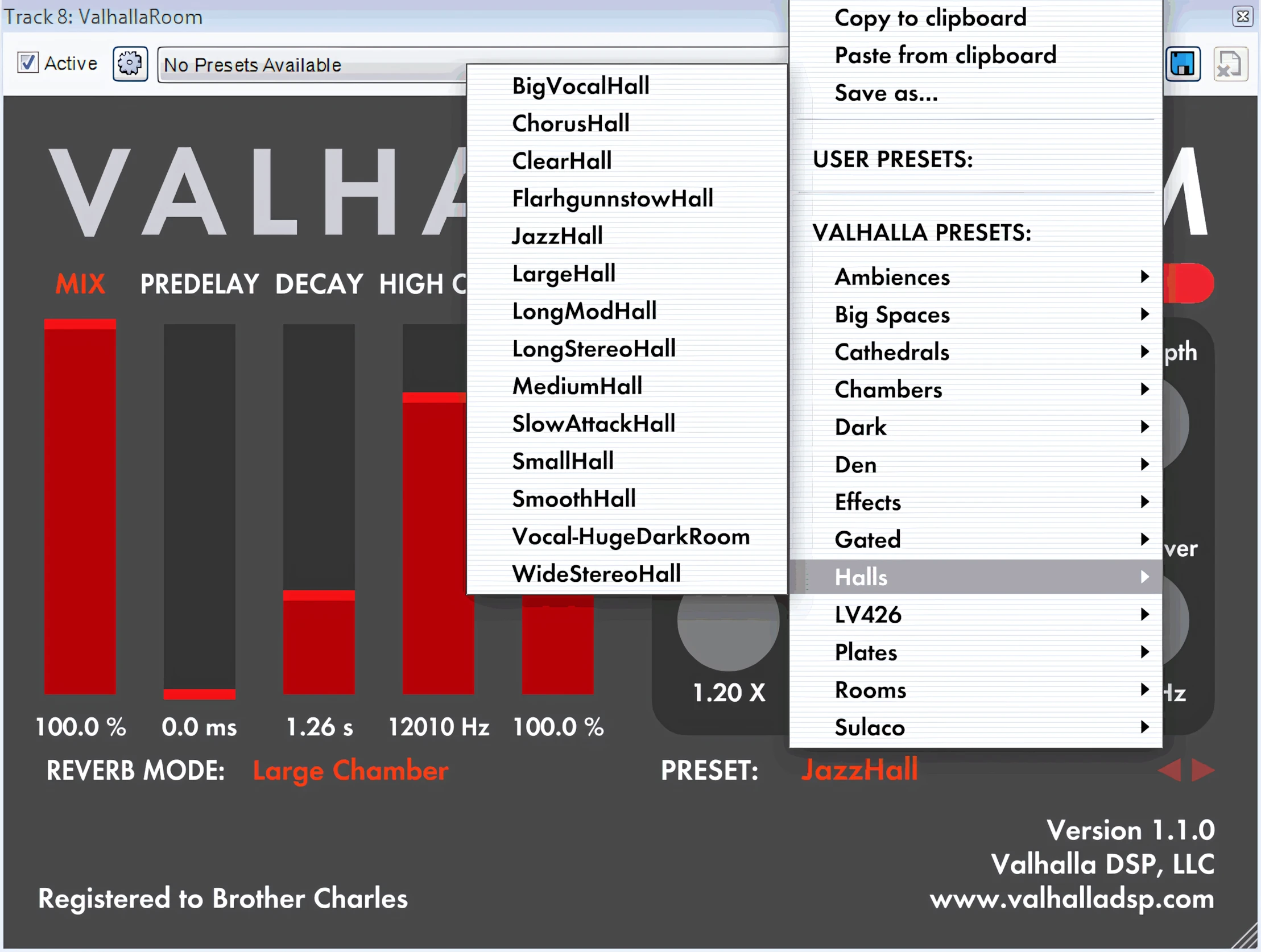
Valhalla’s interface is both attractive (in an ATARI-console kind of way) and functional. There is not one feature or GUI component that looks disjointed or “patched in”. To put it another way, the workflow design is intuitive and becomes familiar almost immediately.

Conversely, there doesn’t seem to be any way to return an altered parameter back to its default value easily. Without doubt, having a convenient “double-click-to-reset” feature would be very welcome in a future release.
Sound Quality:
The engulfing reverberations that Vroom produces sweep me away into a macrocosm of magnanimous virtual space while I listen.The quality of Vroom’s 11 algorithmic ambience is intoxicating. One doesn’t want to remove oneself from its cavernous sphere of sonic decadence.
How often have you read clichéd’ catch-phrases blithely tossed about like “wraps itself around the sound source” and “it becomes part of the sound”? Although these industry-hyped descriptives tend to be overused, they are entirely appropriate and applicable in this case.
In general, Valhalla Room opens up your sound. It doesn’t smother the source with a blanket of discordant, metallic ringing or unwieldy mud. In short, ValhallaRoom delivers a vast, sumptuous stereo-width that is truly tremendous.
Reverb Decay:
Valhalla Room’s reverb tails are lush, silky, and smooth, unlike the jagged decay of some other reverb plug-ins occupying the same general price range. Even if a user patiently waits for up to 100 seconds, until the reverb tail finally eases to completion, they will not hear any abrupt cut-offs.
Bright or Dark – Big or Small:
Here’s a common scenario: Certain reverb plug-ins become an engineer’s choice for only specific reverberation purposes. The engineer will religiously use “So-and-so” reverb for large, dark spaces. On the other hand, the same engineer swears by “such-and-such” plug-in for bright, medium-sized rooms.
You know what I mean, right? Some of us even adopt an elitist mentality and convince ourselves that we must clutter our hard drive with a bevy of expensive, specialty software to achieve professional results. In that case, there is merit to this mindset; but only to an extent.
Valhalla Room is as perfectly suited to reproducing deep, cavernous dark spaces, as it is to bright, wide halls. There is ‘just enough’ noise in some of its algorithms to bring us a quality that very closely approaches that of coveted, revered, studio-hardware greats of yesteryear.
To summarize, you can easily place an instrument or voice in a busy mix with great precision. That placement will be truly discernable to the listener. When an engineer develops an intimate knowledge and familiarity with VRoom, they can effortlessly recreate superior, “hyper-real” ambience effects. To that end, the results will be immensely satisfying.
Stereo Imaging and Depth:
Budget and entry level reverb plug-ins often fail by lacking perceived depth. Inexpensive reverb may sound as though it’s ‘swallowing’ the sound source, or that it is simply ‘riding on top’ of it.
ValhallaRoom is guilty of neither failure. VRoom sounds very alive and organic – even with the swirl of bouncing modulation. Perhaps the lush modulation available in some of its algorithms allows ValhallaRoom to tantalize our aural appetites so.
It is an amazing feat for a sole developer to create a plug-in that tricks the listener’s ear into believing the source was recorded inside a wide, deep, ambient space. To put it differently, Vroom lures a listener away from the digital domain, and convinces them that they are no longer listening to a reverb plugin.
A Concert Piano Scenario
Many engineers, myself included, often employ two or more reverb plug-ins in order to achieve truly believable results. You might use one type of reverb to create a sense of real space and dimension, and a second type to establish a deeper sense of width and depth.
For example, let’s say your recording would benefit from a piano track captured without close mic-ing, recorded instead in a medium-sized hall.
If you record the piano with microphones placed only a few inches from the soundboard and strings, it will still sound ‘close-mic’d,’ even if you process the track with a large hall reverb with a 10-second decay.
In contrast, imagine being able to place that close‑mic’d piano in a virtual space that creates the illusion of it existing in a much larger room, and then subsequently adding the big hall effect on top.
Ah, you’re coming into the dawning of a new audio-science revelation. It’s tidbits of knowledge like this that grow novice mix engineers into professionals. The finely-developed psycho-acoustics DSP that powers ValhallaRoom ensures that the results described above are now within easy reach for home producers.
Audio Examples:
A Quick Explanation of Early and Late Reflections:
The “EARLY” module facilitates adjustments of the relative size of an ‘initial’ space. (Remember the analogy of close mic-ing a piano?) A user can also define modulation settings and diffusion here.
You can also fine‑tune the amount of EARLY reflection that feeds into the LATE reverberation in this panel. In essence, you precisely control how clearly the initial space is perceived versus how lush and immersive the tail of the reverb feels. By adjusting this balance, you can move effortlessly from a tight, intimate room sound to a spacious, atmospheric ambience that enhances the overall depth and character of your mix.
The “LATE” tab provides the user with size, stereo-width, modulation frequency & depth, as well as sweepable crossover bands and band multipliers. If you aren’t yet a reverb “Pro”; don’t worry about it. A few hours of experimentation with VRoom will fast-track you right along.
Let’s spoil ourselves and listen to a few more clips of ValhallaRoom on simple piano tracks:
Audio Snippets: Blues Piano
Audio Snippets: Ballad Piano
Audio Snippets: Way Huge Piano
CPU Consumption:
ValhallaRoom places conservative to moderate demands on both CPU and RAM, depending on the active algorithim. An elite programmer, drawing on many years of reverberation algorithmic DSP programming experience, wrote the tightly optimized C++ code. Ginormous performance. Reasonably light system strain.
Concluding Remarks:
Most of Reviewer’s Revival’s reader base knows that I’m one of those engineers that believes in the “less is more” rule.
“If it ain’t broke, don’t fix it.”
“Don’t trade old gold for new silver.”
“Old dogs can’t learn new tricks” . . .
Ok, Ok, I’ll quit the clichés. But you get my drift though, right?
Once I find something “GOOD” that I know works well, I don’t relish experimenting with new stuff. What’s more, I really don’t like experimenting, ‘just for the fun of it‘, while I’m seriously recording and/or mixing. With this in mind, I assure you that Valhalla Room is easy-to-use, sounds superb, and is fool-proof to incorporate into any project. I whole-heartedly recommend this reverb plugin.
5 out of 5 Stars


:: Pros
- BEST-in-CLASS ‘Natural Space’ reverb algorithms!
- Well-designed, intuitive 2D interface.
- Resizable, “fast” GUI.
- Convenient roll-over “self documenting” help & tooltips.
- Lush, deep modulated reverb very similar to that of the hardware greats.
- Well-reputed developer and abundant online help.
- Polite, professional product support.
- Highly Optimized code resulting in conservative CPU requirements.
- Exceptional reliability.
- Regularly maintained and updated software.
- No dongles, call/response challenges, nor invasive piracy protection overhead.
- Cross-platform MAC & PC (
AU, AU64, VST32, VST64, & RTAS) (AU, AAX, VST, and VST3) as of 2020 – and available for Linux as of late 2025.
::Cons
- It would be nice to have a means of resetting parameters back to defaults. Ie. “double-click”.
- Does not ship with any ATARI games. *Grin.
Visit the ValhallaDSP website. ValhallaDSP.com
EXTRA INFO: Visit Patchpool for extra presets.
(The developer of these fine presets gratefully accepts donations.)
Intellectual Copyright – 2013 – All rights Reserved. This review may not be copied or reproduced in whole, nor in part, without express written permission from the author.

Leave a Reply