
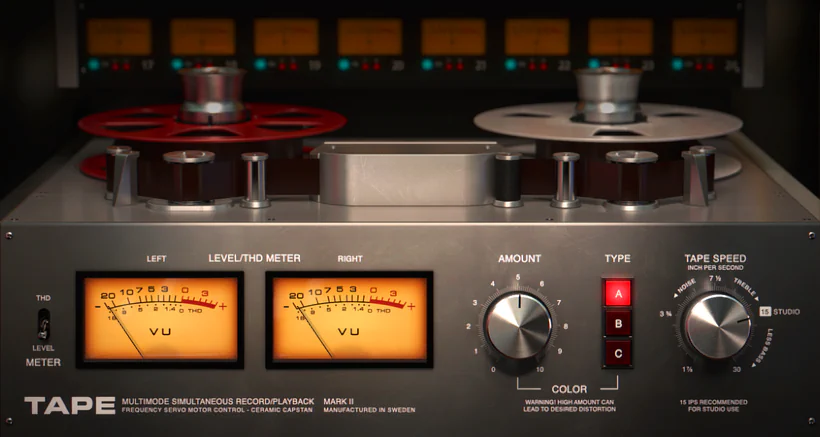
What is Softube Tape?
Softube Tape is an impressive saturation and “gluing” plugin created to deliver pleasing nonlinearities and speed-of-tape characteristics with ease. Tape emulates the sound of analog tape machines — the warmth, saturation, and subtle compression that reel-to-reel recorders impart to recordings. Softube Tape is designed to be an easy-to-use “glue” effect — rather than deeply modeling a specific machine with dozens of parameters. Throughout this in-depth Softube Tape review, we’ll see that it provides plenty of control without unnecessary complexity.
At a glance Softube Tape offers:
- Speed — simulating different tape speeds (IPS), which affects the tonal character; higher speeds give more fidelity and top end, lower speeds sound warmer and rounder
- Bias — adjusting head calibration, which changes how saturation behaves (wrong bias settings were historically used creatively for a “bloomier,” more distorted sound)
- Saturation/Amount — controlling the amount of tape drive and harmonics added
Introduction:
I still remember the first time I truly sat up and paid attention to a so‑called “tape” emulation plug‑in. It happened way back in the 32-bit days of 2009. At that time, VOS (Variety of Sound) had just won KVR Audio’s Plugin of the Year for their “FerricTDS” plug‑in. This delightful freeware gem delivered a surprisingly tasty tape-like flavor to almost any audio source. And honestly, it still does.
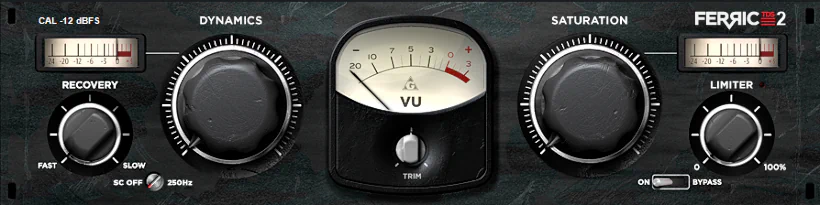
Put away those museum passes because Windows XP and Vista are ancient history. Today, we run sleek, multi-core 64-bit powerhouses instead. Meanwhile, top plug-in developers have mastered tape emulators, turning what used to be studio magic into an everyday mixing commodity.
ToneBooster’s “TB_ReelBus” is my secret weapon for drum tracks. It sounds fantastic, dials in effortlessly, and packs plenty of configuration options for just €20. On other days, Slate Digital’s “VTM” delivers an even richer tape emulation that always leaves me grinning. Naturally, Softube’s “Tape” press release caught my attention immediately. If “Tape” drips with the same convincing analog vibe as other Softube treasures, it promises to be quite a feast for the ears—or well, for the speakers.
Softube Tape lists for $99 (USD). I don’t know about you, dear reader, but I’m especially eager to delve into it and find out what everybody’s favorite Rock-n-Roll Scientists have come up with this time!
Why do tape plugins like Softube Tape matter?
If you’ve mixed in-the-box for any length of time, you’ve undoubtedly hit those moments when a track just lies flat — lifeless, even. It happens with nearly any drum or instrument track, a vocal, or even an entire mix. You know the feeling. Everything sounds fine, yet your mix still comes out sterile and indistinct. So you reach for different EQ settings. You swap out compressors. And, heaven forbid, you even push the faders harder. Still, nothing helps.
Enter analog tape emulation — one of the quickest ways to inject convincing analogue-esque mojo into a digital recording. I particularly recommend using it on drum busses. It can really gel individual drum channels together while adding subtle—or possibly not-so-subtle—character.
Softube Tape delivers genuine harmonic weight and sheen when you use it judiciously. This plugin awakens digital tracks with impressive vibe and fullness. Better yet, push the input hard, and you’ll unleash a palette of sumptuous sonic character that simply demands attention.
Licensing and Authorization:
iLok – Pace Gobbler. Pace protects all Softube products through copy protection, but you don’t need an iLok dongle. That said, I strongly recommend you grab one anyway. Here’s why: hard drives crash, and when they do, they take your machine-based activations with them.
** If you haven’t an existing iLok account, you’ll be urged to create one while setting your Gobbler account.
Hi, you! If you like these kinds of reviews,
be sure to subscribe.
Softube now uses a closed, proprietary product-management system called “Gobbler.” Through the downloadable Gobbler app, you can easily access downloads for all your Softube purchases. Currently, you can still download older Softube products via an “ALL-IN-ONE” installer. However, from now on, they appear to limit new releases to the Gobbler system.
For extra flexibility, you can also access your Gobbler-authenticated installers through any standard web browser. So no, you’re not completely at the mercy of yet another app.
I really appreciate that the Softube/Gobbler system makes downloading individual installers easy and convenient. If you prefer to avoid one huge All-In-One installer, this option feels especially welcome. Your hard drive will probably thank you too.
Visuals:
Softube’s “Tape” captures the sound and the striking look of a high-end studio recording deck. The design team meticulously recreated every physical nuance of a real tape machine. A sleek, steel-grey chassis gleams under sophisticated room lighting, complete with subtly cast shadows. Photorealistic depth of field takes center stage here. This interface delivers 3D perspective at its finest, leaving flat, vector graphics safely in the past.
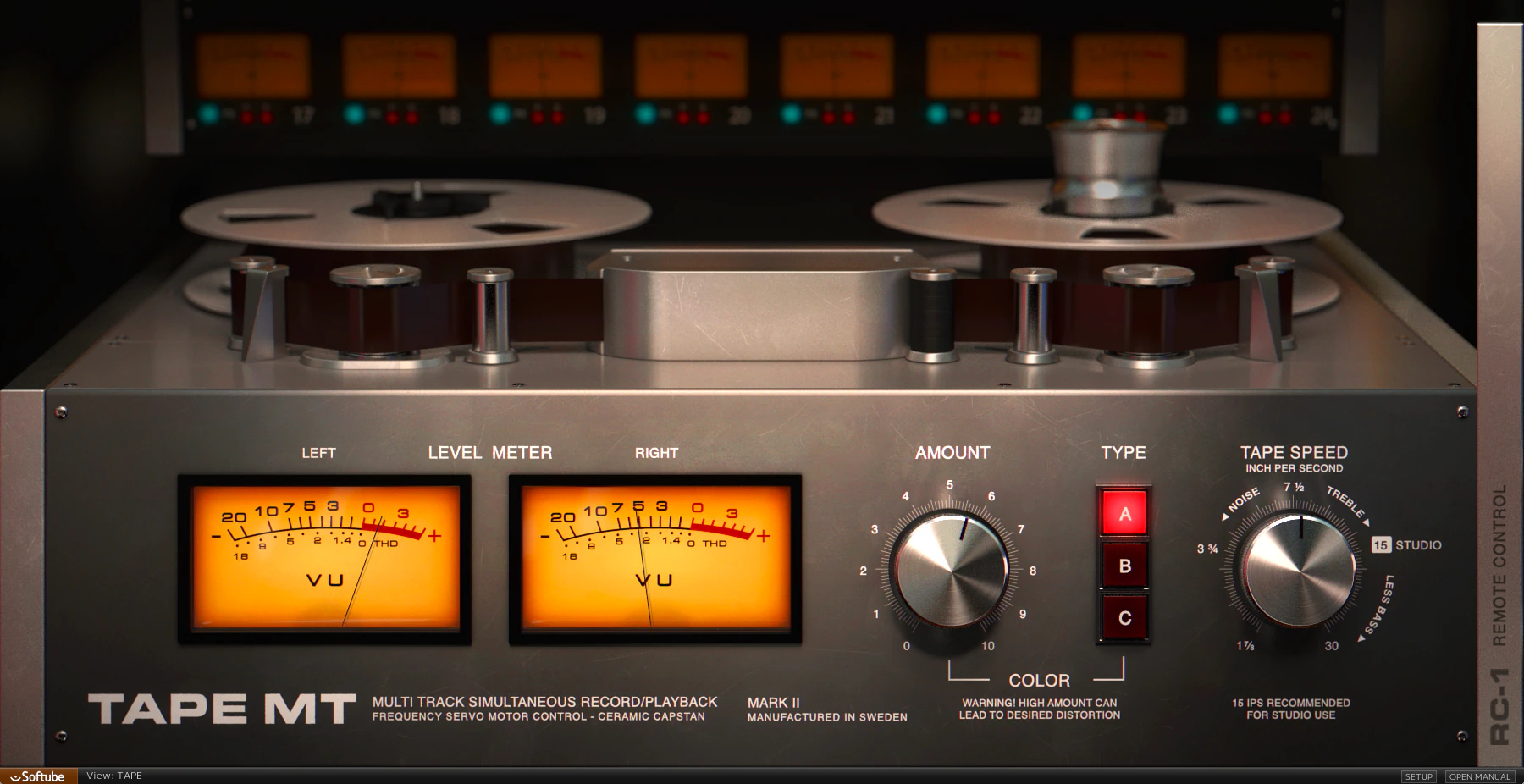
From left to right, the plug-in’s front panel greets you with a pair of amply proportioned VU meters. These respond to either input level or THD (Total Harmonic Distortion), depending on your setting. Either way, the large Amount knob — sitting just to the right of the meters — determines the values you’ll see.
Three clearly marked, faux push buttons glow brightly to show which of the three built-in tape machines is currently active. Switch between machine models, and different tape reels appear on screen — a classy artistic touch.
On the right, another large rotary dial gives you control over IPS tape speeds. As audio plays, photo-realistic animation brings the graphical interface to life. You’ll also notice that the reels visibly reflect your tape-speed adjustments. Of course, this has nothing to do with sound quality. Still, it sure looks cool . . .
Hidden Options . .
On the far right, click the sidebar labeled “RC-1” (Remote Control) to slide it left and reveal several important configuration options. Click it again to tuck the panel neatly out of sight. We’ll explore these parameters in a moment.
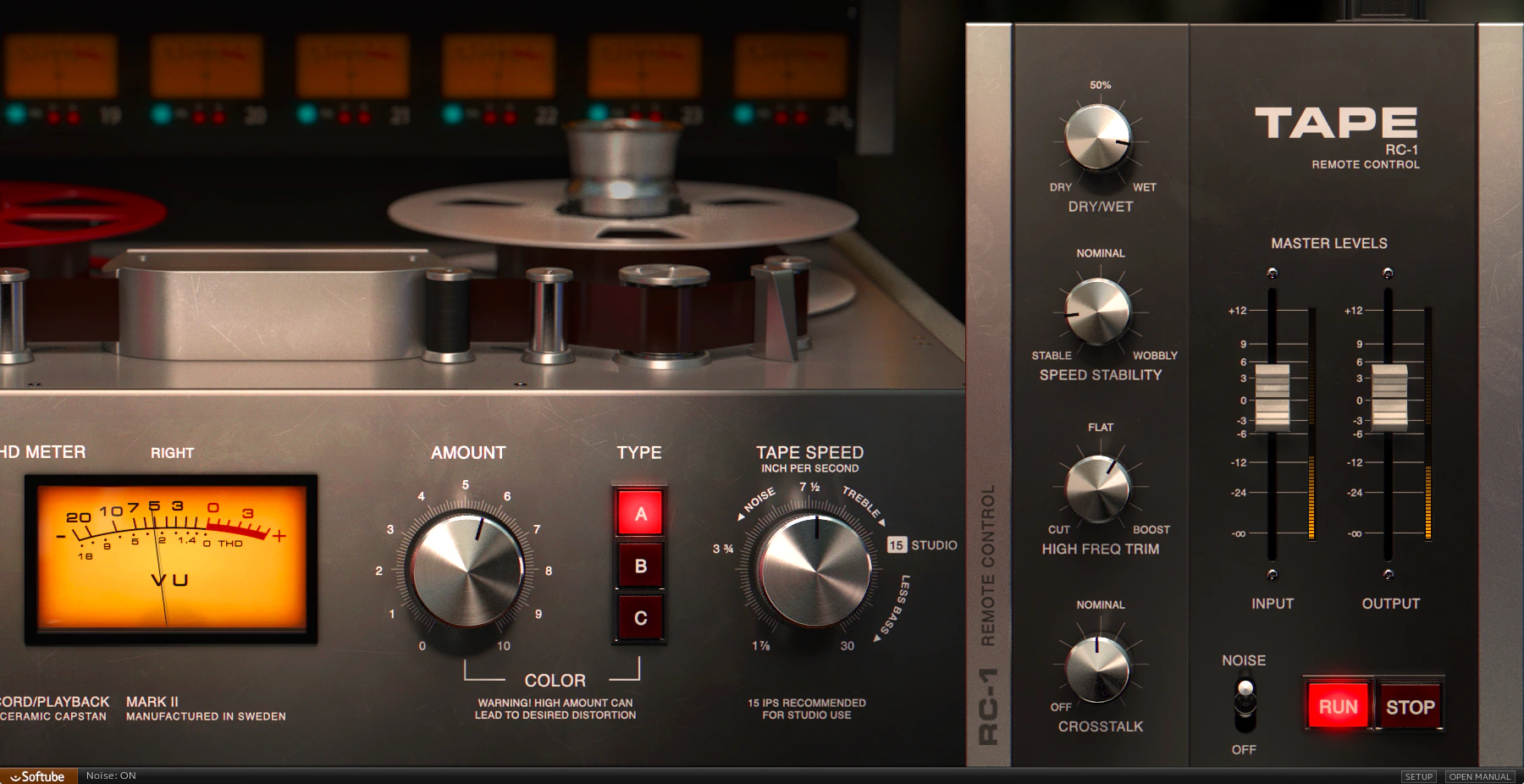
Softube spaces the GUI appointments thoughtfully and designs them with refreshing straightforwardness. The result? An uncomplicated, genuinely enjoyable user experience. From end to end, Tape’s interface stays neat, clean, and intuitive—exactly what you want when you’re working.
Alt + click resets a knob or slider to its centered, default position; granular adjustments can be made while keeping your keyboard’s ctrl key depressed.

If I had one complaint about Softube’s Tape, it would be this: the GUI sits too small on today’s high-definition screens. The design looks attractive, sure, but it falls short of what I’d prefer. A bit more breathing room would make all the difference.
I strongly encourage Softube to create resizable, scalable GUIs going forward. In fact, because many of their products cost a premium, they should seriously consider re-releasing the entire product line with fully resizable interfaces. After all, if we’re paying top dollar, our eyeballs deserve VIP treatment too.
Performance and Functionality:
Amount:
This control may well be the most important one on Tape’s interface. Depending on which tape machine model you activate, you can apply different sonic colors of warmth, dimension, and glue.
You can go from a gentle, subtle polish all the way to obvious grit and saturation. Even better, an intelligent gain-staging algorithm seems to manage the level for you. When you increase the “Amount,” you do not get distracting volume jumps.
Engineers of the analog era never used tape machines as intentional distortion boxes. Tape was simply the premier recording medium available, and it happened to print a wonderfully airy, rich texture onto every track. Granted, gritty, over-saturated oxide still packs a certain ‘je ne sais quoi’ when a track screams for extra sizzle.
VU Meters:
These respond smoothly and deliver fluid, hardware-like accuracy. You can set their movements to react to either input-signal strength or Total Harmonic Distortion levels.
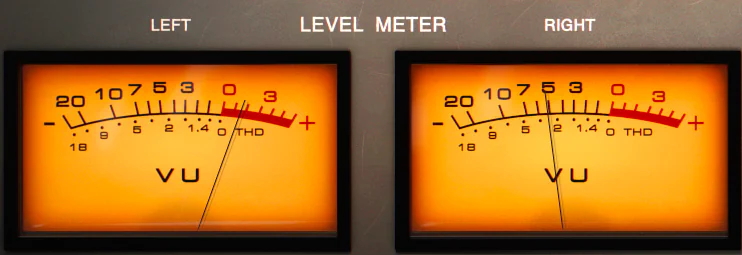
Personally, I think it’s kinda cool to monitor THD levels. However, I suspect most mix engineers will leave the switch set to the “Level” position.
Type:
Softube’s “Tape” models three distinct recording-machine types. It’s not difficult to identify a couple of the unnamed suspects in the lineup. However, the nondescript “B” selection remains elusive.
This anonymous machine draws inspiration from a transformer-based hardware unit. It adds noticeable weight and low-end harmonics to the source material.
Softube describes Type “A” as a “Classic Swiss high-end reel-to-reel machine, known and loved for its precision and linearity. Based on this description, we can reasonably conclude that Softube modeled Type “A” after one of the legendary Studer-Revox units.
Type “C” tells a different story. Softube labels it as British-made with a distinct vibe, and it delivers the brightest sound of the three. This makes me suspect they modeled it after one of those old, hefty, cinder-block-sized EMI machines—machines that practically refuse to go unheard.
Tape Speed:
I suppose this function explains itself pretty well, but every solid review needs at least a few words describing each element. Call it thoroughness—or call it professional habit.
At slower recording speeds, physical tape captures less high-end detail and becomes less stable. As a result, the lower IPS (inches per second) settings on this virtual unit mimic those same behaviors and produce more lo‑fi tones.
By contrast, higher tape speeds deliver greater fidelity and clarity. Yet they still keep that sweet, gluey character that makes analog tape so beloved in the first place.
Dry/Wet:
Parallel processing makes light work of easy, breezy mixing. Blend some heavy saturation directly into your dry signal whenever you want to get a little wild.
Beyond that, this knob unlocks a subtle yet delectable secondary benefit. Pair it with moderate speed stability settings to whip up remarkably convincing tape flange effects. Drop that onto your drum overheads, and you have a recipe for serious sonic flavor.
Speed / Stability:
Fully counter-clockwise, the knob leaves your signal untouched. Start twisting the dial rightward, and subtle “wobble” emerges — closely mimicking mechanical tape fluctuations.
Of course, you can take things to the extreme for decidedly pitch-warped instability. And as I mentioned above, pair this feature with the Dry/Wet knob, and it recreates lush, musical flanging effects.
High Freqency Trim:
This feature gets a definite nod of approval from yours truly. I’m really digging how sumptuously Softube’s “Tape” flavors audio. However, at its default flat setting, I find my ears straining to pick out upper-frequency details.
Fortunately, High Frequency Trim restores some of the sheen that might otherwise get lost. This becomes especially useful when tape Type “B” is active. Conversely, if you’re working with especially bright material, dial back the trim to smooth out harsh high frequencies.
Crosstalk:
Old analogue tape decks suffer from crosstalk—leakage from one track bleeds into adjacent tracks. Every analogue multi-channel audio processor faces this same challenge. Softube faithfully reproduces this characteristic through the ‘Crosstalk’ circuitry built into Tape.
Engineers worked hard to keep their tape machines running at peak performance with regular maintenance, head cleaning, and demagnetizing. Old‑school techs absolutely did not want crosstalk; we did everything we could to suppress it.
However, a big part of the charm in classic analog recordings comes from that very thing. Those slight amounts of crosstalk quietly added a natural cohesiveness to the final mix.
Noise:
This unassuming little toggle switch layers realistic tape hiss and circuit noise straight into your processing chain. Many younger home producers forget that top-tier studio machines relied on stellar components, meaning noise was rarely a major issue.
Pristine studio tape running at 15 IPS produced only minimal hiss, and bumping that speed up to 30 IPS brought noise levels down near digital silence. Consequently, this “Noise” feature delivers an authentic reproduction rather than an exaggerated deluge of annoying white noise.
On a sparse mix or an intimate folk recording, Softube’s noise implementation plays just like the big decks of yesteryear. It imparts an ever-so-subtle wash that fills in those tiny, empty spaces. That said, leaving it switched on during a heavy dance or rock track feels entirely pointless. . . Jus’ sayin‘.
Master Sliders:
Nice, smooth long-throw faders. Pardon my playful sarcasm, but you know what these do, yes? Increase input level, or decrease it. Increase output level, or decrease it. But hey! Even though anyone who’s ever pressed a red record button knows what a volume slider is for, ya gotta admit that they sure do come in handy. *Grin.
Tape Run / Stop:
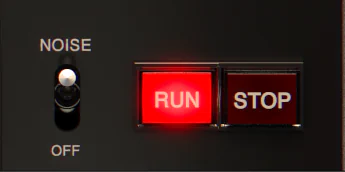
Never one to leave a stone unturned, Softube has even recreated a tape quirk that only us older folks remember: tape start and stop drag. Unlike digital devices, a powered-down tape machine would literally slow down, producing that dragging sound. The same held true in reverse when firing the machine back up. In fact, this happened even during routine Stops and Starts. Consequently, engineers carefully reversed or forwarded the tape before executing punch-ins — just to make sure the mechanism ran at full speed.
When I fired up Softube’s “Tape” for the first time, I was absolutely tickled by how accurately it recreated this behavior. I played with it for a couple of minutes, grinning like a silly kid and waxing nostalgic.
Our favorite Rock n Roll scientists from Sweden have gifted us a very kool katch. To be honest, I doubt anyone will use tape start/stop effects in every project. Still, they’re worth enlisting occasionally when you want to add a little nostalgic character.
Sound Quality:
Tape delivers an aural lushness that sets it apart from every other plugin I’ve worked with. It dusts your mix bus with harmonic magic in a way that feels genuinely distinctive. I rate it very highly—and here’s why: the High Freq Trim function gives you full-range control across a remarkably broad frequency spectrum.
I really like how Softube Tape treats almost any audio source. It adds dimension, depth, and an elusive sonic character that’s hard to explain in words.
To my ears, Tape brings an airy, spacious quality to the material. Words like “weight” and “sheen” certainly apply, but this is one of those tools you simply have to hear to truly understand. Your ears will get it faster than any adjective ever could aptly reveal.
Listen to this quick full mix demonstrated across four distinct flavors. I dropped “Tape” onto the master bus as the final processor, running at the default speed of 15 IPS. Finally, I spun the same short clip back using Type “A” dialed up to 30 IPS.
** This clip is courtesy of Acoustica, the creators of Mixcraft Pro Studio 8. The song is a copyrighted piece by Mitchell Sigman. Vocals provided by the fabulous Kim Wood. **
Drum Bus Samples
CPU Consumption:
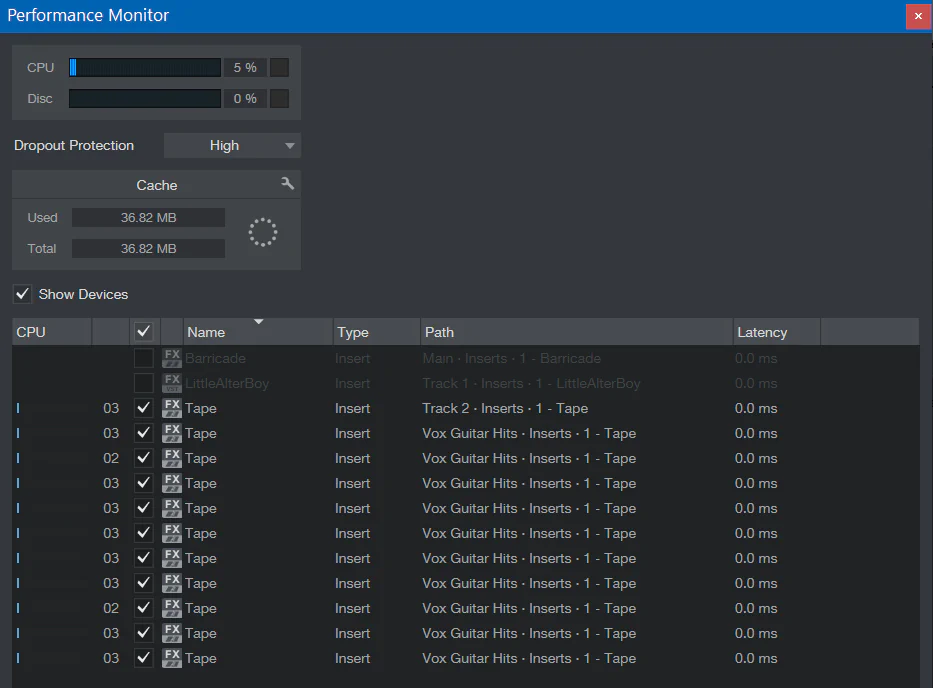
Your CPU won’t break a sweat running this plug-in. Running Studio One 3.5.1 on an Intel i7-7700HQ, ToneBooster’s “TB_ReelBus V3” hovers around 4% CPU usage while Slate’s “VTM” takes 5%. Softube’s “Tape” beats them both, only requesting a lean, mean 2%.
I loaded (10) instances of “Tape” into an empty Studio One 3.5.1 project on my system. The PreSonus performance monitor indicated a 5 percent CPU hit.
Concluding Remarks:
Softube’s “Tape” is rapidly becoming my favorite tape machine plug-in. It sounds remarkably authentic and dials in with zero fuss. It loads in a flash and sounds phenomenal. Best of all, it leaves the competition in the dust when it comes to CPU efficiency.
4.5 out of 5 Stars


:: Pros
- Reel-y, reel-y authentic tape-like sound – it sure convinced me!
- Intuitive, well laid-out GUI.
- High quality and diverse saturation/distortion effects.
- Super simple to configure.
- Works as expected, NO finicky surprises.
::Cons
- I have but a single complaint about “Tape” – the lack of a resizable/scalable interface.
Visit the Softube website. www.Softube.com
Intellectual Copyright – 2017 – All rights Reserved. This review may not be copied or reproduced in whole, nor in part, without express written permission from the author.

Leave a Reply